AI Code Generator

TestGenAI

Boost your PHP code coverage effortlessly with TestGenAI! Generate precise unit tests using AI and AST—no manual coding required.

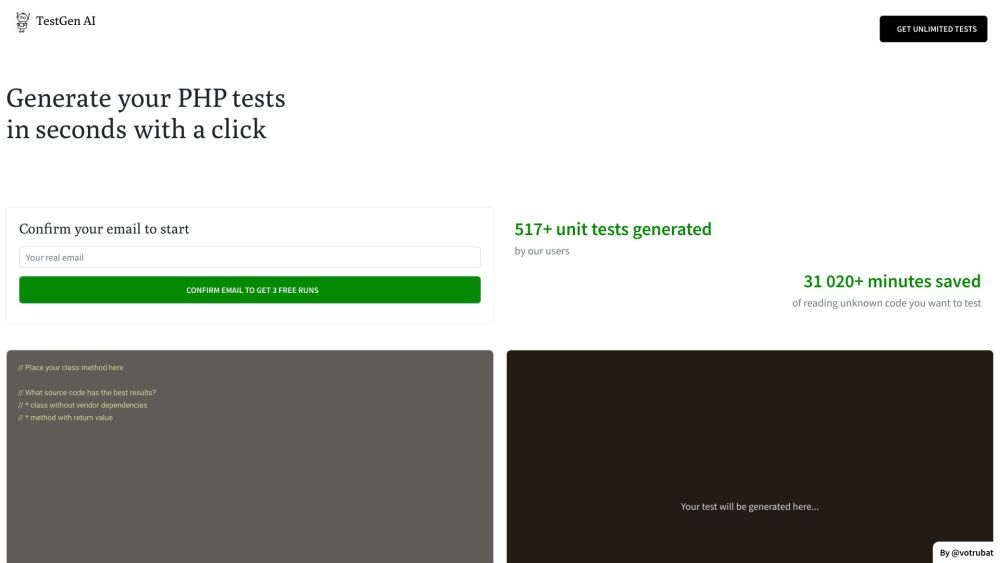
TestGenAI website preview

TestGenAI Website screenshot

What is TestGenAI?

TestGenAI is an innovative tool that leverages Artificial Intelligence and Abstract Syntax Trees (AST) to generate PHP unit tests for your existing code. This powerful solution automates the creation of unit tests, saving developers significant time and effort.

How to use TestGenAI?

To get started with TestGenAI, you need to sign up for an account on their website. After registration, simply upload your class and method code. TestGenAI will then utilize AI and AST to analyze your code and generate PHP unit tests. You can review these tests and integrate them into your development process to ensure your code’s functionality and reliability. Additionally, TestGenAI maintains a history of generated tests for future reference.

TestGenAI's Core Features

TestGenAI offers the following core features:

  • AI-powered test generation: Uses AI and AST to create PHP unit tests automatically.
  • Quick test creation: Generates tests within seconds with just one click.
  • Project context awareness: Produces tests considering the entire project context, not in isolation.
  • Test history: Keeps a record of all generated tests for easy access and review.

TestGenAI's Use Cases

TestGenAI can be used in various scenarios:

  • Test Driven Development (TDD): Facilitates the quick creation of test cases, supporting the TDD methodology.
  • Code verification: Helps validate code correctness by generating appropriate unit tests.
  • Efficient testing: Saves time and manual effort in test case creation by automating the process.
  • Code coverage: Aids in achieving higher code coverage by creating tests for different scenarios and code paths.

Product source: TestGenAI official website. Check the provider for current plans, limits and availability.

FAQ

TestGenAI questions and answers

Product context and practical checks for evaluating TestGenAI.

What is TestGenAI used for?

Boost your PHP code coverage effortlessly with TestGenAI! Generate precise unit tests using AI and AST—no manual coding required.

How do I get started with TestGenAI?

To get started with TestGenAI, you need to sign up for an account on their website. After registration, simply upload your class and method code. TestGenAI will then utilize AI and AST to analyze your code and generate PHP unit tests. You can review these tests and integrate them into your development process to ensure your code’s functionality and reliability. Additionally, TestGenAI maintains a history of generated tests for future reference.

Which capabilities are described for TestGenAI?

TestGenAI offers the following core features: AI-powered test generation: Uses AI and AST to create PHP unit tests automatically. Quick test creation: Generates tests within seconds with just one click. Project context awareness: Produces tests considering the entire project context, not in isolation. Test history: Keeps a record of all generated tests for easy access and review.

What projects can I evaluate TestGenAI for?

TestGenAI can be used in various scenarios: Test Driven Development (TDD): Facilitates the quick creation of test cases, supporting the TDD methodology. Code verification: Helps validate code correctness by generating appropriate unit tests. Efficient testing: Saves time and manual effort in test case creation by automating the process. Code coverage: Aids in achieving higher code coverage by creating tests for different scenarios and code paths.

What should I compare before choosing a TestGenAI plan?

Check TestGenAI’s current pricing page for included usage, renewal terms and any credit charges. Compare the cost of a usable result, including retries, rather than assuming that account registration includes free usage.

What inputs should I prepare for a TestGenAI trial?

Compare repository access, context limits, supported languages and tool permissions. Check whether the assistant can read relevant files and run your existing checks.

How can I check the quality of a TestGenAI result?

Review the diff, run tests and inspect error handling and dependency changes. Generated code should meet the same review standard as a human contribution.

Which export options should I check in TestGenAI?

Prefer changes you can inspect and keep in version control. Check whether code, tests and configuration can be exported without depending on a hosted preview.

What is a practical way to test TestGenAI against alternatives?

Choose a small reproducible bug with an existing failing check. Measure whether the tool fixes the cause, preserves behavior and produces a reviewable change.

Where is the official TestGenAI website?

The website linked from this profile is . Use the provider’s own documentation, account area and support channels to confirm current product details.