Writing Assistants

Teachers Report Writer

Teachers Report Writer is an AI-powered app designed to simplify the process of writing school reports for teachers. By entering a few bullet points for each student, the app generates full, well-written reports in a matter of seconds.

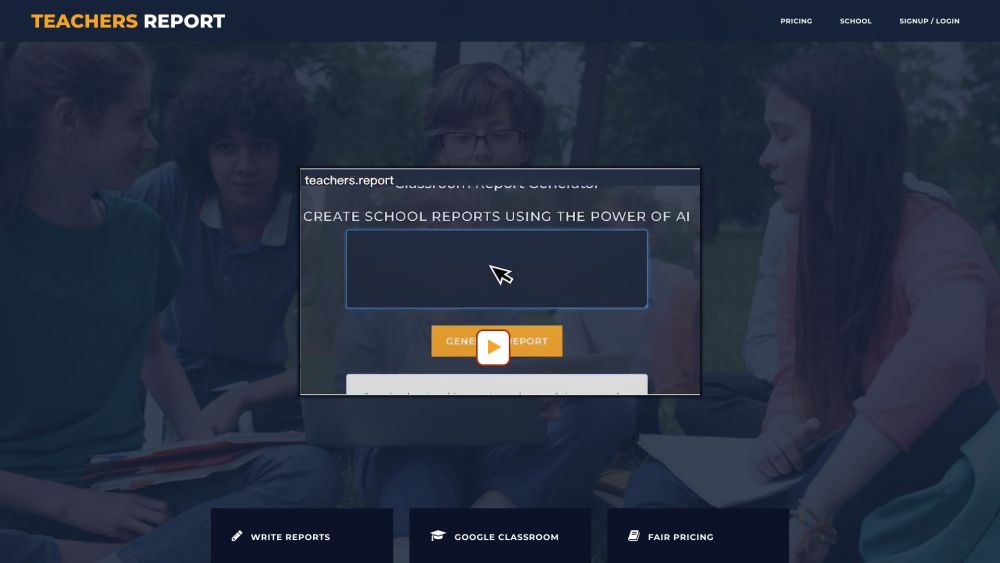
Teachers Report Writer website preview

Teachers Report Writer Website screenshot

Introducing Teachers Report Writer

Teachers Report Writer is an innovative AI-driven application crafted to streamline the creation of school reports for educators. By providing a few bullet points about each student, the app quickly produces comprehensive, articulate reports.

Getting Started with Teachers Report Writer

To begin using Teachers Report Writer, register for an account. After logging in, you can start composing reports by inputting concise remarks about each student. The AI will transform this input into customized, fluent reports. These reports can be downloaded as Docx or Xlsx files for easy integration with school management systems or other platforms.

Key Features of Teachers Report Writer

AI-Driven Report Generation

Customizable Reports for Individual Students

Accurate Spelling and Grammar

Adjustable Word Count and Style

Google Classroom Integration

Export Options for Docx and Xlsx Files

Applications of Teachers Report Writer

Creating Reports for Secondary and Primary School Students

Reducing Time and Effort in Report Writing

Maintaining Consistent and High-Quality Reports

Enhancing the Reporting Process with Google Classroom Integration

Seamless Export of Reports for Use in School Management Systems

  • Customer Support and Contact Information

    For more details, visit the contact us page.

  • Company Information

    Company name: Teachers Report.

  • Login to Teachers Report Writer

    Access your account here: Login

  • Sign Up for Teachers Report Writer

    Create a new account here: Sign Up

  • Pricing Information

    View pricing details here: Pricing

  • Follow Us on Facebook

    Stay updated via our Facebook page: Facebook

  • Subscribe to Our YouTube Channel

    Watch our videos on YouTube: YouTube

  • Follow Us on Twitter

    Get the latest updates on Twitter: Twitter

Product source: Teachers Report Writer official website. Check the provider for current plans, limits and availability.

FAQ

Teachers Report Writer questions and answers

Product context and practical checks for evaluating Teachers Report Writer.

What is Teachers Report Writer used for?

Teachers Report Writer is an AI-powered app designed to simplify the process of writing school reports for teachers. By entering a few bullet points for each student, the app generates full, well-written reports in a matter of seconds.

How do I get started with Teachers Report Writer?

To begin using Teachers Report Writer, register for an account. After logging in, you can start composing reports by inputting concise remarks about each student. The AI will transform this input into customized, fluent reports. These reports can be downloaded as Docx or Xlsx files for easy integration with school management systems or other platforms.

Which capabilities are described for Teachers Report Writer?

AI-Driven Report GenerationCustomizable Reports for Individual StudentsAccurate Spelling and GrammarAdjustable Word Count and StyleGoogle Classroom IntegrationExport Options for Docx and Xlsx Files

What projects can I evaluate Teachers Report Writer for?

Creating Reports for Secondary and Primary School StudentsReducing Time and Effort in Report WritingMaintaining Consistent and High-Quality ReportsEnhancing the Reporting Process with Google Classroom IntegrationSeamless Export of Reports for Use in School Management Systems Customer Support and Contact Information For more details, visit the contact us page. Company Information Company name: Teachers Report. Login to Teachers Report Writer Access your account here: Login Sign Up for Teachers Report Writer Create a new account here: Sign Up Pricing Information View pricing details here: Pricing Follow Us on Facebook Stay updated via our Facebook page: Facebook Subscribe to Our YouTube Channel Watch our videos on YouTube: YouTube Follow Us on Twitter Get the latest updates on Twitter: Twitter

What should I compare before choosing a Teachers Report Writer plan?

View pricing details here: Pricing Confirm current prices and allowances on the provider’s website before purchasing.

What inputs should I prepare for a Teachers Report Writer trial?

Look for text prompts, image references, masks or sketches as appropriate. Compare composition control, supported upload types and the ability to revise a selected area.

How can I check the quality of a Teachers Report Writer result?

Inspect text, hands, edges, reflections and repeated objects at full size. Check that important product or brand details survive editing.

Which export options should I check in Teachers Report Writer?

Compare pixel dimensions, transparency, file formats and any enlargement options. Confirm that the downloaded result works in your design or publishing software.

What is a practical way to test Teachers Report Writer against alternatives?

Prepare a brief with a subject, composition, lighting and required output size. Test a first generation and a targeted revision to see how much control you retain.

Where is the official Teachers Report Writer website?

The website linked from this profile is https://Teachers.Report. Use the provider’s own documentation, account area and support channels to confirm current product details.

Visit Teachers Report Writer