AI Productivity Tools

Taskaid AI

Boost productivity effortlessly with Taskaid AI, your smart, AI-driven task management tool designed to optimize workflow and keep you on track.

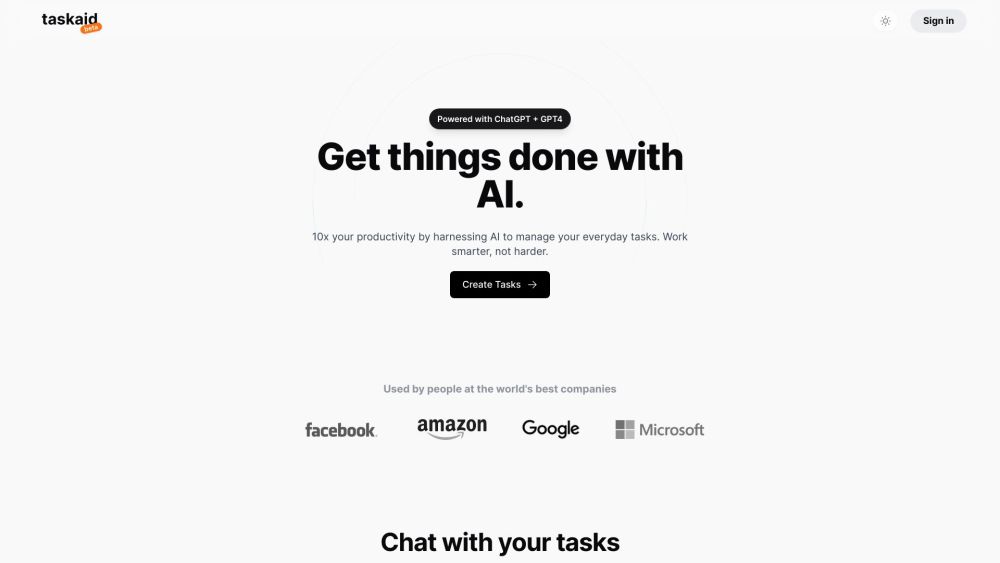
Taskaid AI website preview

Taskaid AI Website screenshot

What is Taskaid AI?

Taskaid AI is an advanced task management solution designed to enhance productivity through AI-driven assistance. Leveraging the power of ChatGPT and GPT-4, it simplifies the process of managing daily tasks by offering smart, seamless, and interactive features tailored to individual needs.

How to use Taskaid AI?

1. Task Creation: Easily generate and categorize your tasks, ensuring they align with your immediate objectives and priorities.
2. Task Interaction: Engage in real-time conversations with your tasks, allowing you to modify and update them instantly, while the AI automates the remaining workflow.
3. Agenda Overview: Get a comprehensive view of your daily and weekly plans, making it easier to prioritize and manage your time.
4. Time Optimization: Efficiently allocate your time, set pace, and receive timely notifications about your tasks.
5. Insight & Integration: Analyze productivity trends, integrate tasks with other digital tools, and keep track of your overall progress.

Taskaid AI's Core Features

AI-Driven Task Prioritization

Interactive Task Communication

Comprehensive Agenda Planning

Effective Task Management

Time Management & Alerts

Productivity Insights & Integration

Taskaid AI's Use Cases

Empowering individuals at leading organizations to streamline their task management processes and boost overall productivity.

Product source: Taskaid AI official website. Check the provider for current plans, limits and availability.

FAQ

Taskaid AI questions and answers

Product context and practical checks for evaluating Taskaid AI.

What is Taskaid AI used for?

Boost productivity effortlessly with Taskaid AI, your smart, AI-driven task management tool designed to optimize workflow and keep you on track.

How do I get started with Taskaid AI?

1. Task Creation: Easily generate and categorize your tasks, ensuring they align with your immediate objectives and priorities. 2. Task Interaction: Engage in real-time conversations with your tasks, allowing you to modify and update them instantly, while the AI automates the remaining workflow. 3. Agenda Overview: Get a comprehensive view of your daily and weekly plans, making it easier to prioritize and manage your time. 4. Time Optimization: Efficiently allocate your time, set pace, and receive timely notifications about your tasks. 5. Insight & Integration: Analyze productivity trends, integrate tasks with other digital tools, and keep track of your overall progress.

Which capabilities are described for Taskaid AI?

AI-Driven Task PrioritizationInteractive Task CommunicationComprehensive Agenda PlanningEffective Task ManagementTime Management & AlertsProductivity Insights & Integration

What projects can I evaluate Taskaid AI for?

Empowering individuals at leading organizations to streamline their task management processes and boost overall productivity. Taskaid AI Support Email & Customer Service Contact For customer service, reach out to Taskaid AI support via email: [email protected]. Taskaid AI Login Login to Taskaid AI: https://www.taskaid.ai/sign-in?callbackUrl=/app Taskaid AI Sign Up Create a new Taskaid AI account: https://www.taskaid.ai/sign-in Taskaid AI Pricing Explore pricing details: https://www.taskaid.ai/

What should I compare before choosing a Taskaid AI plan?

Explore pricing details: https://www.taskaid.ai/ Confirm current prices and allowances on the provider’s website before purchasing.

What inputs should I prepare for a Taskaid AI trial?

Look for text prompts, image references, masks or sketches as appropriate. Compare composition control, supported upload types and the ability to revise a selected area.

How can I check the quality of a Taskaid AI result?

Inspect text, hands, edges, reflections and repeated objects at full size. Check that important product or brand details survive editing.

Which export options should I check in Taskaid AI?

Compare pixel dimensions, transparency, file formats and any enlargement options. Confirm that the downloaded result works in your design or publishing software.

What is a practical way to test Taskaid AI against alternatives?

Prepare a brief with a subject, composition, lighting and required output size. Test a first generation and a targeted revision to see how much control you retain.

Where is the official Taskaid AI website?

The website linked from this profile is https://www.taskaid.ai. Use the provider’s own documentation, account area and support channels to confirm current product details.

Visit Taskaid AI