AI Advertising Assistant

Swyft

Swyft: AI-powered CRM management & automatic Salesforce updates. Eliminate manual data entry, ensure accurate pipeline updates, and streamline your workflow!

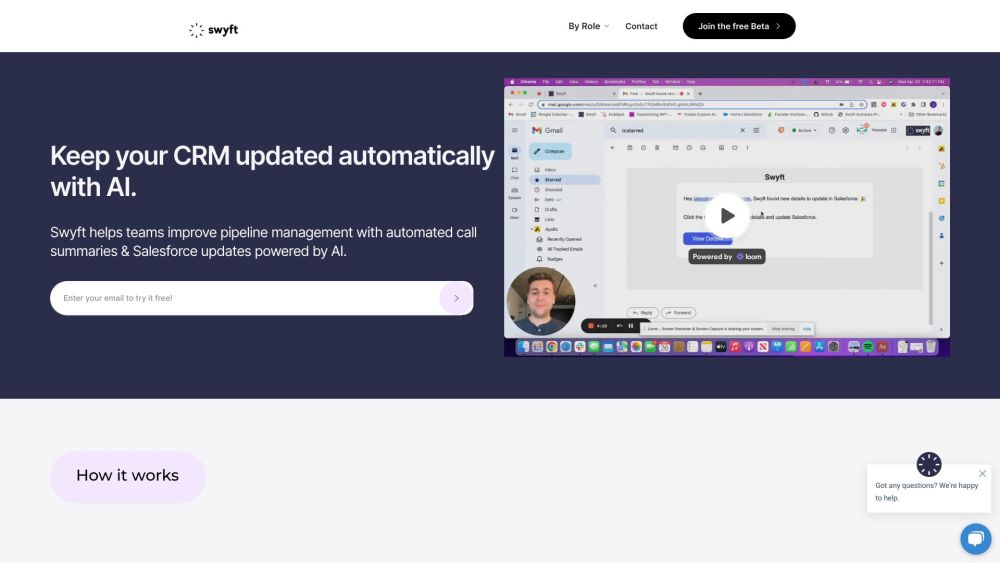
Swyft website preview

Swyft Website screenshot

Understanding Swyft

Swyft is an AI-driven platform designed to streamline CRM management and automate Salesforce updates. This innovative tool eliminates the need for manual data entry, ensuring that your sales pipeline is always up-to-date with minimal effort.

How to Operate Swyft

1. Conduct a Meeting: Participate in your Zoom call, and Swyft will handle the note-taking seamlessly in the background.
2. Confirm and Save: After the meeting, Swyft will analyze the call, summarizing key details that need to be updated in Salesforce. You can review and make adjustments before finalizing the update with a single click.
3. Automatic CRM Update: Swyft swiftly updates the relevant CRM fields, saving you significant time and manual effort.

Key Features of Swyft

Automated Meeting Summaries

Swyft generates comprehensive summaries of your sales calls, eliminating the need for manual note-taking.

Contextual Data Structuring

Swyft automatically updates Salesforce with structured meeting notes, next steps, and other crucial opportunity details.

Versatile Team Compatibility

Swyft is designed to accommodate teams of all sizes, providing a cohesive solution for managing CRM data and automating Salesforce updates.

Applications of Swyft

For Sales Teams

Swyft simplifies the process of recording meeting details and updating Salesforce, allowing sales teams to concentrate on selling rather than administrative tasks.

For Marketing Teams

Marketing teams can leverage Swyft to track customer interactions and ensure Salesforce fields are accurately updated, enhancing data quality.

For Developers

Developers can use Swyft to automate Salesforce data entry, ensuring CRM fields are updated during project discussions without manual intervention.

Product source: Swyft official website. Check the provider for current plans, limits and availability.

FAQ

Swyft questions and answers

Product context and practical checks for evaluating Swyft.

What is Swyft used for?

Swyft: AI-powered CRM management & automatic Salesforce updates. Eliminate manual data entry, ensure accurate pipeline updates, and streamline your workflow!

How do I get started with Swyft?

1. Conduct a Meeting: Participate in your Zoom call, and Swyft will handle the note-taking seamlessly in the background. 2. Confirm and Save: After the meeting, Swyft will analyze the call, summarizing key details that need to be updated in Salesforce. You can review and make adjustments before finalizing the update with a single click. 3. Automatic CRM Update: Swyft swiftly updates the relevant CRM fields, saving you significant time and manual effort.

Which capabilities are described for Swyft?

Automated Meeting SummariesSwyft generates comprehensive summaries of your sales calls, eliminating the need for manual note-taking.Contextual Data StructuringSwyft automatically updates Salesforce with structured meeting notes, next steps, and other crucial opportunity details.Versatile Team CompatibilitySwyft is designed to accommodate teams of all sizes, providing a cohesive solution for managing CRM data and automating Salesforce updates.

What projects can I evaluate Swyft for?

For Sales TeamsSwyft simplifies the process of recording meeting details and updating Salesforce, allowing sales teams to concentrate on selling rather than administrative tasks.For Marketing TeamsMarketing teams can leverage Swyft to track customer interactions and ensure Salesforce fields are accurately updated, enhancing data quality.For DevelopersDevelopers can use Swyft to automate Salesforce data entry, ensuring CRM fields are updated during project discussions without manual intervention. Swyft Company Company Name: Swyft AI Swyft Login Login Link: http://app.swyftai.com Swyft Pricing Pricing Details: https://www.swyftai.com/pricing Swyft LinkedIn LinkedIn Profile: https://www.linkedin.com/company/swyftai

What should I compare before choosing a Swyft plan?

Pricing Details: https://www.swyftai.com/pricing Confirm current prices and allowances on the provider’s website before purchasing.

What inputs should I prepare for a Swyft trial?

Check supported documents, datasets and source access. Establish whether the product can inspect your actual material rather than answer from general knowledge.

How can I check the quality of a Swyft result?

Follow citations to the original source, recalculate important numbers and check the date and scope of the evidence. Distinguish an explanation from a verified result.

Which export options should I check in Swyft?

Look for usable citations, tables, downloadable data and reproducible steps. A clear answer should let another person inspect how the conclusion was reached.

What is a practical way to test Swyft against alternatives?

Choose a question with known sources and a checkable result. Compare citation accuracy, omissions and reproducibility rather than response length.

Where is the official Swyft website?

The website linked from this profile is https://www.swyftai.com. Use the provider’s own documentation, account area and support channels to confirm current product details.

Visit Swyft