AI Email Assistant

Superhuman

Superhuman is a blazingly fast email experience designed for teams and individuals. It offers an AI-powered email platform that helps users be more productive, responsive, and stress-free. With features like Split Inbox, automated email drafting with Superhuman AI, follow-up reminders, snippets, and read statuses, Superhuman streamlines email management and saves valuable time for users.

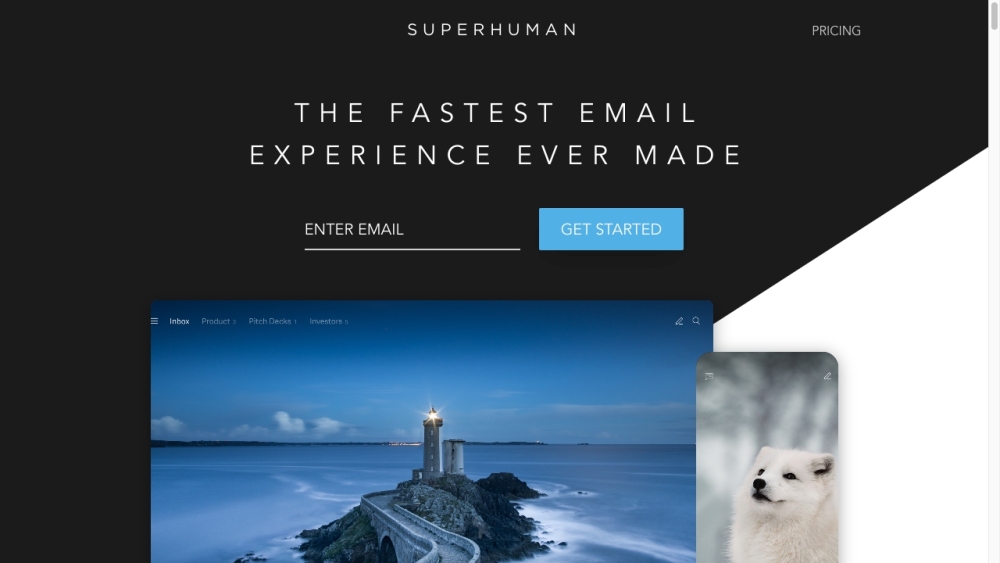
Superhuman website preview

Superhuman Website screenshot

Understanding Superhuman

Superhuman is an innovative email platform that delivers an ultra-fast email experience for both individuals and teams. It leverages AI to enhance productivity, ensuring users can manage emails more effectively and with less stress. Key features like Split Inbox, AI-driven email drafting, follow-up reminders, and read statuses streamline email workflows, allowing users to reclaim valuable time.

Getting Started with Superhuman

To begin using Superhuman, create an account and link it to your existing Gmail or Outlook email. Customize the interface to suit your needs, and utilize the Split Inbox feature to organize and prioritize incoming messages. Use Superhuman AI to quickly draft emails by converting simple phrases into complete messages. Set up follow-up reminders to keep track of important conversations. Snippets can automate common phrases or entire messages, saving time and improving efficiency. Manage email overload by snoozing messages, and track when recipients read your emails with read statuses. Integrate social insights from LinkedIn, Facebook, and Twitter to enrich your communication, and sync your calendar to streamline event scheduling.

Key Features of Superhuman

Split Inbox: Organize your email and focus on what matters most.

Superhuman AI: Effortlessly draft emails with AI-powered suggestions.

Follow-up Reminders: Stay on top of important conversations with timely reminders.

Snippets: Save time by automating repetitive phrases or entire emails.

Snooze Emails: Postpone handling emails and keep your inbox tidy.

Read Statuses: Know when your emails have been read and follow up accordingly.

Autocorrect: Enhance your typing speed and accuracy with real-time corrections.

Team Collaboration: Share read statuses and improve communication within your team.

Social Insights: Leverage data from social networks to personalize your emails.

Calendar Integration: Seamlessly schedule events without leaving your inbox.

Superhuman in Action

Ideal for professionals managing high email volumes who seek efficiency.

Perfect for teams looking to boost collaboration and email management.

A valuable tool for sales professionals aiming to enhance client communication and close deals faster.

Recruiters and hiring managers can use it to streamline candidate communications and interview scheduling.

Business professionals benefit from automating repetitive tasks to save time.

Product source: Superhuman official website. Check the provider for current plans, limits and availability.

FAQ

Superhuman questions and answers

Product context and practical checks for evaluating Superhuman.

What is Superhuman used for?

Superhuman is a blazingly fast email experience designed for teams and individuals. It offers an AI-powered email platform that helps users be more productive, responsive, and stress-free. With features like Split Inbox, automated email drafting with Superhuman AI, follow-up reminders, snippets, and read statuses, Superhuman streamlines email management and saves valuable time for users.

How do I get started with Superhuman?

To begin using Superhuman, create an account and link it to your existing Gmail or Outlook email. Customize the interface to suit your needs, and utilize the Split Inbox feature to organize and prioritize incoming messages. Use Superhuman AI to quickly draft emails by converting simple phrases into complete messages. Set up follow-up reminders to keep track of important conversations. Snippets can automate common phrases or entire messages, saving time and improving efficiency. Manage email overload by snoozing messages, and track when recipients read your emails with read statuses. Integrate social insights from LinkedIn, Facebook, and Twitter to enrich your communication, and sync your calendar to streamline event scheduling.

Which capabilities are described for Superhuman?

Split Inbox: Organize your email and focus on what matters most.Superhuman AI: Effortlessly draft emails with AI-powered suggestions.Follow-up Reminders: Stay on top of important conversations with timely reminders.Snippets: Save time by automating repetitive phrases or entire emails.Snooze Emails: Postpone handling emails and keep your inbox tidy.Read Statuses: Know when your emails have been read and follow up accordingly.Autocorrect: Enhance your typing speed and accuracy with real-time corrections.Team Collaboration: Share read statuses and improve communication within your team.Social Insights: Leverage data from social networks to personalize your emails.Calendar Integration: Seamlessly schedule events without leaving your inbox.

What should I compare before choosing a Superhuman plan?

Learn more about pricing at Superhuman Pricing. Confirm current prices and allowances on the provider’s website before purchasing.

What inputs should I prepare for a Superhuman trial?

Look for text prompts, image references, masks or sketches as appropriate. Compare composition control, supported upload types and the ability to revise a selected area.

How can I check the quality of a Superhuman result?

Inspect text, hands, edges, reflections and repeated objects at full size. Check that important product or brand details survive editing.

Which export options should I check in Superhuman?

Compare pixel dimensions, transparency, file formats and any enlargement options. Confirm that the downloaded result works in your design or publishing software.

What is a practical way to test Superhuman against alternatives?

Prepare a brief with a subject, composition, lighting and required output size. Test a first generation and a targeted revision to see how much control you retain.

What should I review before uploading material to Superhuman?

Read the provider’s rules on access, retention, deletion and use of uploaded material. Start with a non-confidential sample that you have permission to use.

Where is the official Superhuman website?

The website linked from this profile is https://heydola.com/. Use the provider’s own documentation, account area and support channels to confirm current product details.

Visit Superhuman