AI Advertising Assistant

Super Send

Super Send is a cold outreach software that helps you automate outreach across email, Linkedin, and Twitter. It offers features such as unlimited email warming, email validation, unified inbox, sender rotation, personalized images & one-liners, and a dedicated Linkedin IP.

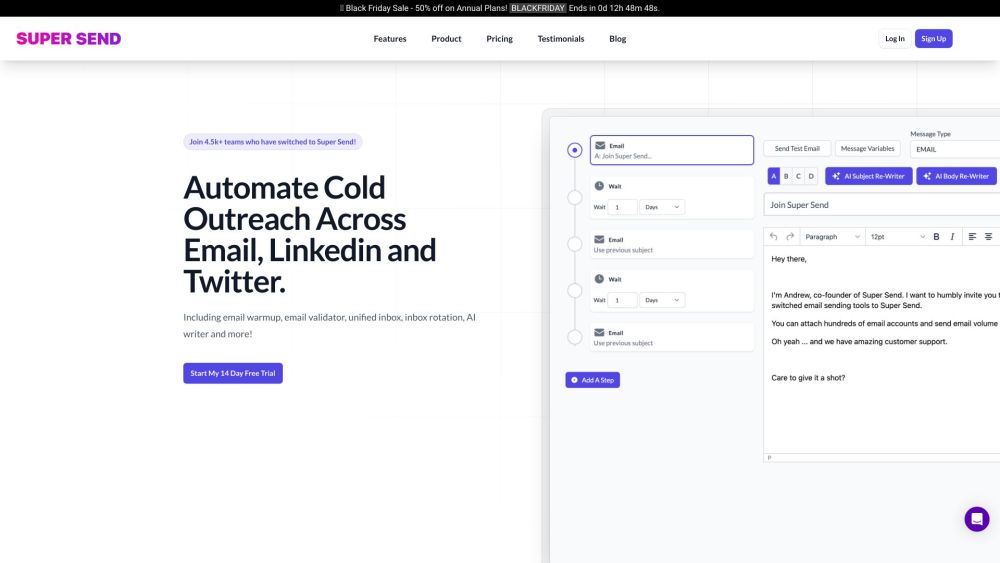
Super Send website preview

Super Send Website screenshot

What is Super Send?

Super Send is a comprehensive cold outreach software designed to streamline and automate outreach efforts across email, LinkedIn, and Twitter. The platform boasts an array of features including unlimited email warming, email validation, a unified inbox, sender rotation, personalized images and one-liners, as well as a dedicated LinkedIn IP.

How to use Super Send?

To get started with Super Send, sign up for a 14-day free trial. Once you're registered, you can create sophisticated multi-channel drip sequences using the software's automation tools. This enables you to conduct cold outreach via email, LinkedIn, and Twitter, utilizing features like email warmup, email validation, inbox rotation, and the AI writer.

Super Send's Core Features

Unlimited Email Warming

Unlimited Email Validation

Unified Inbox

Sender Rotation

Personalized Images & One-Liners

Dedicated LinkedIn IP

Email Automation

LinkedIn Automation

Twitter Automation

Inbox Rotation

Email A/B Testing

Robust Reporting

One-Off Emails

Liquid Syntax Support

Chrome Extension

Advanced Filtering and Querying

Personalized Images

Spintax Support

Slack Notifications on Replies

Import Contacts from HubSpot

GPT-4 AI Writer

Lead Enrichment

One Liners

Conditional Sequences

Super Send's Use Cases

Automate cold outreach

Run super effective outbound campaigns

Send dynamic messages using variables

Send one campaign from multiple email addresses

A/B test subject lines and messages

Drill down into campaign performance

Send personalized one-off messages

Connect to Twitter via Chrome extension

Filter and query recipients

Create dynamic images using variables

Increase deliverability with Spintax

Receive Slack notifications on replies

Import contacts from HubSpot

Have AI rewrite subject lines and emails

Find name, company, title, and email

Generate personalized intro lines

Build complex sequences

Get quick campaign performance overview

Retarget based on recipient actions

Create personalized prospect images

Connect multiple email sending accounts

Manage replies from multiple accounts

Product source: Super Send official website. Check the provider for current plans, limits and availability.

FAQ

Super Send questions and answers

Product context and practical checks for evaluating Super Send.

What is Super Send used for?

Super Send is a cold outreach software that helps you automate outreach across email, Linkedin, and Twitter. It offers features such as unlimited email warming, email validation, unified inbox, sender rotation, personalized images & one-liners, and a dedicated Linkedin IP.

How do I get started with Super Send?

To get started with Super Send, sign up for a 14-day free trial. Once you're registered, you can create sophisticated multi-channel drip sequences using the software's automation tools. This enables you to conduct cold outreach via email, LinkedIn, and Twitter, utilizing features like email warmup, email validation, inbox rotation, and the AI writer.

Which capabilities are described for Super Send?

Unlimited Email WarmingUnlimited Email ValidationUnified InboxSender RotationPersonalized Images & One-LinersDedicated LinkedIn IPEmail AutomationLinkedIn AutomationTwitter AutomationInbox RotationEmail A/B TestingRobust ReportingOne-Off EmailsLiquid Syntax SupportChrome ExtensionAdvanced Filtering and QueryingPersonalized ImagesSpintax SupportSlack Notifications on RepliesImport Contacts from HubSpotGPT-4 AI WriterLead EnrichmentOne LinersConditional Sequences

What projects can I evaluate Super Send for?

Automate cold outreachRun super effective outbound campaignsSend dynamic messages using variablesSend one campaign from multiple email addressesA/B test subject lines and messagesDrill down into campaign performanceSend personalized one-off messagesConnect to Twitter via Chrome extensionFilter and query recipientsCreate dynamic images using variablesIncrease deliverability with SpintaxReceive Slack notifications on repliesImport contacts from HubSpotHave AI rewrite subject lines and emailsFind name, company, title, and emailGenerate personalized intro linesBuild complex sequencesGet quick campaign performance overviewRetarget based on recipient actionsCreate personalized prospect imagesConnect multiple email sending accountsManage replies from multiple accounts Super Send Company Super Send Company name: Super Send LLC. Super Send Login Super Send Login Link: https://supersend.io/login Super Send Sign up Super Send Sign up Link: https://supersend.io/signup Super Send Pricing Super Send Pricing Link: https://supersend.io/#pricing Super Send Twitter Super Send Twitter Link: https://twitter.com/supersendhq

What should I compare before choosing a Super Send plan?

Super Send Pricing Link: https://supersend.io/#pricing Confirm current prices and allowances on the provider’s website before purchasing.

What inputs should I prepare for a Super Send trial?

Look for text prompts, image references, masks or sketches as appropriate. Compare composition control, supported upload types and the ability to revise a selected area.

How can I check the quality of a Super Send result?

Inspect text, hands, edges, reflections and repeated objects at full size. Check that important product or brand details survive editing.

Which export options should I check in Super Send?

Compare pixel dimensions, transparency, file formats and any enlargement options. Confirm that the downloaded result works in your design or publishing software.

What is a practical way to test Super Send against alternatives?

Prepare a brief with a subject, composition, lighting and required output size. Test a first generation and a targeted revision to see how much control you retain.

Where is the official Super Send website?

The website linked from this profile is https://www.promptdodo.com. Use the provider’s own documentation, account area and support channels to confirm current product details.

Visit Super Send