AI Product Description Generator

Stylized

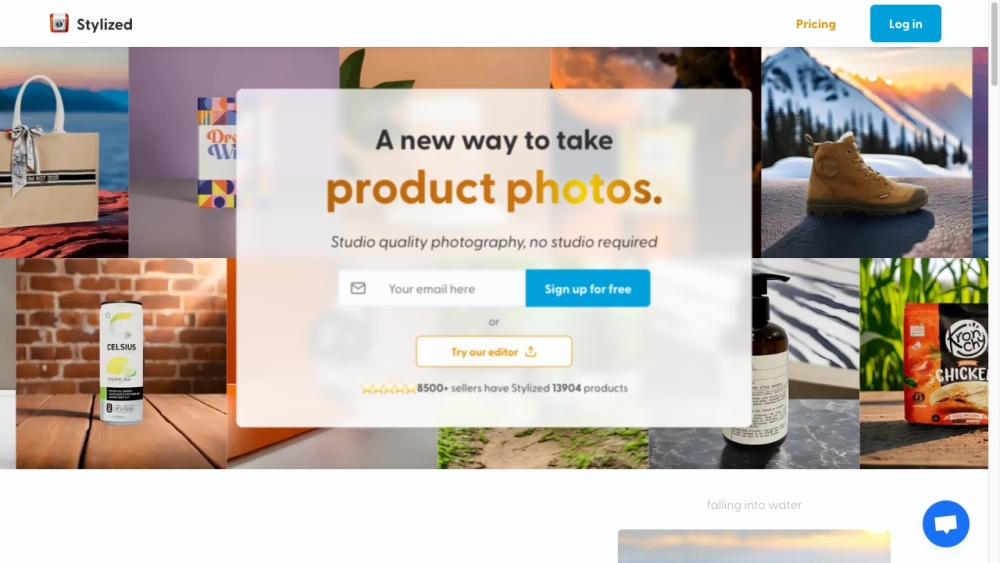
Stylized is a virtual product staging platform that allows users to generate professional product photos in just 15 seconds.

Stylized website preview

Stylized Website screenshot

Discover Stylized

Stylized is an innovative platform designed for virtual product staging, enabling users to create professional-quality product photos in a matter of seconds.

Getting Started with Stylized

To start using Stylized, log in to the website and follow the simple instructions to upload your product images. The platform will then automatically stage your products in various customizable settings, producing high-quality, professional photos ready for marketing or online listings.

Key Features of Stylized

Key features of Stylized include: - Instant virtual product staging - Customizable staging options - Professional-grade product images - User-friendly interface - Compatibility with various product types

Applications of Stylized

Stylized is perfect for professionals and businesses such as product photographers, e-commerce retailers, real estate agents, and interior designers. This tool is ideal for showcasing products without the need for physical staging, saving both time and money while presenting products attractively and realistically.

Product source: Stylized official website. Check the provider for current plans, limits and availability.

FAQ

Stylized questions and answers

Product context and practical checks for evaluating Stylized.

What is Stylized used for?

Stylized is a virtual product staging platform that allows users to generate professional product photos in just 15 seconds.

How do I get started with Stylized?

To start using Stylized, log in to the website and follow the simple instructions to upload your product images. The platform will then automatically stage your products in various customizable settings, producing high-quality, professional photos ready for marketing or online listings.

Which capabilities are described for Stylized?

Key features of Stylized include: - Instant virtual product staging - Customizable staging options - Professional-grade product images - User-friendly interface - Compatibility with various product types

What projects can I evaluate Stylized for?

Stylized is perfect for professionals and businesses such as product photographers, e-commerce retailers, real estate agents, and interior designers. This tool is ideal for showcasing products without the need for physical staging, saving both time and money while presenting products attractively and realistically. Customer Support and Contact Information For customer service, you can reach Stylized at: [email protected]. About Stylized Stylized is a product of Harvest Labs Inc. Follow Stylized on Twitter Stay updated by following Stylized on Twitter: https://www.twitter.com/intent/follow?user_id=1573025344059109376

What should I compare before choosing a Stylized plan?

Check Stylized’s current pricing page for included usage, renewal terms and any credit charges. Compare the cost of a usable result, including retries, rather than assuming that account registration includes free usage.

What inputs should I prepare for a Stylized trial?

Look for text prompts, image references, masks or sketches as appropriate. Compare composition control, supported upload types and the ability to revise a selected area.

How can I check the quality of a Stylized result?

Inspect text, hands, edges, reflections and repeated objects at full size. Check that important product or brand details survive editing.

Which export options should I check in Stylized?

Compare pixel dimensions, transparency, file formats and any enlargement options. Confirm that the downloaded result works in your design or publishing software.

What is a practical way to test Stylized against alternatives?

Prepare a brief with a subject, composition, lighting and required output size. Test a first generation and a targeted revision to see how much control you retain.

Where is the official Stylized website?

The website linked from this profile is https://stylized.ai. Use the provider’s own documentation, account area and support channels to confirm current product details.

Visit Stylized