AI Chatbot

StudyBotPro

Boost your learning with StudyBotPro: the all-in-one AI study tool designed for efficient, smarter study sessions. Simplify, accelerate, and excel!

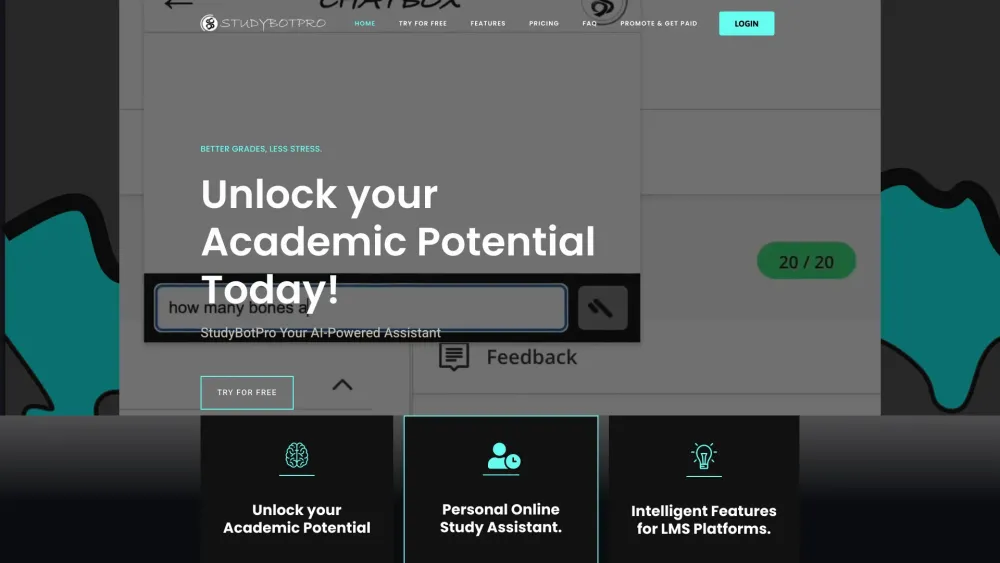
StudyBotPro website preview

StudyBotPro Website screenshot

What is StudyBotPro?

StudyBotPro is an all-in-one AI-powered study tool designed to streamline your learning process. It serves as a comprehensive study companion, offering a variety of features that cater to diverse educational needs, from instant feedback to real-time assistance.

How to use StudyBotPro?

1. Install the Chrome Extension directly from the Chrome Web Store. 2. Navigate to any academic content or assignment online. 3. Engage with StudyBotPro to receive immediate support and solutions, enhancing your study sessions.

StudyBotPro's Core Features

Web Highlight

Highlight important information directly on any webpage for easy reference and deeper understanding.

Snapshot

Capture and save critical study materials with a single click for future use.

Chatbox

Interact with StudyBotPro in real-time through the Chatbox for quick answers and clarifications.

StudyMode

Activate StudyMode to focus on essential study elements, minimizing distractions.

Auto Select

Automatically select and summarize key points from any text, streamlining your study process.

StudyBotPro's Use Cases

Enhancing Learning Experience

Leverage AI to transform the way you learn by personalizing your study experience.

Instant Feedback and Explanations

Receive immediate, AI-generated feedback on your assignments and questions.

Real-Time Assistance

Get help exactly when you need it, right within your study environment.

Practice Questions

Test your knowledge with practice questions to reinforce learning.

Quick Solutions

Access rapid solutions to challenging problems, aiding in faster comprehension.

Product source: StudyBotPro official website. Check the provider for current plans, limits and availability.

FAQ

StudyBotPro questions and answers

Product context and practical checks for evaluating StudyBotPro.

What is StudyBotPro used for?

Boost your learning with StudyBotPro: the all-in-one AI study tool designed for efficient, smarter study sessions. Simplify, accelerate, and excel!

How do I get started with StudyBotPro?

1. Install the Chrome Extension directly from the Chrome Web Store. 2. Navigate to any academic content or assignment online. 3. Engage with StudyBotPro to receive immediate support and solutions, enhancing your study sessions.

Which capabilities are described for StudyBotPro?

Web HighlightHighlight important information directly on any webpage for easy reference and deeper understanding.SnapshotCapture and save critical study materials with a single click for future use.ChatboxInteract with StudyBotPro in real-time through the Chatbox for quick answers and clarifications.StudyModeActivate StudyMode to focus on essential study elements, minimizing distractions.Auto SelectAutomatically select and summarize key points from any text, streamlining your study process.

What projects can I evaluate StudyBotPro for?

Enhancing Learning ExperienceLeverage AI to transform the way you learn by personalizing your study experience.Instant Feedback and ExplanationsReceive immediate, AI-generated feedback on your assignments and questions.Real-Time AssistanceGet help exactly when you need it, right within your study environment.Practice QuestionsTest your knowledge with practice questions to reinforce learning.Quick SolutionsAccess rapid solutions to challenging problems, aiding in faster comprehension. StudyBotPro Discord Join the StudyBotPro community on Discord: https://discord.gg/UD4x4bjq. For more Discord updates, click here(/discord/ud4x4bjq). StudyBotPro Login Access your StudyBotPro account here: https://studybotpro.co/login StudyBotPro Sign up New user? Sign up for StudyBotPro: http://studybotpro.co/signup?free StudyBotPro Pricing Learn about StudyBotPro's pricing options: https://studybotpro.co/#price

What should I compare before choosing a StudyBotPro plan?

Learn about StudyBotPro's pricing options: https://studybotpro.co/#price Confirm current prices and allowances on the provider’s website before purchasing.

What inputs should I prepare for a StudyBotPro trial?

Look for text prompts, image references, masks or sketches as appropriate. Compare composition control, supported upload types and the ability to revise a selected area.

How can I check the quality of a StudyBotPro result?

Inspect text, hands, edges, reflections and repeated objects at full size. Check that important product or brand details survive editing.

Which export options should I check in StudyBotPro?

Compare pixel dimensions, transparency, file formats and any enlargement options. Confirm that the downloaded result works in your design or publishing software.

What is a practical way to test StudyBotPro against alternatives?

Prepare a brief with a subject, composition, lighting and required output size. Test a first generation and a targeted revision to see how much control you retain.

Where is the official StudyBotPro website?

The website linked from this profile is https://studybotpro.co. Use the provider’s own documentation, account area and support channels to confirm current product details.

Visit StudyBotPro