General Writing

Story Path

Unleash your creativity with Story Path: AI Book Planner. Beat writer's block and find your perfect plot with inspiring, AI-powered story planning.

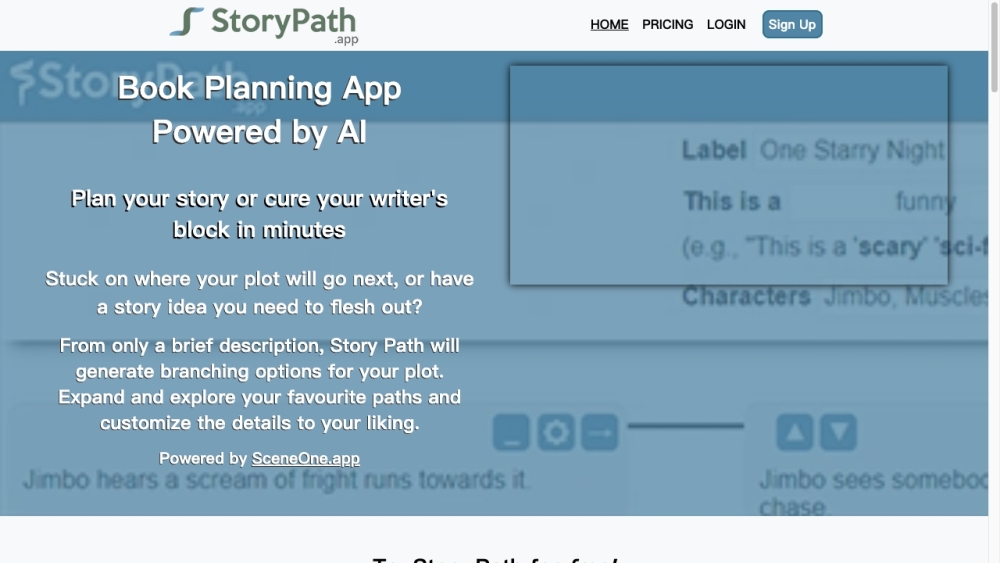
Story Path website preview

Story Path Website screenshot

What is Story Path?

Story Path is a cutting-edge AI-driven book planning application designed to help writers create potential plot developments for their stories, novels, screenplays, and more. It effectively tackles writer's block by providing creative sparks and assisting users in discovering engaging plot lines they love.

How to Use Story Path?

Using Story Path is straightforward. Begin by entering a brief summary of your story idea or existing details, such as characters, genre, and setting. The app will then generate branching plot options, enabling you to explore various narrative directions. You can modify and expand these options to suit your vision. Story Path can be utilized to outline an entire story or focus on specific parts. Additionally, you can export your completed Story Path as a PDF or Word Doc, making it simpler to commence writing your book promptly.

Story Path's Core Features

1. AI Brainstorming Assistant: Generate fresh plot ideas and explore multiple 'What if?' scenarios to enrich your story.

2. Beat Writer's Block: Receive inspiration and guidance to overcome writer's block and outline your entire story.

3. Customization: Tailor the AI-generated suggestions or incorporate your own ideas to shape your plot paths.

4. Export Options: Easily convert your completed Story Path into a PDF or Word Doc for a tangible story outline.

5. Organizational Tools: Keep your story organized with color-coded sequences and paths, and easily navigate different plot options.

Story Path's Use Cases

1. Plot Generation: Generate potential plot developments from minimal details such as genre and a brief description.

2. Overcoming Writer's Block: Get immediate inspiration and explore various plot options to beat writer's block.

3. Book Planning and Outlining: Use Story Path to outline your entire book or specific sections, bringing structure to your creative ideas.

4. Writing Efficiency: Utilize AI-powered assistance and brainstorming features to streamline your writing process.

Product source: Story Path official website. Check the provider for current plans, limits and availability.

FAQ

Story Path questions and answers

Product context and practical checks for evaluating Story Path.

What is Story Path used for?

Unleash your creativity with Story Path: AI Book Planner. Beat writer's block and find your perfect plot with inspiring, AI-powered story planning.

How do I get started with Story Path?

Using Story Path is straightforward. Begin by entering a brief summary of your story idea or existing details, such as characters, genre, and setting. The app will then generate branching plot options, enabling you to explore various narrative directions. You can modify and expand these options to suit your vision. Story Path can be utilized to outline an entire story or focus on specific parts. Additionally, you can export your completed Story Path as a PDF or Word Doc, making it simpler to commence writing your book promptly.

Which capabilities are described for Story Path?

1. AI Brainstorming Assistant: Generate fresh plot ideas and explore multiple 'What if?' scenarios to enrich your story.2. Beat Writer's Block: Receive inspiration and guidance to overcome writer's block and outline your entire story.3. Customization: Tailor the AI-generated suggestions or incorporate your own ideas to shape your plot paths.4. Export Options: Easily convert your completed Story Path into a PDF or Word Doc for a tangible story outline.5. Organizational Tools: Keep your story organized with color-coded sequences and paths, and easily navigate different plot options.

What projects can I evaluate Story Path for?

1. Plot Generation: Generate potential plot developments from minimal details such as genre and a brief description.2. Overcoming Writer's Block: Get immediate inspiration and explore various plot options to beat writer's block.3. Book Planning and Outlining: Use Story Path to outline your entire book or specific sections, bringing structure to your creative ideas.4. Writing Efficiency: Utilize AI-powered assistance and brainstorming features to streamline your writing process.

What should I compare before choosing a Story Path plan?

Check Story Path’s current pricing page for included usage, renewal terms and any credit charges. Compare the cost of a usable result, including retries, rather than assuming that account registration includes free usage.

What inputs should I prepare for a Story Path trial?

Compare support for source documents, style instructions, outlines and length limits. Check whether citations link to real material rather than merely looking like references.

How can I check the quality of a Story Path result?

Verify names, dates, quotations and factual claims against the original sources. Edit tone, remove repetition and make sure the text answers the intended reader’s question.

Which export options should I check in Story Path?

Check export to plain text, Markdown, documents or your publishing system. Formatting, headings and working links matter when moving a draft into production.

What is a practical way to test Story Path against alternatives?

Use a real brief and a short source document. Compare factual accuracy, structure and editing time rather than accepting the longest or most confident draft.

Where is the official Story Path website?

The website linked from this profile is https://storypath.app. Use the provider’s own documentation, account area and support channels to confirm current product details.

Visit Story Path