AI Productivity Tools

Standuply

Standuply: Your virtual Agile assistant for Slack and Teams. Automate standups, retros, planning, HR tasks, and more. Streamline workflows and boost team efficiency.

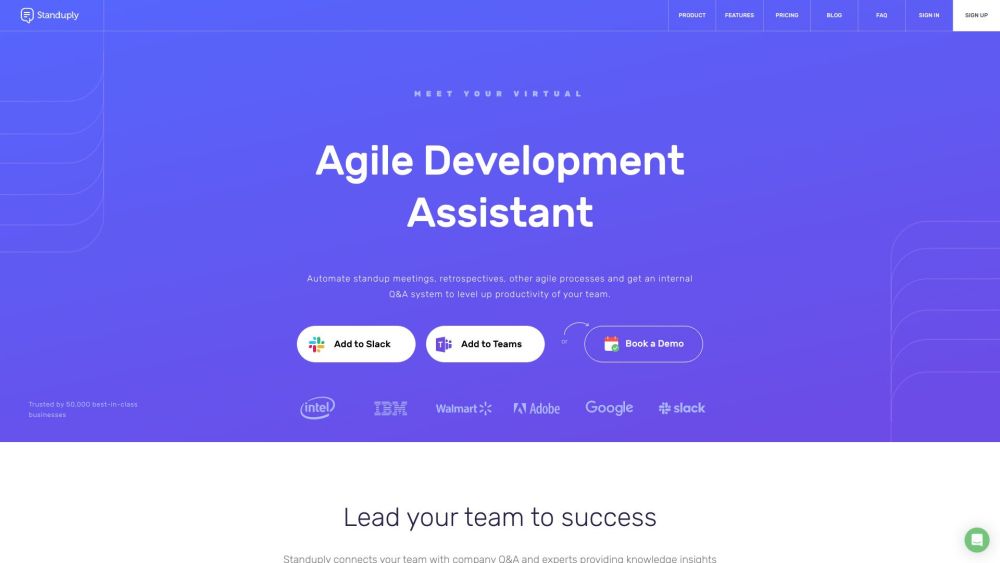
Standuply website preview

Standuply Website screenshot

What is Standuply?

Standuply is a comprehensive virtual Agile Development Assistant designed for Slack and Teams. It streamlines Agile and HR processes by automating standup meetings, retrospectives, planning poker, backlog grooming, and more. With its robust Q&A system, Standuply enhances team communication by connecting members with internal experts and saving frequently asked questions. It supports asynchronous meetings via text, voice, or video, fostering efficient collaboration and knowledge sharing.

How to use Standuply?

To begin using Standuply, add it to your Slack or Teams workspace. After installation, you can configure automation for various Agile processes such as standups, retrospectives, and backlog grooming. Standuply helps in setting up surveys, scheduling meetings, and gathering feedback seamlessly. Its internal Q&A feature allows for storing repetitive answers and consulting subject matter experts. This setup boosts team productivity and simplifies both Agile and HR workflows.

Standuply's Core Features

Process Automation

Internal Q&A System

Standup Meetings

Retrospective Meetings

Planning Poker

Backlog Grooming

360 Degree Feedback

Team Polls

Video Conference

Q&A Platform

Standuply's Use Cases

Automating standup meetings and retrospectives

Improving communication and knowledge access

Streamlining Agile and HR processes

Connecting teams with internal subject matter experts

Product source: Standuply official website. Check the provider for current plans, limits and availability.

FAQ

Standuply questions and answers

Product context and practical checks for evaluating Standuply.

What is Standuply used for?

Standuply: Your virtual Agile assistant for Slack and Teams. Automate standups, retros, planning, HR tasks, and more. Streamline workflows and boost team efficiency.

How do I get started with Standuply?

To begin using Standuply, add it to your Slack or Teams workspace. After installation, you can configure automation for various Agile processes such as standups, retrospectives, and backlog grooming. Standuply helps in setting up surveys, scheduling meetings, and gathering feedback seamlessly. Its internal Q&A feature allows for storing repetitive answers and consulting subject matter experts. This setup boosts team productivity and simplifies both Agile and HR workflows.

Which capabilities are described for Standuply?

Process AutomationInternal Q&A SystemStandup MeetingsRetrospective MeetingsPlanning PokerBacklog Grooming360 Degree FeedbackTeam PollsVideo ConferenceQ&A Platform

What projects can I evaluate Standuply for?

Automating standup meetings and retrospectivesImproving communication and knowledge accessStreamlining Agile and HR processesConnecting teams with internal subject matter experts Standuply Support Email & Customer service contact & Refund contact etc. For customer service, contact Standuply support at: [email protected]. Standuply Company Company name: Standuply. Standuply Login Login here: https://app.standuply.com/login Standuply Sign up Sign up here: https://app.standuply.com/login Standuply Pricing View pricing details: https://standuply.com/pricing Standuply Facebook Visit Standuply on Facebook: https://www.facebook.com/standuply Standuply Twitter Follow Standuply on Twitter: https://twitter.com/standuply

What should I compare before choosing a Standuply plan?

View pricing details: https://standuply.com/pricing Confirm current prices and allowances on the provider’s website before purchasing.

What inputs should I prepare for a Standuply trial?

Identify the files, text or account connections your task needs. Confirm that the product accepts those inputs and offers controls for reviewing its work.

How can I check the quality of a Standuply result?

Test one representative task and inspect the result for accuracy and completeness. Record where manual corrections or extra tools are needed.

Which export options should I check in Standuply?

Check export formats, integrations and whether you can keep using your work outside the service. Test a real export before committing to a longer plan.

What is a practical way to test Standuply against alternatives?

Choose one task with a clear success condition. Keep the input consistent, record the time spent reviewing and compare the complete workflow cost.

Where is the official Standuply website?

The website linked from this profile is https://standuply.com. Use the provider’s own documentation, account area and support channels to confirm current product details.

Visit Standuply