AI Lead Generation

Staffspin

Streamline hiring with Staffspin - Chrome Extension. Optimize recruitment processes and boost efficiency with AI integration.

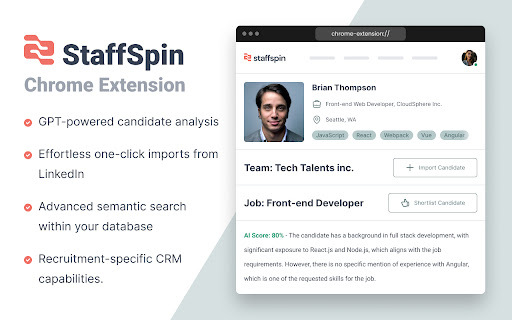
Staffspin website preview

Staffspin - Chrome Extension Website screenshot

What is the Staffspin AI Chrome Extension?

Staffspin is an innovative SaaS platform that enhances recruitment workflows for recruiters and HR professionals by integrating AI-driven analysis, streamlining candidate management, and providing seamless LinkedIn data integration.

How to Use the Staffspin AI Chrome Extension?

Begin by signing up for the platform, where you can centralize all your candidate information. Utilize its AI-powered tools to analyze candidate profiles, easily gather LinkedIn data using the Chrome extension, conduct searches with natural language queries, and take advantage of the built-in CRM system to streamline your recruitment process.

Key Features of the Staffspin AI Chrome Extension

Centralized Candidate Management

AI-Powered Candidate Analysis

Streamlined LinkedIn Data Import

Natural Language Search Capabilities

Integrated Recruitment-Focused CRM

Staffspin AI Chrome Extension Use Cases

Effective Candidate Sourcing

AI-Driven Candidate Screening

Product source: Staffspin official website. Check the provider for current plans, limits and availability.

FAQ

Staffspin questions and answers

Product context and practical checks for evaluating Staffspin.

What is Staffspin used for?

Streamline hiring with Staffspin - Chrome Extension. Optimize recruitment processes and boost efficiency with AI integration.

How do I get started with Staffspin?

Begin by signing up for the platform, where you can centralize all your candidate information. Utilize its AI-powered tools to analyze candidate profiles, easily gather LinkedIn data using the Chrome extension, conduct searches with natural language queries, and take advantage of the built-in CRM system to streamline your recruitment process.

Which capabilities are described for Staffspin?

Centralized Candidate ManagementAI-Powered Candidate AnalysisStreamlined LinkedIn Data ImportNatural Language Search CapabilitiesIntegrated Recruitment-Focused CRM

What projects can I evaluate Staffspin for?

Effective Candidate SourcingAI-Driven Candidate Screening

What should I compare before choosing a Staffspin plan?

Check Staffspin’s current pricing page for included usage, renewal terms and any credit charges. Compare the cost of a usable result, including retries, rather than assuming that account registration includes free usage.

What inputs should I prepare for a Staffspin trial?

Identify the files, text or account connections your task needs. Confirm that the product accepts those inputs and offers controls for reviewing its work.

How can I check the quality of a Staffspin result?

Test one representative task and inspect the result for accuracy and completeness. Record where manual corrections or extra tools are needed.

Which export options should I check in Staffspin?

Check export formats, integrations and whether you can keep using your work outside the service. Test a real export before committing to a longer plan.

What is a practical way to test Staffspin against alternatives?

Choose one task with a clear success condition. Keep the input consistent, record the time spent reviewing and compare the complete workflow cost.

Where is the official Staffspin website?

The website linked from this profile is https://chromewebstore.google.com/detail/staffspin/mmengphjalefkdbbgfdeleaiibihhieo. Use the provider’s own documentation, account area and support channels to confirm current product details.

Visit Staffspin