Text to Image

Stable Diffusion 3

Create stunning, high-fidelity images with Stable Diffusion 3, the advanced text-to-image model redefining visual precision and detail. Transform your ideas into reality!

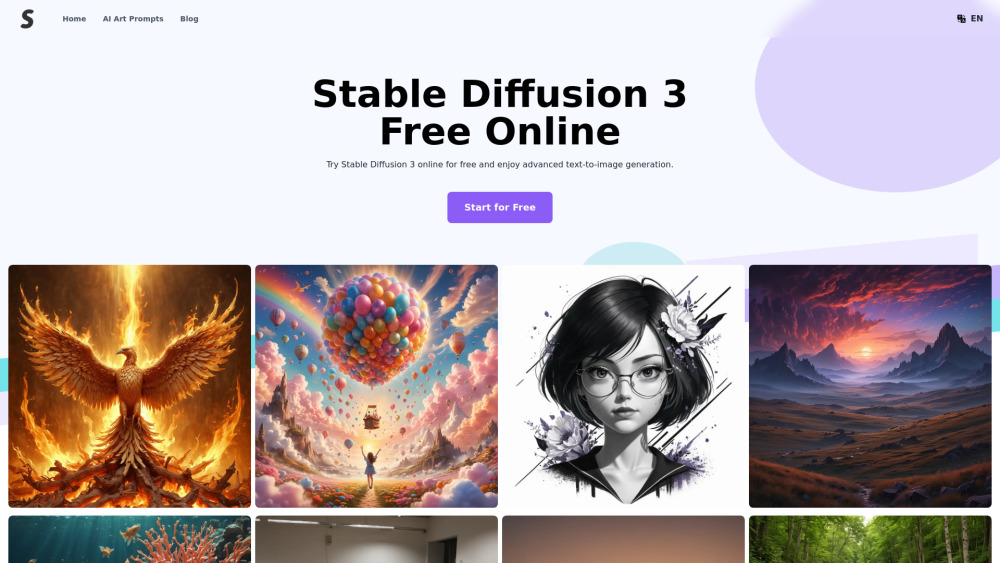
Stable Diffusion 3 website preview

Stable Diffusion 3 Website screenshot

Introducing Stable Diffusion 3

Stable Diffusion 3 is the newest iteration of the renowned text-to-image model developed by Stability AI. This cutting-edge version delivers unparalleled improvements in image resolution, multi-object management, and textual alignment. Powered by the innovative Multimodal Transformer Architecture (MTA), it distinguishes between visual and linguistic data representations with separate weights for each domain. Accessible through a variety of channels such as APIs, downloadable packages, and online platforms, Stable Diffusion 3 is designed to be user-friendly and versatile.

Getting Started with Stable Diffusion 3

Users can begin their journey with Stable Diffusion 3 by signing up on the official website to secure a complimentary usage quota. By entering a descriptive text prompt into the designated interface, users harness the power of Stable Diffusion 3's unique weights to produce stunning visuals. Upon generation, these images are readily available for download via the platform’s straightforward interface.

Key Features of Stable Diffusion 3

Enhanced Textual Representation

Accurate Prompt Interpretation

Advanced Handling of Multiple Subjects

Innovative Architectural Framework

Exceptional Image Quality

No-Cost Trials and Access

Flexible Deployment Options

Comprehensive Safety Protocols

Applications of Stable Diffusion 3

Graphic Artists Seeking High-Quality Outputs

Content Creators Producing Precise Visuals

Software Engineers Exploring Advanced AI Capabilities

Educators Crafting Informative Educational Materials

Advertising Teams Generating Professional Ad Campaigns

Researchers Analyzing and Illustrating Complex Data Sets

Product source: Stable Diffusion 3 official website. Check the provider for current plans, limits and availability.

FAQ

Stable Diffusion 3 questions and answers

Product context and practical checks for evaluating Stable Diffusion 3.

What is Stable Diffusion 3 used for?

Create stunning, high-fidelity images with Stable Diffusion 3, the advanced text-to-image model redefining visual precision and detail. Transform your ideas into reality!

How do I get started with Stable Diffusion 3?

Users can begin their journey with Stable Diffusion 3 by signing up on the official website to secure a complimentary usage quota. By entering a descriptive text prompt into the designated interface, users harness the power of Stable Diffusion 3's unique weights to produce stunning visuals. Upon generation, these images are readily available for download via the platform’s straightforward interface.

Which capabilities are described for Stable Diffusion 3?

Enhanced Textual RepresentationAccurate Prompt InterpretationAdvanced Handling of Multiple SubjectsInnovative Architectural FrameworkExceptional Image QualityNo-Cost Trials and AccessFlexible Deployment OptionsComprehensive Safety Protocols

What projects can I evaluate Stable Diffusion 3 for?

Graphic Artists Seeking High-Quality OutputsContent Creators Producing Precise VisualsSoftware Engineers Exploring Advanced AI CapabilitiesEducators Crafting Informative Educational MaterialsAdvertising Teams Generating Professional Ad CampaignsResearchers Analyzing and Illustrating Complex Data Sets

What should I compare before choosing a Stable Diffusion 3 plan?

Check Stable Diffusion 3’s current pricing page for included usage, renewal terms and any credit charges. Compare the cost of a usable result, including retries, rather than assuming that account registration includes free usage.

What inputs should I prepare for a Stable Diffusion 3 trial?

Look for text prompts, image references, masks or sketches as appropriate. Compare composition control, supported upload types and the ability to revise a selected area.

How can I check the quality of a Stable Diffusion 3 result?

Inspect text, hands, edges, reflections and repeated objects at full size. Check that important product or brand details survive editing.

Which export options should I check in Stable Diffusion 3?

Compare pixel dimensions, transparency, file formats and any enlargement options. Confirm that the downloaded result works in your design or publishing software.

What is a practical way to test Stable Diffusion 3 against alternatives?

Prepare a brief with a subject, composition, lighting and required output size. Test a first generation and a targeted revision to see how much control you retain.

Where is the official Stable Diffusion 3 website?

The website linked from this profile is https://stablediffusion3.net. Use the provider’s own documentation, account area and support channels to confirm current product details.

Visit Stable Diffusion 3