AI Builder

Sparkle

Create websites effortlessly with Sparkle—Mac's powerful, user-friendly builder. Perfect for beginners, businesses, and designers. Professional results, no coding!

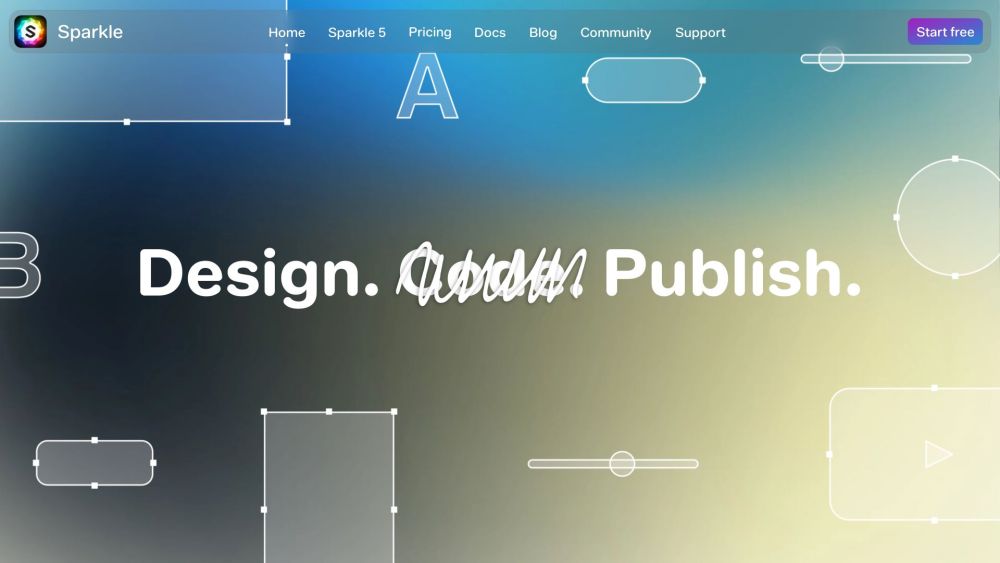
Sparkle website preview

Sparkle Website screenshot

What is Sparkle?

Sparkle is a robust website builder for Mac, designed to help users create professional websites effortlessly. Its intuitive interface and comprehensive features make it an excellent choice for novices, businesses, and professional designers.

How to use Sparkle?

Using Sparkle is straightforward. Start by selecting a template, beginning from scratch, or importing an existing website. Customize your site with text, animations, buttons, effects, videos, and images. Sparkle ensures your website is optimized for performance, security, and SEO. Once your design is complete, you can publish it to any hosting service and update it as necessary.

Sparkle's Core Features

User-friendly interface with a comprehensive feature set

Optimized images and built-in SEO tools

Advanced text effects and text wrapping around images

Parallax animations, popups, Lottie animations, and background removal

Native Mac app supporting Apple Silicon and Dark Mode

Unlimited website creation and quick response times for designers

Integrated SEO assistant and PageSpeed optimization for businesses

Built-in security features for creating un-hackable static sites

Sparkle's Use Cases

{ "title": "Beginners", "description": "Sparkle is perfect for beginners with its native Mac app, intuitive interface, and built-in features. Design your website offline at your own pace using stylish templates, ready-to-use content, and a wide variety of fonts and icons." }

{ "title": "Businesses", "description": "Sparkle helps businesses enhance their online presence. Design websites on- or offline and use the built-in SEO assistant to improve search engine rankings. PageSpeed optimization ensures fast-loading sites, and ready-to-use content, fonts, and icons make creating a professional site easy." }

{ "title": "Designers", "description": "Designers can leverage Sparkle's unlimited site creation feature to produce stunning websites. Work offline, respond swiftly to client requests, and use Sketch and Figma plugins for seamless design integration. Sparkle ensures compatibility with most browsers and platforms, with an SEO assistant for optimization." }

  • Sparkle Support Email & Customer service contact & Refund contact etc.

    For more contact details, visit the contact us page.

  • Sparkle Company

    Sparkle is developed by Crinon SRL.

  • Sparkle Pricing

    For pricing details, visit the Sparkle store.

Product source: Sparkle official website. Check the provider for current plans, limits and availability.

FAQ

Sparkle questions and answers

Product context and practical checks for evaluating Sparkle.

What is Sparkle used for?

Create websites effortlessly with Sparkle—Mac's powerful, user-friendly builder. Perfect for beginners, businesses, and designers. Professional results, no coding!

How do I get started with Sparkle?

Using Sparkle is straightforward. Start by selecting a template, beginning from scratch, or importing an existing website. Customize your site with text, animations, buttons, effects, videos, and images. Sparkle ensures your website is optimized for performance, security, and SEO. Once your design is complete, you can publish it to any hosting service and update it as necessary.

Which capabilities are described for Sparkle?

User-friendly interface with a comprehensive feature setOptimized images and built-in SEO toolsAdvanced text effects and text wrapping around imagesParallax animations, popups, Lottie animations, and background removalNative Mac app supporting Apple Silicon and Dark ModeUnlimited website creation and quick response times for designersIntegrated SEO assistant and PageSpeed optimization for businessesBuilt-in security features for creating un-hackable static sites

What projects can I evaluate Sparkle for?

{ "title": "Beginners", "description": "Sparkle is perfect for beginners with its native Mac app, intuitive interface, and built-in features. Design your website offline at your own pace using stylish templates, ready-to-use content, and a wide variety of fonts and icons." } { "title": "Businesses", "description": "Sparkle helps businesses enhance their online presence. Design websites on- or offline and use the built-in SEO assistant to improve search engine rankings. PageSpeed optimization ensures fast-loading sites, and ready-to-use content, fonts, and icons make creating a professional site easy." } { "title": "Designers", "description": "Designers can leverage Sparkle's unlimited site creation feature to produce stunning websites. Work offline, respond swiftly to client requests, and use Sketch and Figma plugins for seamless design integration. Sparkle ensures compatibility with most browsers and platforms, with an SEO assistant for optimization." } Sparkle Support Email & Customer service contact & Refund contact etc. For more contact details, visit the contact us page. Sparkle Company Sparkle is developed by Crinon SRL. Sparkle Pricing For pricing details, visit the Sparkle store.

What should I compare before choosing a Sparkle plan?

For pricing details, visit the Sparkle store. Confirm current prices and allowances on the provider’s website before purchasing.

What inputs should I prepare for a Sparkle trial?

Look for text prompts, image references, masks or sketches as appropriate. Compare composition control, supported upload types and the ability to revise a selected area.

How can I check the quality of a Sparkle result?

Inspect text, hands, edges, reflections and repeated objects at full size. Check that important product or brand details survive editing.

Which export options should I check in Sparkle?

Compare pixel dimensions, transparency, file formats and any enlargement options. Confirm that the downloaded result works in your design or publishing software.

What is a practical way to test Sparkle against alternatives?

Prepare a brief with a subject, composition, lighting and required output size. Test a first generation and a targeted revision to see how much control you retain.

Where is the official Sparkle website?

The website linked from this profile is . Use the provider’s own documentation, account area and support channels to confirm current product details.