AI Reply Assistant

Social Scanner

Boost your LinkedIn connections with Social Scanner: create personalized messages, increase response rates, and save time networking effortlessly!

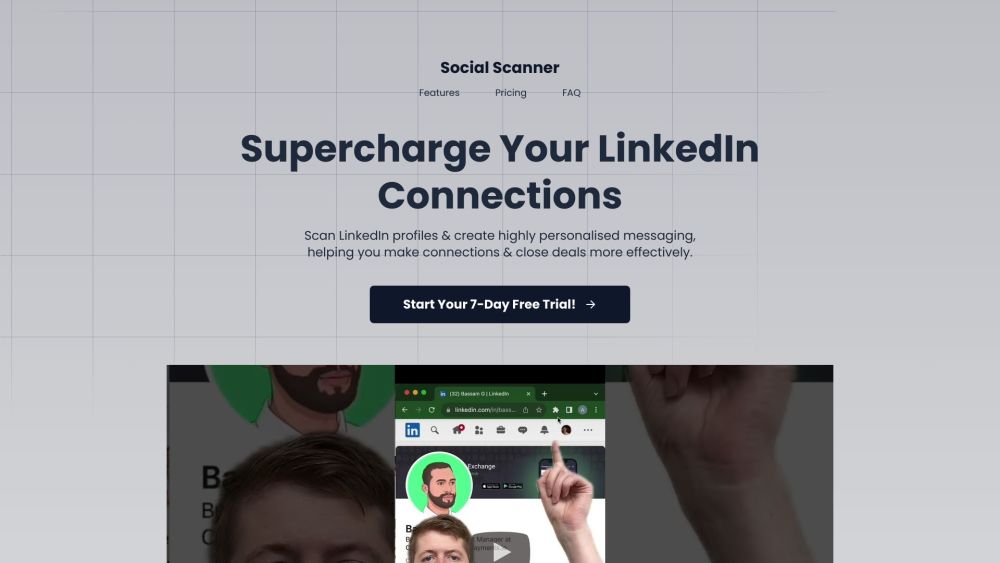
Social Scanner website preview

Social Scanner Website screenshot

Introducing Social Scanner

SocialScanner is your ultimate LinkedIn networking tool, designed to help you craft personalized messages, boost your response rates, and streamline your professional connections.

Getting Started with Social Scanner

After choosing and purchasing your preferred plan, install the Chrome extension. Access your LinkedIn profile and activate the extension to link it to your account. You’re now ready to enhance your LinkedIn networking!

Key Features of Social Scanner

Personalized Messaging

Quick Profile Analysis

Seamless Integration

Time-Saving Automation

Data-Driven Insights

User-Friendly Interface

Who Can Benefit from Social Scanner?

Sales Professionals

Recruiters

Anyone looking to connect on LinkedIn

Product source: Social Scanner official website. Check the provider for current plans, limits and availability.

FAQ

Social Scanner questions and answers

Product context and practical checks for evaluating Social Scanner.

What is Social Scanner used for?

Boost your LinkedIn connections with Social Scanner: create personalized messages, increase response rates, and save time networking effortlessly!

How do I get started with Social Scanner?

After choosing and purchasing your preferred plan, install the Chrome extension. Access your LinkedIn profile and activate the extension to link it to your account. You’re now ready to enhance your LinkedIn networking!

Which capabilities are described for Social Scanner?

Personalized MessagingQuick Profile AnalysisSeamless IntegrationTime-Saving AutomationData-Driven InsightsUser-Friendly Interface

What should I compare before choosing a Social Scanner plan?

Pricing Link: https://buy.stripe.com/7sI15zbtQ5JrfaE3cc Confirm current prices and allowances on the provider’s website before purchasing.

What inputs should I prepare for a Social Scanner trial?

Identify the files, text or account connections your task needs. Confirm that the product accepts those inputs and offers controls for reviewing its work.

How can I check the quality of a Social Scanner result?

Test one representative task and inspect the result for accuracy and completeness. Record where manual corrections or extra tools are needed.

Which export options should I check in Social Scanner?

Check export formats, integrations and whether you can keep using your work outside the service. Test a real export before committing to a longer plan.

What is a practical way to test Social Scanner against alternatives?

Choose one task with a clear success condition. Keep the input consistent, record the time spent reviewing and compare the complete workflow cost.

What should I review before uploading material to Social Scanner?

Read the provider’s rules on access, retention, deletion and use of uploaded material. Start with a non-confidential sample that you have permission to use.

Where is the official Social Scanner website?

The website linked from this profile is . Use the provider’s own documentation, account area and support channels to confirm current product details.