AI Reply Assistant

Social Magic

Boost your LinkedIn game with Social Magic's AI-powered Chrome extension. Create engaging posts and comments to captivate prospects effortlessly!

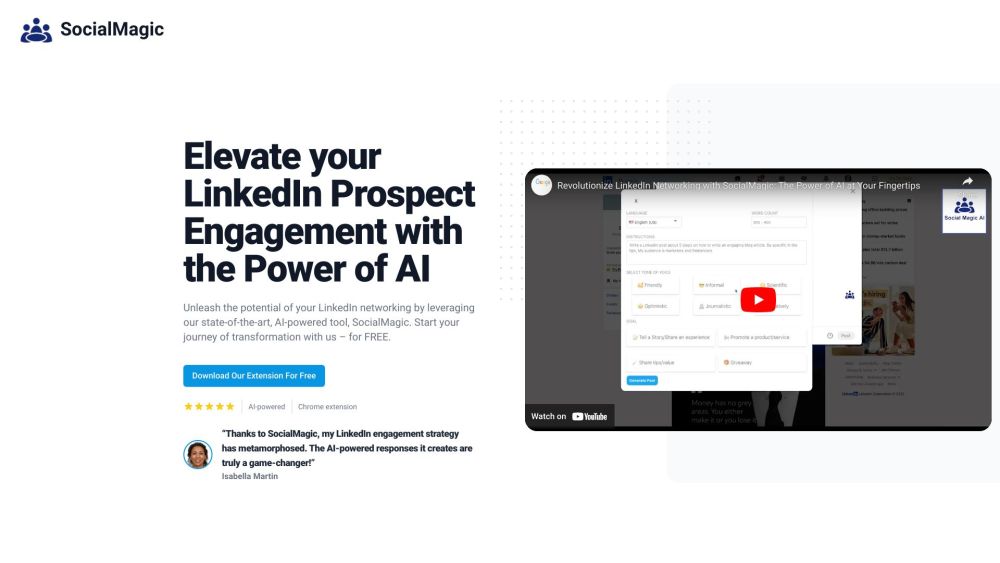
Social Magic website preview

Social Magic | AI for Linkedin Website screenshot

Discover Social Magic | AI for LinkedIn

Social Magic is an innovative AI tool designed to enhance your LinkedIn presence. With its Chrome extension, Social Magic empowers marketers, lead generators, and recruiters by providing them with AI-generated comments and posts that are tailored to engage their LinkedIn audience effectively. Leveraging AI technology, Social Magic delivers compelling, human-like interactions that resonate with your target audience.

How to Get Started with Social Magic | AI for LinkedIn

Follow these steps to use Social Magic: 1. Download and install the Social Magic Chrome Extension from the Chrome Web Store. 2. Open LinkedIn and navigate to any post or profile. 3. Click the Social Magic icon in your browser's toolbar. 4. Select an AI-generated comment or post from the available options. 5. Customize the content if needed. 6. Click 'Post' or 'Comment' to share it on LinkedIn. Using Social Magic simplifies the process of planning LinkedIn posts, saving you time and allowing you to connect with your audience more effectively.

Key Features of Social Magic | AI for LinkedIn

Engaging AI-generated comments

Seamless LinkedIn post planning

Efficient LinkedIn outreach with automated comments

Contextualized, personalized interactions

Support for nine languages: English, Hindi, Hebrew, Dutch, French, German, Russian, Spanish, and Italian

Practical Applications of Social Magic | AI for LinkedIn

Enhancing LinkedIn engagement and networking

Increasing interactions and prospect engagement

Engaging with posts efficiently

Product source: Social Magic official website. Check the provider for current plans, limits and availability.

FAQ

Social Magic questions and answers

Product context and practical checks for evaluating Social Magic.

What is Social Magic used for?

Boost your LinkedIn game with Social Magic's AI-powered Chrome extension. Create engaging posts and comments to captivate prospects effortlessly!

How do I get started with Social Magic?

Follow these steps to use Social Magic: 1. Download and install the Social Magic Chrome Extension from the Chrome Web Store. 2. Open LinkedIn and navigate to any post or profile. 3. Click the Social Magic icon in your browser's toolbar. 4. Select an AI-generated comment or post from the available options. 5. Customize the content if needed. 6. Click 'Post' or 'Comment' to share it on LinkedIn. Using Social Magic simplifies the process of planning LinkedIn posts, saving you time and allowing you to connect with your audience more effectively.

Which capabilities are described for Social Magic?

Engaging AI-generated commentsSeamless LinkedIn post planningEfficient LinkedIn outreach with automated commentsContextualized, personalized interactionsSupport for nine languages: English, Hindi, Hebrew, Dutch, French, German, Russian, Spanish, and Italian

What projects can I evaluate Social Magic for?

Enhancing LinkedIn engagement and networkingIncreasing interactions and prospect engagementEngaging with posts efficiently Social Magic | AI for LinkedIn Support Email & Customer Service Contact For support, contact Social Magic at: [email protected]. Social Magic | AI for LinkedIn Pricing For pricing details, visit: https://socialmagic.ai/pricing. Social Magic | AI for LinkedIn on Facebook Follow us on Facebook: https://www.facebook.com/profile.php?id=61555926503387&is_tour_dismissed=true. Social Magic | AI for LinkedIn on LinkedIn Connect with us on LinkedIn: https://www.linkedin.com/company/socialmagic-ai/?viewAsMember=true. Social Magic | AI for LinkedIn on Twitter Follow us on Twitter: https://twitter.com/magic_soci61130. Social Magic | AI for LinkedIn on Instagram Follow us on Instagram: https://www.instagram.com/socialmagicai_/.

What should I compare before choosing a Social Magic plan?

For pricing details, visit: https://socialmagic.ai/pricing. Confirm current prices and allowances on the provider’s website before purchasing.

What inputs should I prepare for a Social Magic trial?

Identify the files, text or account connections your task needs. Confirm that the product accepts those inputs and offers controls for reviewing its work.

How can I check the quality of a Social Magic result?

Test one representative task and inspect the result for accuracy and completeness. Record where manual corrections or extra tools are needed.

Which export options should I check in Social Magic?

Check export formats, integrations and whether you can keep using your work outside the service. Test a real export before committing to a longer plan.

What is a practical way to test Social Magic against alternatives?

Choose one task with a clear success condition. Keep the input consistent, record the time spent reviewing and compare the complete workflow cost.

Where is the official Social Magic website?

The website linked from this profile is . Use the provider’s own documentation, account area and support channels to confirm current product details.