Summarizer

SlideSpeak

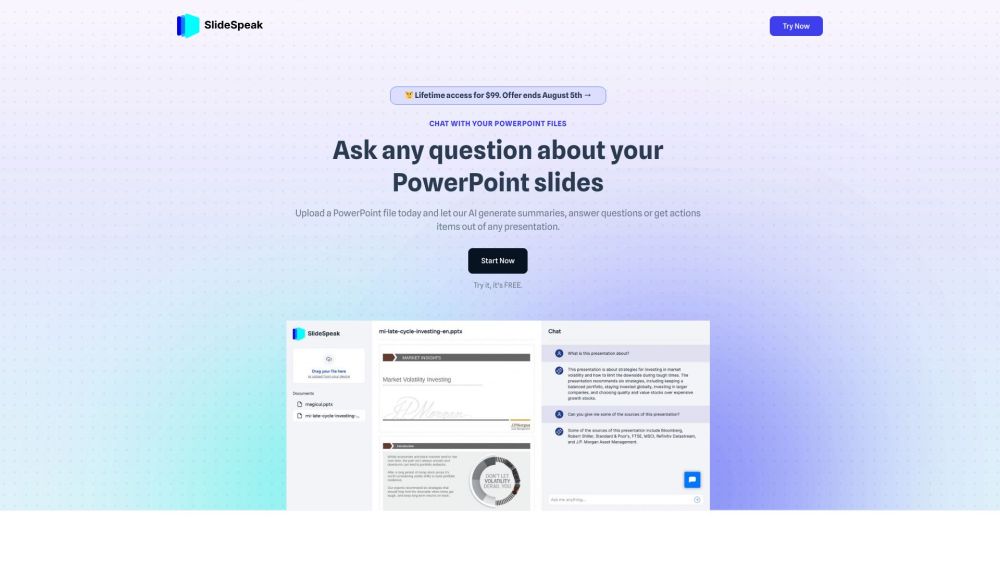
SlideSpeak is a chat platform powered by ChatGPT that allows users to interact with their PowerPoint slides. Users can upload their PowerPoint files and ask questions about the content, generate summaries, and get action items from the presentations.

SlideSpeak website preview

SlideSpeak Website screenshot

Introducing SlideSpeak Plus

SlideSpeak Plus is an innovative communication platform powered by advanced AI technology that revolutionizes the way you interact with your presentation slides. By seamlessly integrating with ChatGPT, SlideSpeak Plus offers a unique experience where users can upload their PowerPoint files and engage in interactive conversations, obtain concise summaries, and extract actionable insights from their presentations.

Unlocking the Potential of SlideSpeak Plus

Experience the simplicity of SlideSpeak Plus by effortlessly uploading your PPTX files and witnessing the magic of OpenAI's cutting-edge technology at work. Whether you seek clarifications on your slides or require instant answers, SlideSpeak Plus delivers results within seconds. The platform prioritizes user privacy, ensuring that all data is securely encrypted. Stay informed about the latest updates and advancements by subscribing to our newsletter.

Key Features of SlideSpeak Plus

Engage in real-time chats with your PowerPoint files

Access automated summaries of your presentation slides

Receive actionable items derived from your presentations

Secure and encrypted storage of customer data

Seamless integration with OpenAI's state-of-the-art technology

Versatile Applications of SlideSpeak Plus

AI-powered Content Creation

Efficient Article Generation

Dynamic Content Generation

Enhanced Content Writing with AI

Streamlined Blog Post Creation

Product source: SlideSpeak official website. Check the provider for current plans, limits and availability.

FAQ

SlideSpeak questions and answers

Product context and practical checks for evaluating SlideSpeak.

What is SlideSpeak used for?

SlideSpeak is a chat platform powered by ChatGPT that allows users to interact with their PowerPoint slides. Users can upload their PowerPoint files and ask questions about the content, generate summaries, and get action items from the presentations.

How do I get started with SlideSpeak?

Open the official SlideSpeak website and identify the workflow that matches your task. Use a real brief and a short source document. Compare factual accuracy, structure and editing time rather than accepting the longest or most confident draft.

Which capabilities are described for SlideSpeak?

Engage in real-time chats with your PowerPoint filesAccess automated summaries of your presentation slidesReceive actionable items derived from your presentationsSecure and encrypted storage of customer dataSeamless integration with OpenAI's state-of-the-art technology

What projects can I evaluate SlideSpeak for?

AI-powered Content CreationEfficient Article GenerationDynamic Content GenerationEnhanced Content Writing with AIStreamlined Blog Post Creation Join the SlideSpeak Plus Community on Discord Explore the vibrant SlideSpeak Plus Discord community by visiting: https://discord.gg/yCu25tGCF2. For additional Discord updates, click here(/discord/ycu25tgcf2). Contact SlideSpeak Plus Support and More For personalized assistance, reach out to SlideSpeak Plus support via email at: [email protected]. Discover SlideSpeak Plus - A Division of M5L Software, Inc. Unveil the innovative solutions offered by SlideSpeak Plus, operating under M5L Software, Inc. Access SlideSpeak Plus Login Portal Efficiently log in to SlideSpeak Plus by visiting: https://app.slidespeak.co/?action=login Explore SlideSpeak Plus Pricing Review the pricing details of SlideSpeak Plus by visiting: https://slidespeak.co/pricing/ Connect with SlideSpeak Plus on Social Media Engage with SlideSpeak Plus on Tiktok: https://www.tiktok.com/@slide.kev. Follow us on Linkedin: https://www.linkedin.com/company/slidespeak

What should I compare before choosing a SlideSpeak plan?

Review the pricing details of SlideSpeak Plus by visiting: https://slidespeak.co/pricing/ Confirm current prices and allowances on the provider’s website before purchasing.

What inputs should I prepare for a SlideSpeak trial?

Compare support for source documents, style instructions, outlines and length limits. Check whether citations link to real material rather than merely looking like references.

How can I check the quality of a SlideSpeak result?

Verify names, dates, quotations and factual claims against the original sources. Edit tone, remove repetition and make sure the text answers the intended reader’s question.

Which export options should I check in SlideSpeak?

Check export to plain text, Markdown, documents or your publishing system. Formatting, headings and working links matter when moving a draft into production.

What is a practical way to test SlideSpeak against alternatives?

Use a real brief and a short source document. Compare factual accuracy, structure and editing time rather than accepting the longest or most confident draft.

Where is the official SlideSpeak website?

The website linked from this profile is https://slidespeak.co. Use the provider’s own documentation, account area and support channels to confirm current product details.

Visit SlideSpeak