Summarizer

SitePro - Chrome Extension

Boost your online experience with SitePro Chrome Extension. Create and deploy custom chatbots for interaction and enhanced user engagement!

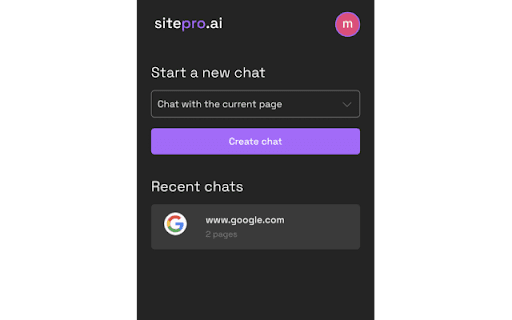
SitePro - Chrome Extension website preview

SitePro - Chrome Extension Website screenshot

What is SitePro Chrome Extension?

SitePro is an innovative tool designed to elevate your browsing experience by letting you build customized chatbots directly on any website. With its easy-to-use interface, SitePro makes it simple to interact with web content and pull relevant information quickly, all from the convenience of a Chrome extension.

How to Use the SitePro Chrome Extension?

To get started, install the SitePro Chrome extension, create a chatbot, and interact with websites effortlessly. It's a straightforward process that allows you to enhance your web navigation experience without technical expertise.

Key Features of the SitePro Chrome Extension

Create Custom Chatbots for Any Website

Develop chatbots tailored to specific websites to assist with information extraction and communication tasks.

Collect and Organize Website Links

Automatically save and collect important links from the websites you visit, making future navigation easier.

Manage Conversations with a User-Friendly Dashboard

Access saved chats through a sleek dashboard, allowing you to keep track of your interactions with different sites.

Top Use Cases for SitePro Chrome Extension

Summarize Articles

Quickly summarize long articles from any website using custom-trained chatbots, saving time and improving focus.

Extract Key Information

Use the extension to gather relevant data, whether for research or e-commerce, by interacting with the site directly.

Find Products Easily

Make product searches more efficient on e-commerce sites by utilizing the chatbot's advanced filtering and collection features.

Product source: SitePro - Chrome Extension official website. Check the provider for current plans, limits and availability.

FAQ

SitePro - Chrome Extension questions and answers

Product context and practical checks for evaluating SitePro - Chrome Extension.

What is SitePro - Chrome Extension used for?

Boost your online experience with SitePro Chrome Extension. Create and deploy custom chatbots for interaction and enhanced user engagement!

How do I get started with SitePro - Chrome Extension?

To get started, install the SitePro Chrome extension, create a chatbot, and interact with websites effortlessly. It's a straightforward process that allows you to enhance your web navigation experience without technical expertise.

Which capabilities are described for SitePro - Chrome Extension?

Create Custom Chatbots for Any Website Develop chatbots tailored to specific websites to assist with information extraction and communication tasks. Collect and Organize Website Links Automatically save and collect important links from the websites you visit, making future navigation easier. Manage Conversations with a User-Friendly Dashboard Access saved chats through a sleek dashboard, allowing you to keep track of your interactions with different sites.

What projects can I evaluate SitePro - Chrome Extension for?

Summarize Articles Quickly summarize long articles from any website using custom-trained chatbots, saving time and improving focus. Extract Key Information Use the extension to gather relevant data, whether for research or e-commerce, by interacting with the site directly. Find Products Easily Make product searches more efficient on e-commerce sites by utilizing the chatbot's advanced filtering and collection features.

What should I compare before choosing a SitePro - Chrome Extension plan?

Check SitePro - Chrome Extension’s current pricing page for included usage, renewal terms and any credit charges. Compare the cost of a usable result, including retries, rather than assuming that account registration includes free usage.

What inputs should I prepare for a SitePro - Chrome Extension trial?

Identify the files, text or account connections your task needs. Confirm that the product accepts those inputs and offers controls for reviewing its work.

How can I check the quality of a SitePro - Chrome Extension result?

Test one representative task and inspect the result for accuracy and completeness. Record where manual corrections or extra tools are needed.

Which export options should I check in SitePro - Chrome Extension?

Check export formats, integrations and whether you can keep using your work outside the service. Test a real export before committing to a longer plan.

What is a practical way to test SitePro - Chrome Extension against alternatives?

Choose one task with a clear success condition. Keep the input consistent, record the time spent reviewing and compare the complete workflow cost.

Where is the official SitePro - Chrome Extension website?

The website linked from this profile is https://chromewebstore.google.com/detail/sitepro-chat-with-website/fggdmholnflfmcihdaaifjenegkffmpf. Use the provider’s own documentation, account area and support channels to confirm current product details.

Visit SitePro - Chrome Extension