AI Knowledge Base

Siedesk

Siedesk: AI-Powered Knowledge Base & FAQ Builder for Efficiency. Simplify knowledge management, save time, and enhance efficiency with Siedesk's intuitive AI tools.

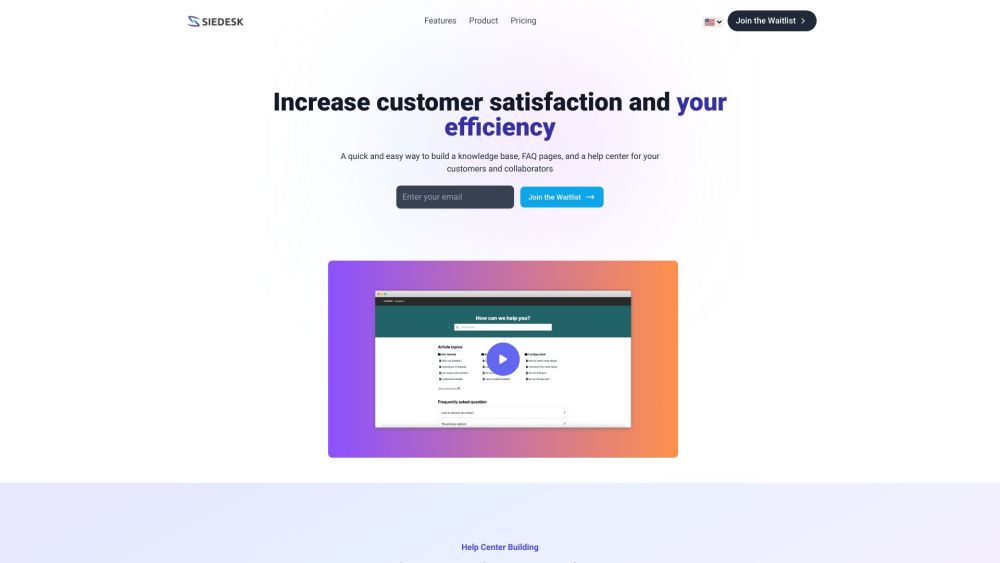
Siedesk website preview

Siedesk Website screenshot

What is Siedesk?

Siedesk is an AI-driven solution designed for building knowledge bases and FAQ sections. It streamlines knowledge management for businesses, both internally and externally, helping to save time and boost efficiency. Users can easily create a centralized knowledge base, comprehensive FAQ pages, and a customer help center, enhancing support for clients and team members alike.

How to Use Siedesk?

Getting started with Siedesk is simple. Sign up, and begin crafting your knowledge base right away. Utilize AI assistance powered by GPT to ensure your articles are thorough and pertinent. The platform’s intuitive interface and enhanced search functionality make it easy for users to find the information they need. Customize your help center to align with your brand’s identity, and monitor its performance with real-time analytics.

Siedesk's Core Features

Key features of Siedesk include:

  • Knowledge Base Creation: Develop a centralized knowledge base to address common queries from customers and collaborators.
  • FAQ Pages: Create FAQ pages to provide quick answers to frequently asked questions.
  • AI Assistance: Leverage GPT-based AI to produce high-quality, efficient articles for your help center.
  • SSL Security: Ensure data security and customer trust with a free SSL certificate.
  • SEO Friendly: Optimize your help center for search engines to improve online visibility.
  • Tracking and Analytics: Monitor search queries, article views, user feedback, and Google Analytics data to enhance your help center’s performance.

Siedesk's Use Cases

Siedesk is ideal for:

  • Customer Support: Provide efficient and responsive customer support through a detailed knowledge base and FAQ section.
  • Internal Knowledge Management: Facilitate internal knowledge sharing and enhance team collaboration.
  • Help Center for Collaborators: Offer your collaborators easy access to essential information and resources via a user-friendly help center.
  • Branding and Trust Building: Personalize your help center with your brand’s colors and logos, and use a custom domain to boost brand recognition and customer trust.

Product source: Siedesk official website. Check the provider for current plans, limits and availability.

FAQ

Siedesk questions and answers

Product context and practical checks for evaluating Siedesk.

What is Siedesk used for?

Siedesk: AI-Powered Knowledge Base & FAQ Builder for Efficiency. Simplify knowledge management, save time, and enhance efficiency with Siedesk's intuitive AI tools.

How do I get started with Siedesk?

Getting started with Siedesk is simple. Sign up, and begin crafting your knowledge base right away. Utilize AI assistance powered by GPT to ensure your articles are thorough and pertinent. The platform’s intuitive interface and enhanced search functionality make it easy for users to find the information they need. Customize your help center to align with your brand’s identity, and monitor its performance with real-time analytics.

Which capabilities are described for Siedesk?

Key features of Siedesk include: Knowledge Base Creation: Develop a centralized knowledge base to address common queries from customers and collaborators. FAQ Pages: Create FAQ pages to provide quick answers to frequently asked questions. AI Assistance: Leverage GPT-based AI to produce high-quality, efficient articles for your help center. SSL Security: Ensure data security and customer trust with a free SSL certificate. SEO Friendly: Optimize your help center for search engines to improve online visibility. Tracking and Analytics: Monitor search queries, article views, user feedback, and Google Analytics data to enhance your help center’s performance.

What projects can I evaluate Siedesk for?

Siedesk is ideal for: Customer Support: Provide efficient and responsive customer support through a detailed knowledge base and FAQ section. Internal Knowledge Management: Facilitate internal knowledge sharing and enhance team collaboration. Help Center for Collaborators: Offer your collaborators easy access to essential information and resources via a user-friendly help center. Branding and Trust Building: Personalize your help center with your brand’s colors and logos, and use a custom domain to boost brand recognition and customer trust. Siedesk Pricing Siedesk Pricing Link: https://siedesk.com/pricing Siedesk Twitter Siedesk Twitter Link: https://twitter.com/lionel_lakson

What should I compare before choosing a Siedesk plan?

Siedesk Pricing Link: https://siedesk.com/pricing Confirm current prices and allowances on the provider’s website before purchasing.

What inputs should I prepare for a Siedesk trial?

Identify the files, text or account connections your task needs. Confirm that the product accepts those inputs and offers controls for reviewing its work.

How can I check the quality of a Siedesk result?

Test one representative task and inspect the result for accuracy and completeness. Record where manual corrections or extra tools are needed.

Which export options should I check in Siedesk?

Check export formats, integrations and whether you can keep using your work outside the service. Test a real export before committing to a longer plan.

What is a practical way to test Siedesk against alternatives?

Choose one task with a clear success condition. Keep the input consistent, record the time spent reviewing and compare the complete workflow cost.

Where is the official Siedesk website?

The website linked from this profile is https://makebestmusic.com. Use the provider’s own documentation, account area and support channels to confirm current product details.

Visit Siedesk