Fitness

**SHRED

Personalized training app for home and gym workouts.

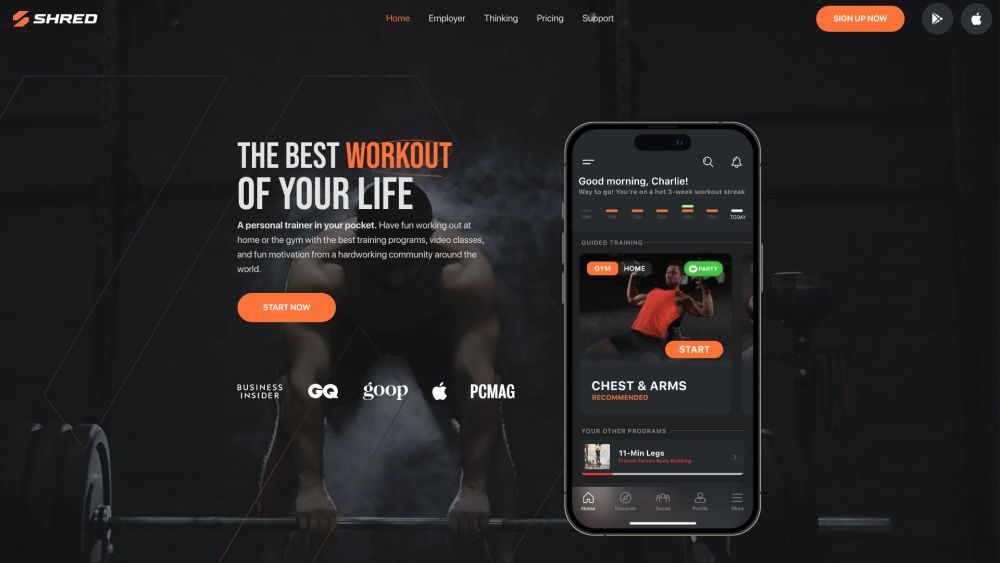
**SHRED website preview

SHRED: Home & Gym Workouts App Website screenshot

What Makes SHRED: Home & Gym Workouts App Unique?

Discover SHRED, the ultimate fitness companion designed for both home and gym workouts. Available on iOS and Android, SHRED offers a dynamic and personalized training experience tailored to your fitness goals.

How to Get Started with SHRED: Home & Gym Workouts App

Get started with SHRED by downloading the app on your iOS or Android device. Signing up is free and unlocks access to personalized training programs, video classes, and a supportive fitness community. Track your workouts, sync with partners, and stay motivated with challenges and group activities.

Key Features of SHRED: Home & Gym Workouts App

Personalized Training Programs

Video Classes

Motivating Fitness Community

AI-Powered Fitness Trainer

Workouts for Home or Gym

Explore Different Uses for SHRED: Home & Gym Workouts App

Strength Training

Cardio Workouts

Habit Tracking

Weight Loss

Muscle Building

  • About SHRED: Home & Gym Workouts App Company

    SHRED is developed by Shred Labs, LLC, dedicated to revolutionizing fitness through technology.

  • Sign Up for SHRED: Home & Gym Workouts App

    Ready to start? Sign up for SHRED for free at https://try.shred.app/.

  • SHRED: Home & Gym Workouts App Pricing

    Check out SHRED's pricing plans at https://www.shred.app/pricing.

  • Connect with SHRED: Home & Gym Workouts App

Product source: **SHRED official website. Check the provider for current plans, limits and availability.

FAQ

**SHRED questions and answers

Product context and practical checks for evaluating **SHRED.

What is **SHRED used for?

Personalized training app for home and gym workouts.

How do I get started with **SHRED?

Get started with SHRED by downloading the app on your iOS or Android device. Signing up is free and unlocks access to personalized training programs, video classes, and a supportive fitness community. Track your workouts, sync with partners, and stay motivated with challenges and group activities.

Which capabilities are described for **SHRED?

Personalized Training ProgramsVideo ClassesMotivating Fitness CommunityAI-Powered Fitness TrainerWorkouts for Home or Gym

What should I compare before choosing a **SHRED plan?

Check out SHRED's pricing plans at https://www.shred.app/pricing. Confirm current prices and allowances on the provider’s website before purchasing.

What inputs should I prepare for a **SHRED trial?

Identify the files, text or account connections your task needs. Confirm that the product accepts those inputs and offers controls for reviewing its work.

How can I check the quality of a **SHRED result?

Test one representative task and inspect the result for accuracy and completeness. Record where manual corrections or extra tools are needed.

Which export options should I check in **SHRED?

Check export formats, integrations and whether you can keep using your work outside the service. Test a real export before committing to a longer plan.

What is a practical way to test **SHRED against alternatives?

Choose one task with a clear success condition. Keep the input consistent, record the time spent reviewing and compare the complete workflow cost.

What should I review before uploading material to **SHRED?

Read the provider’s rules on access, retention, deletion and use of uploaded material. Start with a non-confidential sample that you have permission to use.

Where is the official **SHRED website?

The website linked from this profile is https://shred.app. Use the provider’s own documentation, account area and support channels to confirm current product details.

Visit **SHRED