AI Product Description Generator

Secoda

Secoda: AI-powered platform for data discovery, cataloging, lineage, and documentation. Empower analytics engineers to search, understand, and utilize data efficiently.

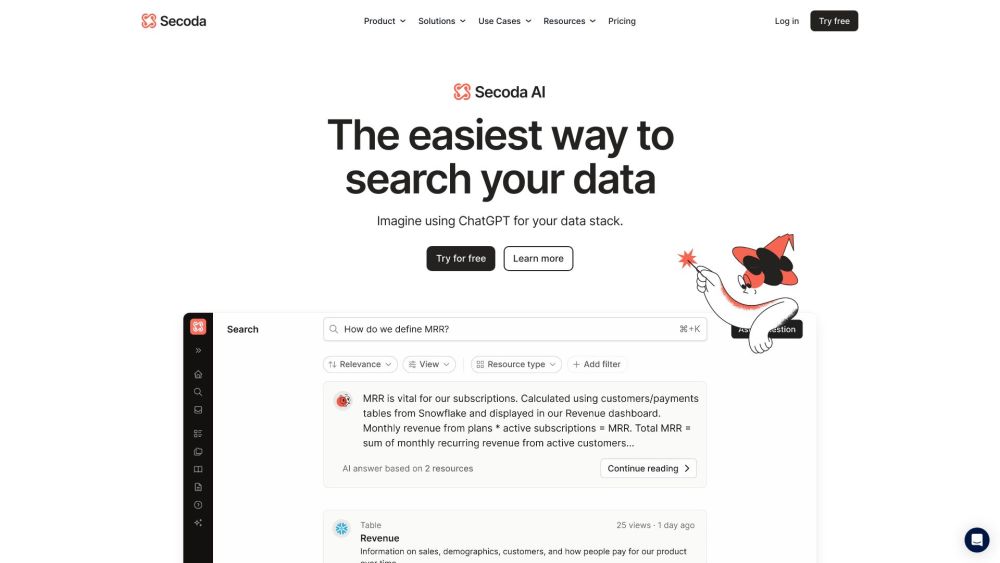
Secoda website preview

Secoda Website screenshot

Understanding Secoda

Secoda is an advanced AI-driven platform designed for managing, discovering, cataloging, and documenting data. It provides robust tools for analytics engineers and modern data teams to streamline their workflows, enabling efficient data search, comprehension, and utilization.

Getting Started with Secoda

To begin using Secoda, create an account and log in. Once logged in, you can integrate your data sources via various compatible data warehouses and BI tools. Secoda’s AI-driven search capabilities then allow you to explore and query your data with ease. Additionally, users can generate detailed documentation, submit data requests, conduct data analysis, manage access permissions, and collaborate seamlessly with their teams.

Key Features of Secoda

AI-Powered Contextual Search

Comprehensive Data Cataloging

Visual Data Lineage

Extensive Data Dictionary

In-depth Data Analysis Tools

Efficient Data Sharing Capabilities

Streamlined Data Ticketing

Granular Data Access Management

API-First Design for Modern Workflows

Practical Applications of Secoda

Enhanced Data Discovery and Knowledge Sharing

Accelerated Data Onboarding and Improved Data Literacy

Increased Data Visibility and Governance

Facilitated Collaboration Between Data and Business Teams

Proactive Impact Analysis Through Automated Data Lineage

Self-Service Data Access for Business Users

Efficient Metadata Management and Documentation

Empowered Self-Service Business Intelligence

Product source: Secoda official website. Check the provider for current plans, limits and availability.

FAQ

Secoda questions and answers

Product context and practical checks for evaluating Secoda.

What is Secoda used for?

Secoda: AI-powered platform for data discovery, cataloging, lineage, and documentation. Empower analytics engineers to search, understand, and utilize data efficiently.

How do I get started with Secoda?

To begin using Secoda, create an account and log in. Once logged in, you can integrate your data sources via various compatible data warehouses and BI tools. Secoda’s AI-driven search capabilities then allow you to explore and query your data with ease. Additionally, users can generate detailed documentation, submit data requests, conduct data analysis, manage access permissions, and collaborate seamlessly with their teams.

Which capabilities are described for Secoda?

AI-Powered Contextual SearchComprehensive Data CatalogingVisual Data LineageExtensive Data DictionaryIn-depth Data Analysis ToolsEfficient Data Sharing CapabilitiesStreamlined Data TicketingGranular Data Access ManagementAPI-First Design for Modern Workflows

What projects can I evaluate Secoda for?

Enhanced Data Discovery and Knowledge SharingAccelerated Data Onboarding and Improved Data LiteracyIncreased Data Visibility and GovernanceFacilitated Collaboration Between Data and Business TeamsProactive Impact Analysis Through Automated Data LineageSelf-Service Data Access for Business UsersEfficient Metadata Management and DocumentationEmpowered Self-Service Business Intelligence Secoda Support and Contact Information For support, visit Secoda's Contact Page. About Secoda Secoda, Inc. is dedicated to revolutionizing data management. Learn more on Secoda's About Page. Secoda Login Access your account at Secoda Login Page. Secoda Pricing Explore pricing options on the Secoda Pricing Page. Secoda on YouTube Watch tutorials and more on the Secoda YouTube Channel. Secoda on LinkedIn Follow Secoda on LinkedIn. Secoda on Twitter Stay updated via Secoda's Twitter. Secoda on Instagram See what's new on Secoda's Instagram.

What should I compare before choosing a Secoda plan?

Explore pricing options on the Secoda Pricing Page. Confirm current prices and allowances on the provider’s website before purchasing.

What inputs should I prepare for a Secoda trial?

Check supported documents, datasets and source access. Establish whether the product can inspect your actual material rather than answer from general knowledge.

How can I check the quality of a Secoda result?

Follow citations to the original source, recalculate important numbers and check the date and scope of the evidence. Distinguish an explanation from a verified result.

Which export options should I check in Secoda?

Look for usable citations, tables, downloadable data and reproducible steps. A clear answer should let another person inspect how the conclusion was reached.

What is a practical way to test Secoda against alternatives?

Choose a question with known sources and a checkable result. Compare citation accuracy, omissions and reproducibility rather than response length.

Where is the official Secoda website?

The website linked from this profile is https://www.secoda.co. Use the provider’s own documentation, account area and support channels to confirm current product details.

Visit Secoda