AI Image Enhancer

Scribble Diffusion

Transform rough sketches into polished art with AI. Scribble Diffusion by Replicate uses advanced ML to refine your sketches into detailed masterpieces.

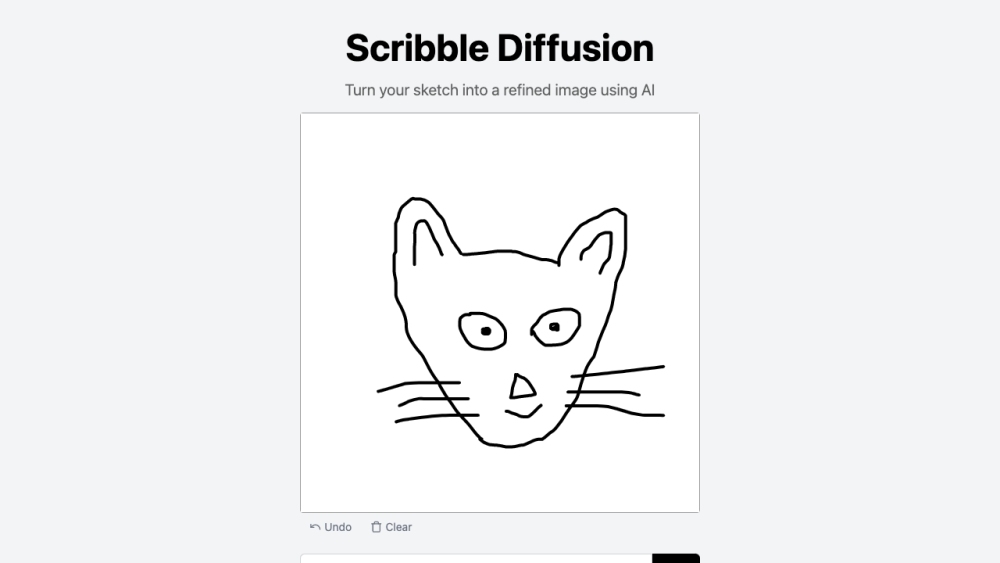
Scribble Diffusion website preview

Scribble Diffusion Website screenshot

What is Scribble Diffusion?

Scribble Diffusion is an innovative open-source tool developed by Replicate that enables users to transform their rough sketches into refined digital artwork using artificial intelligence. By utilizing advanced machine learning and sophisticated image processing algorithms, Scribble Diffusion converts basic sketches into detailed and polished images.

How to Use Scribble Diffusion?

Using Scribble Diffusion is straightforward: 1. Navigate to the Scribble Diffusion website. 2. Create your sketch in the designated area. 3. Press the 'Scribble Diffusion' button. 4. The AI will process your sketch and produce a refined image. 5. Download and save your enhanced image.

Core Features of Scribble Diffusion

Key features of Scribble Diffusion include: 1. AI-driven refinement: Employs robust AI algorithms to upgrade sketches into high-quality images. 2. Image enhancement: Adds intricate details, colors, and textures to sketches, creating a polished final product. 3. Open-source platform: Developed by Replicate, Scribble Diffusion is open-source, allowing for community engagement and customization.

Applications of Scribble Diffusion

Scribble Diffusion can be utilized in numerous ways, including: 1. Artistic creation: Artists and designers can use Scribble Diffusion to quickly refine their sketches and bring their ideas to life. 2. Visual communication: Turn hand-drawn sketches into clear, professional-looking images for presentations or social media. 3. Concept visualization: Helps in visualizing early concepts and prototypes by generating refined images from initial sketches.

Product source: Scribble Diffusion official website. Check the provider for current plans, limits and availability.

FAQ

Scribble Diffusion questions and answers

Product context and practical checks for evaluating Scribble Diffusion.

What is Scribble Diffusion used for?

Transform rough sketches into polished art with AI. Scribble Diffusion by Replicate uses advanced ML to refine your sketches into detailed masterpieces.

How do I get started with Scribble Diffusion?

Using Scribble Diffusion is straightforward: 1. Navigate to the Scribble Diffusion website. 2. Create your sketch in the designated area. 3. Press the 'Scribble Diffusion' button. 4. The AI will process your sketch and produce a refined image. 5. Download and save your enhanced image.

Which capabilities are described for Scribble Diffusion?

Key features of Scribble Diffusion include: 1. AI-driven refinement: Employs robust AI algorithms to upgrade sketches into high-quality images. 2. Image enhancement: Adds intricate details, colors, and textures to sketches, creating a polished final product. 3. Open-source platform: Developed by Replicate, Scribble Diffusion is open-source, allowing for community engagement and customization.

What projects can I evaluate Scribble Diffusion for?

Scribble Diffusion can be utilized in numerous ways, including: 1. Artistic creation: Artists and designers can use Scribble Diffusion to quickly refine their sketches and bring their ideas to life. 2. Visual communication: Turn hand-drawn sketches into clear, professional-looking images for presentations or social media. 3. Concept visualization: Helps in visualizing early concepts and prototypes by generating refined images from initial sketches. Scribble Diffusion Company Developed by: Replicate. Scribble Diffusion YouTube Watch Scribble Diffusion in action: Scribble Diffusion YouTube Link Scribble Diffusion GitHub Explore the project: Scribble Diffusion GitHub Link

What should I compare before choosing a Scribble Diffusion plan?

Check Scribble Diffusion’s current pricing page for included usage, renewal terms and any credit charges. Compare the cost of a usable result, including retries, rather than assuming that account registration includes free usage.

What inputs should I prepare for a Scribble Diffusion trial?

Look for text prompts, image references, masks or sketches as appropriate. Compare composition control, supported upload types and the ability to revise a selected area.

How can I check the quality of a Scribble Diffusion result?

Inspect text, hands, edges, reflections and repeated objects at full size. Check that important product or brand details survive editing.

Which export options should I check in Scribble Diffusion?

Compare pixel dimensions, transparency, file formats and any enlargement options. Confirm that the downloaded result works in your design or publishing software.

What is a practical way to test Scribble Diffusion against alternatives?

Prepare a brief with a subject, composition, lighting and required output size. Test a first generation and a targeted revision to see how much control you retain.

Where is the official Scribble Diffusion website?

The website linked from this profile is https://scribblediffusion.com. Use the provider’s own documentation, account area and support channels to confirm current product details.

Visit Scribble Diffusion