Photo &amp Image Editor

ScreenRedact

ScreenRedact: Redact sensitive info on Mac effortlessly with our AI-powered tool by Ahmad Tibi. Utilize Apple's on-device machine learning for quick, accurate results.

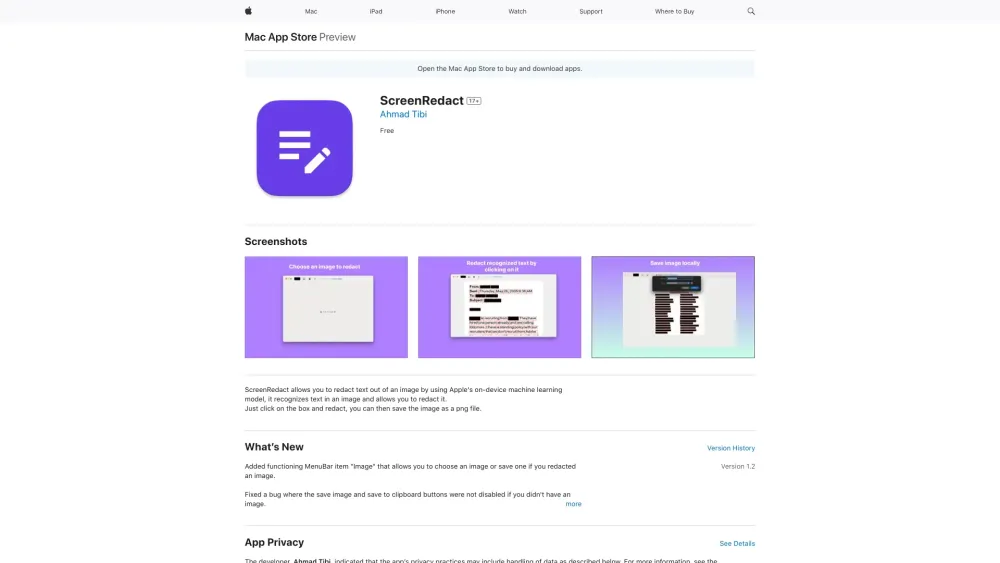
ScreenRedact website preview

ScreenRedact Website screenshot

What is ScreenRedact?

ScreenRedact is a cutting-edge Mac application created by Ahmad Tibi. This innovative tool leverages Apple's on-device machine learning to help users easily redact sensitive information from images. It swiftly identifies and conceals text, ensuring your private data remains secure.

How to use ScreenRedact?

Using ScreenRedact is a breeze. Simply launch the app, choose the image you want to edit, pinpoint the sensitive text, and apply the redaction with the help of Apple's advanced machine learning model. Finally, save your edited image as a PNG file for secure sharing or storage.

ScreenRedact's Core Features

Text Redaction from Images

Employs Apple's On-Device Machine Learning

Save Redacted Images as PNG Files

ScreenRedact's Use Cases

Safeguard Personal Information in Images

Enhance Privacy When Sharing Visual Content

Ensure Confidentiality in Digital Media

Product source: ScreenRedact official website. Check the provider for current plans, limits and availability.

FAQ

ScreenRedact questions and answers

Product context and practical checks for evaluating ScreenRedact.

What is ScreenRedact used for?

ScreenRedact: Redact sensitive info on Mac effortlessly with our AI-powered tool by Ahmad Tibi. Utilize Apple's on-device machine learning for quick, accurate results.

How do I get started with ScreenRedact?

Using ScreenRedact is a breeze. Simply launch the app, choose the image you want to edit, pinpoint the sensitive text, and apply the redaction with the help of Apple's advanced machine learning model. Finally, save your edited image as a PNG file for secure sharing or storage.

Which capabilities are described for ScreenRedact?

Text Redaction from ImagesEmploys Apple's On-Device Machine LearningSave Redacted Images as PNG Files

What projects can I evaluate ScreenRedact for?

Safeguard Personal Information in ImagesEnhance Privacy When Sharing Visual ContentEnsure Confidentiality in Digital Media

What should I compare before choosing a ScreenRedact plan?

Check ScreenRedact’s current pricing page for included usage, renewal terms and any credit charges. Compare the cost of a usable result, including retries, rather than assuming that account registration includes free usage.

What inputs should I prepare for a ScreenRedact trial?

Check supported documents, datasets and source access. Establish whether the product can inspect your actual material rather than answer from general knowledge.

How can I check the quality of a ScreenRedact result?

Follow citations to the original source, recalculate important numbers and check the date and scope of the evidence. Distinguish an explanation from a verified result.

Which export options should I check in ScreenRedact?

Look for usable citations, tables, downloadable data and reproducible steps. A clear answer should let another person inspect how the conclusion was reached.

What is a practical way to test ScreenRedact against alternatives?

Choose a question with known sources and a checkable result. Compare citation accuracy, omissions and reproducibility rather than response length.

Where is the official ScreenRedact website?

The website linked from this profile is https://apps.apple.com/il/app/screenredact/id6503662278. Use the provider’s own documentation, account area and support channels to confirm current product details.

Visit ScreenRedact