Text to Image

Scenario

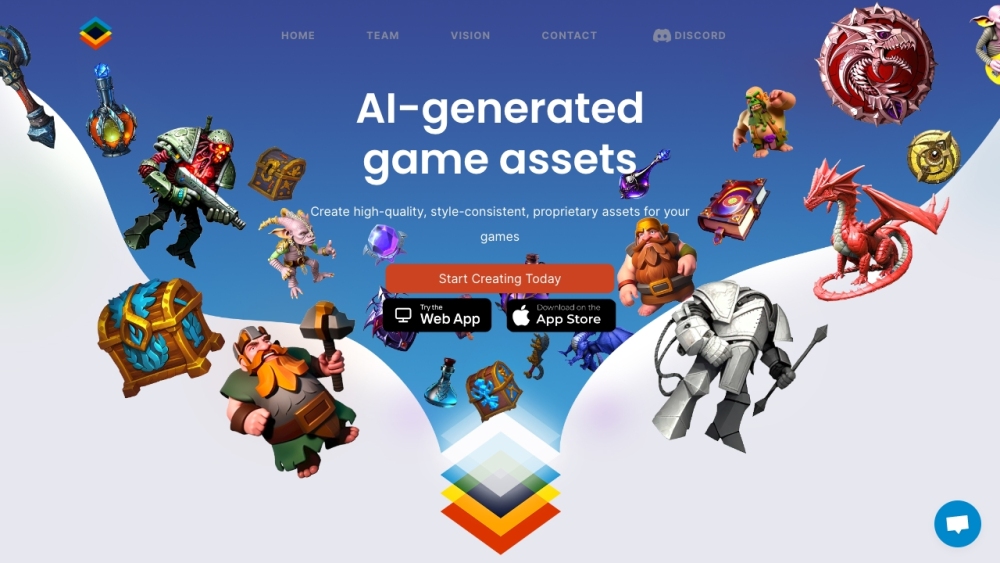
Scenario: AI-Generated Game Assets for Quick, Creative Content—save time and spark creativity with instant, engaging game assets designed for professionals.

Scenario website preview

Scenario Website screenshot

What is Scenario?

Scenario is a cutting-edge web application designed to revolutionize game asset creation using AI technology. By automating the generation of high-quality game assets, Scenario significantly reduces production time and enhances creativity for game developers and designers.

How to use Scenario?

Getting started with Scenario is simple. Sign up and download the application to access its powerful suite of tools. Begin by training custom AI models that match your game's unique art style. Upload training data, including characters, props, environments, and concept art. Utilize Scenario’s AI generators to produce precise game assets instantly. Customize these assets with advanced tools like Composition Control and Pixel-Perfect Inpainting. Scenario's GenAI Engine integrates seamlessly with various design software, game engines, or directly within games, enabling players to create personalized content.

Scenario's Core Features

AI-generated game assets

Custom-trained AI models

Style-consistent assets

IP-perfect game assets

Streamlined workflows

Cross-platform AI integration

Composition Control

Pixel-Perfect Inpainting

Scenario's Use Cases

Generating unique visuals for game worlds, items, and experiences

Accelerating asset ideation and visual iterations during game development

Efficiently creating marketing assets

Empowering player-generated content in games

Product source: Scenario official website. Check the provider for current plans, limits and availability.

FAQ

Scenario questions and answers

Product context and practical checks for evaluating Scenario.

What is Scenario used for?

Scenario: AI-Generated Game Assets for Quick, Creative Content—save time and spark creativity with instant, engaging game assets designed for professionals.

How do I get started with Scenario?

Getting started with Scenario is simple. Sign up and download the application to access its powerful suite of tools. Begin by training custom AI models that match your game's unique art style. Upload training data, including characters, props, environments, and concept art. Utilize Scenario’s AI generators to produce precise game assets instantly. Customize these assets with advanced tools like Composition Control and Pixel-Perfect Inpainting. Scenario's GenAI Engine integrates seamlessly with various design software, game engines, or directly within games, enabling players to create personalized content.

Which capabilities are described for Scenario?

AI-generated game assetsCustom-trained AI modelsStyle-consistent assetsIP-perfect game assetsStreamlined workflowsCross-platform AI integrationComposition ControlPixel-Perfect Inpainting

What projects can I evaluate Scenario for?

Generating unique visuals for game worlds, items, and experiencesAccelerating asset ideation and visual iterations during game developmentEfficiently creating marketing assetsEmpowering player-generated content in games Scenario Discord Join the Scenario community on Discord: https://discord.gg/scenario. For more details, click here(/discord/scenario). Scenario Support Email & Customer Service Contact & Refund Contact For additional contact information, visit the contact us page(https://www.scenario.com/contact-us). Scenario Company Company Name: Scenario Scenario Login Log in here: http://scenario.com/login Scenario Pricing For pricing details, visit: https://www.scenario.com/pricing Scenario LinkedIn Connect with Scenario on LinkedIn: https://www.linkedin.com/company/scenario-com/ Scenario Twitter Follow Scenario on Twitter: https://twitter.com/Scenario_gg?ref_src=twsrc%5Egoogle%7Ctwcamp%5Eserp%7Ctwgr%5Eauthor

What should I compare before choosing a Scenario plan?

For pricing details, visit: https://www.scenario.com/pricing Confirm current prices and allowances on the provider’s website before purchasing.

What inputs should I prepare for a Scenario trial?

Look for text prompts, image references, masks or sketches as appropriate. Compare composition control, supported upload types and the ability to revise a selected area.

How can I check the quality of a Scenario result?

Inspect text, hands, edges, reflections and repeated objects at full size. Check that important product or brand details survive editing.

Which export options should I check in Scenario?

Compare pixel dimensions, transparency, file formats and any enlargement options. Confirm that the downloaded result works in your design or publishing software.

What is a practical way to test Scenario against alternatives?

Prepare a brief with a subject, composition, lighting and required output size. Test a first generation and a targeted revision to see how much control you retain.

Where is the official Scenario website?

The website linked from this profile is https://www.scenario.gg. Use the provider’s own documentation, account area and support channels to confirm current product details.

Visit Scenario