AI Product Description Generator

Scanflow

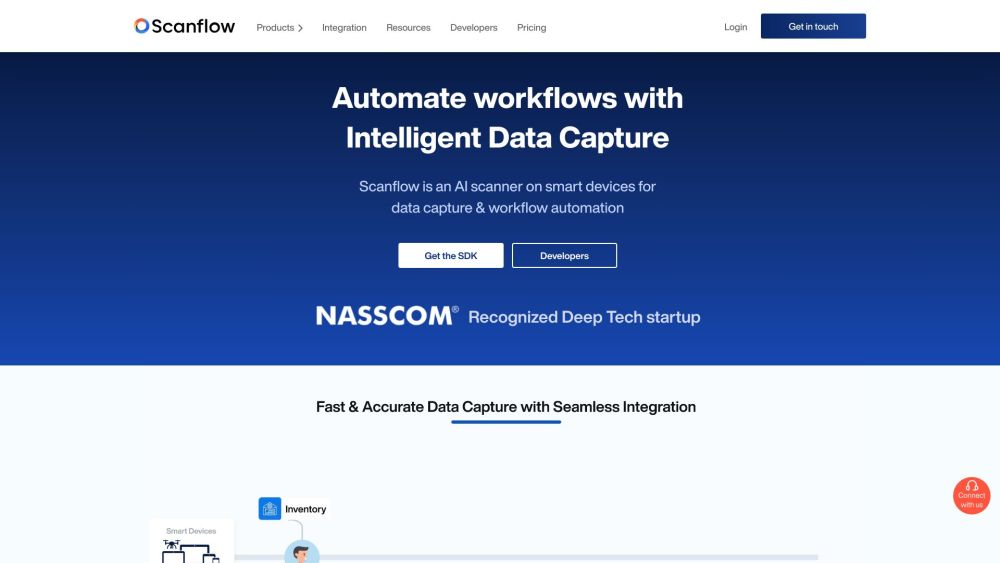
Scanflow is an AI scanner on smart devices for data capture and workflow automation. Workers and customers interacting with physical objects require real-time insights for workflow efficiency.

Scanflow website preview

Scanflow Website screenshot

What is Scanflow?

Scanflow is an AI-powered scanner designed for smart devices, enabling efficient data capture and workflow automation. It provides real-time insights for workers and customers interacting with physical objects, enhancing workflow efficiency.

How to use Scanflow?

To use Scanflow, integrate its SDK into your smart devices. This SDK facilitates fast and accurate scanning of various data types, including alphanumeric text, barcodes, and ID cards. The captured data can be used to automate workflows, boosting operational efficiency.

Scanflow's Core Features

Text Scanning: Efficiently scan any alphanumeric text

Barcode/QR Code Scanner SDK: Integrate enterprise-grade barcode scanning into any smart device

ID Scanning: Real-time data capture from identity documents such as passports, ID cards, and driver's licenses

Tire sidewall scanning: Quickly scan DOT, TIN, and Serial numbers from tire sidewalls

Container Scanning: Capture container IDs using smart devices

REF codes from pharma supplies: Reliably scan LOT / REF codes for tracking medical supplies

Self Checkout: Improve customer experience in retail with self-scanning and self-checkout

Drone scanning: Use drones to scan codes or text from inaccessible distances

Wearables: Coming soon...

Assembly line tracking: Monitor moving items on the assembly line with smart devices

Inventory management: Manage complete inventory operations from receipt to dispatch

Warehouse Management and Delivery Experience: Watch full video

Patient Registration: Instantly capture patient details with a simple scan

Patient Verification: Verify patients' identities effortlessly

KYC Verification: Digitally verify customer IDs during onboarding

Passport Scanning: Simplify passenger check-in by scanning passports

Batch Scanning: Simultaneously scan multiple barcodes

Keyboard Wedge: Eliminate typing by enabling keyboard wedge in any smart device

Object Counting: Count objects with precision

Anthropometric measurements: Accurately capture anthropometric data

Scanflow's Use Cases

Manufacturing: Track parts in real-time, reduce human errors, optimize supply chains, and boost workforce productivity and product quality

Logistics: Cut operational costs with automated data capture, streamline order processing, monitor inventory in real time, reduce errors, and ensure faster deliveries

Retail: Integrate with POS systems, streamline in-store processes, automate workflows, and enhance customer experience with personalized services

Product source: Scanflow official website. Check the provider for current plans, limits and availability.

FAQ

Scanflow questions and answers

Product context and practical checks for evaluating Scanflow.

What is Scanflow used for?

Scanflow is an AI scanner on smart devices for data capture and workflow automation. Workers and customers interacting with physical objects require real-time insights for workflow efficiency.

How do I get started with Scanflow?

To use Scanflow, integrate its SDK into your smart devices. This SDK facilitates fast and accurate scanning of various data types, including alphanumeric text, barcodes, and ID cards. The captured data can be used to automate workflows, boosting operational efficiency.

Which capabilities are described for Scanflow?

Text Scanning: Efficiently scan any alphanumeric textBarcode/QR Code Scanner SDK: Integrate enterprise-grade barcode scanning into any smart deviceID Scanning: Real-time data capture from identity documents such as passports, ID cards, and driver's licensesTire sidewall scanning: Quickly scan DOT, TIN, and Serial numbers from tire sidewallsContainer Scanning: Capture container IDs using smart devicesREF codes from pharma supplies: Reliably scan LOT / REF codes for tracking medical suppliesSelf Checkout: Improve customer experience in retail with self-scanning and self-checkoutDrone scanning: Use drones to scan codes or text from inaccessible distancesWearables: Coming soon...Assembly line tracking: Monitor moving items on the assembly line with smart devicesInventory management: Manage complete inventory operations from receipt to dispatchWarehouse Management and Delivery Experience: Watch full videoPatient Registration: Instantly capture patient details with a simple scanPatient Verification: Verify patients' identities effortlesslyKYC Verification: Digitally verify customer IDs during onboardingPassport Scanning: Simplify passenger check-in by scanning passportsBatch Scanning: Simultaneously scan multiple barcodesKeyboard Wedge: Eliminate typing by enabling keyboard wedge in any smart deviceObject Counting: Count objects with precisionAnthropometric measurements: Accurately capture anthropometric data

What projects can I evaluate Scanflow for?

Manufacturing: Track parts in real-time, reduce human errors, optimize supply chains, and boost workforce productivity and product qualityLogistics: Cut operational costs with automated data capture, streamline order processing, monitor inventory in real time, reduce errors, and ensure faster deliveriesRetail: Integrate with POS systems, streamline in-store processes, automate workflows, and enhance customer experience with personalized services Scanflow Support Email & Customer service contact & Refund contact etc. Contact Scanflow customer service via email: [email protected]. For more contact details, visit our contact page Scanflow Company Company name: Scanflow Company addresses: No 204, 2nd floor, PSG Step Centre of Excellence, E8 Block, PSG iTech Campus, Neelambur, Coimbatore; Baid Hi Tech Park, 4th Floor, Thiruvanmiyur, Chennai – 600041; Scanflow Pte Ltd, 10 Jalan Besar, #3-04 Sim Lim Tower, Singapore 208787. Scanflow Login Login to Scanflow: https://console.scanflow.ai/login Scanflow Pricing View Scanflow pricing: https://www.scanflow.ai/pricing Scanflow Facebook Follow us on Facebook: https://www.facebook.com/ScanflowScanflow Youtube Subscribe to our YouTube channel: https://www.youtube.com/channel/UC-XwTWCx1wD7wJjnDs8AY2QScanflow Linkedin Connect with us on LinkedIn: https://www.linkedin.com/company/scanflow-enScanflow Twitter Follow us on Twitter: https://twitter.com/ScanflowAIScanflow Instagram Follow us on Instagram: https://www.instagram.com/scanflow.ai/

What should I compare before choosing a Scanflow plan?

View Scanflow pricing: https://www.scanflow.ai/pricing Confirm current prices and allowances on the provider’s website before purchasing.

What inputs should I prepare for a Scanflow trial?

Look for text prompts, image references, masks or sketches as appropriate. Compare composition control, supported upload types and the ability to revise a selected area.

How can I check the quality of a Scanflow result?

Inspect text, hands, edges, reflections and repeated objects at full size. Check that important product or brand details survive editing.

Which export options should I check in Scanflow?

Compare pixel dimensions, transparency, file formats and any enlargement options. Confirm that the downloaded result works in your design or publishing software.

What is a practical way to test Scanflow against alternatives?

Prepare a brief with a subject, composition, lighting and required output size. Test a first generation and a targeted revision to see how much control you retain.

Where is the official Scanflow website?

The website linked from this profile is https://www.scanflow.ai. Use the provider’s own documentation, account area and support channels to confirm current product details.

Visit Scanflow