AI Advertising Assistant

Rubber

Rubber: A no-code platform to build AI-powered apps effortlessly. Connect data, customize UI, and deploy in minutes with GPT-4 technology.

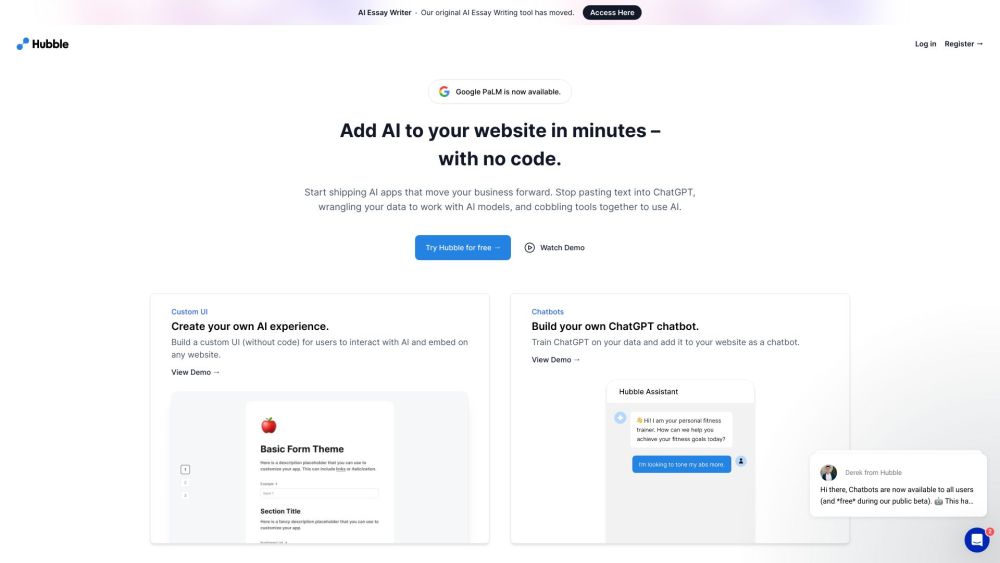
Rubber website preview

Rubber Website screenshot

What is Rubber?

Rubber is an innovative no-code platform designed to empower users to build AI-driven applications effortlessly, without requiring technical expertise. It offers a comprehensive suite of tools and components to develop apps and solutions powered by advanced AI models like GPT-4. With Rubber, you can integrate your data sources, design a custom user interface, and deploy AI applications rapidly, all within a user-friendly environment.

How to use Rubber?

To get started with Rubber, simply create an account and begin crafting your AI applications. You can select from a variety of pre-designed components and templates to build your app. Users can easily integrate their data by uploading files in formats such as .txt, .csv, or .pdf. Rubber automatically connects the data with AI models, enabling seamless querying and transformation. Once your application is complete, it can be effortlessly published and made available on any website or platform.

Rubber's Core Features

AI application development without coding

Customizable UI builder with no-code tools

Build chatbots with ChatGPT technology

Integration with Google PaLM 2 models

Leverage AI models like GPT-4 for advanced tasks

Easily link to various data sources

Automated deployment and hosting options

Whitelabeling options for custom-branded apps

Embed AI functionalities into websites and applications

Access over 30 professionally designed, conversion-focused templates

Rubber's Use Cases

Generate leads with AI-enhanced forms

Provide customer support through AI chatbots

Use AI to enhance upselling strategies

Test product ideas with rapid experiments

Create content for marketing and education with AI

Boost SEO efforts with AI-powered keyword analysis

Enhance email and PPC marketing with AI assistance

Drive product marketing with AI-driven strategies

Design omnichannel marketing campaigns

Plan and execute social media campaigns

Develop high-converting ad campaigns with AI

Product source: Rubber official website. Check the provider for current plans, limits and availability.

FAQ

Rubber questions and answers

Product context and practical checks for evaluating Rubber.

What is Rubber used for?

Rubber: A no-code platform to build AI-powered apps effortlessly. Connect data, customize UI, and deploy in minutes with GPT-4 technology.

How do I get started with Rubber?

To get started with Rubber, simply create an account and begin crafting your AI applications. You can select from a variety of pre-designed components and templates to build your app. Users can easily integrate their data by uploading files in formats such as .txt, .csv, or .pdf. Rubber automatically connects the data with AI models, enabling seamless querying and transformation. Once your application is complete, it can be effortlessly published and made available on any website or platform.

Which capabilities are described for Rubber?

AI application development without codingCustomizable UI builder with no-code toolsBuild chatbots with ChatGPT technologyIntegration with Google PaLM 2 modelsLeverage AI models like GPT-4 for advanced tasksEasily link to various data sourcesAutomated deployment and hosting optionsWhitelabeling options for custom-branded appsEmbed AI functionalities into websites and applicationsAccess over 30 professionally designed, conversion-focused templates

What projects can I evaluate Rubber for?

Generate leads with AI-enhanced formsProvide customer support through AI chatbotsUse AI to enhance upselling strategiesTest product ideas with rapid experimentsCreate content for marketing and education with AIBoost SEO efforts with AI-powered keyword analysisEnhance email and PPC marketing with AI assistanceDrive product marketing with AI-driven strategiesDesign omnichannel marketing campaignsPlan and execute social media campaignsDevelop high-converting ad campaigns with AI Rubber Support Email & Customer Service Contact & Refund Information For customer service, contact Rubber support via email at: [email protected] . Rubber Company Company Name: JCDT Inc DBA Rubber. Rubber Login Login Link: https://www.rubber.ai/api/auth/login?returnTo=/dashboard Rubber Sign Up Sign Up Link: https://www.rubber.ai/api/auth/signup?returnTo=/dashboard Rubber Pricing Pricing Details: https://www.rubber.ai/#pricing-section Rubber Twitter Follow Rubber on Twitter: https://twitter.com/jjeremycai

What should I compare before choosing a Rubber plan?

Pricing Details: https://www.rubber.ai/#pricing-section Confirm current prices and allowances on the provider’s website before purchasing.

What inputs should I prepare for a Rubber trial?

Compare repository access, context limits, supported languages and tool permissions. Check whether the assistant can read relevant files and run your existing checks.

How can I check the quality of a Rubber result?

Review the diff, run tests and inspect error handling and dependency changes. Generated code should meet the same review standard as a human contribution.

Which export options should I check in Rubber?

Prefer changes you can inspect and keep in version control. Check whether code, tests and configuration can be exported without depending on a hosted preview.

What is a practical way to test Rubber against alternatives?

Choose a small reproducible bug with an existing failing check. Measure whether the tool fixes the cause, preserves behavior and produces a reviewable change.

Where is the official Rubber website?

The website linked from this profile is . Use the provider’s own documentation, account area and support channels to confirm current product details.