AI Advertising Assistant

ReviewScout - Chrome Extension

ReviewScout - Chrome Extension: Effortlessly streamline Amazon product research and optimization using ChatGPT’s powerful insights. Save time, boost sales!

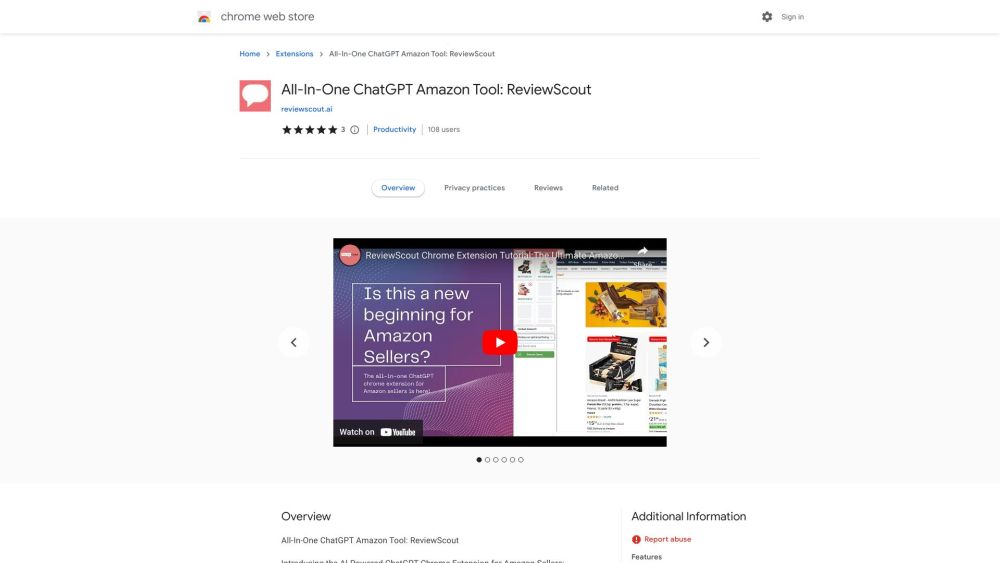
ReviewScout - Chrome Extension website preview

ReviewScout - Chrome Extension Website screenshot

What is the ReviewScout Chrome Extension?

ReviewScout is an advanced tool that simplifies the Amazon research process by integrating ChatGPT's powerful AI capabilities. This Chrome extension is designed to enhance product research, optimize advertising efforts, analyze market trends, and offer personalized recommendations, all within a seamless user interface.

How to use the ReviewScout Chrome Extension?

Getting started with ReviewScout is easy. First, create an account on the platform's official website. After registering, install the Chrome extension. Once installed, it will automatically activate when browsing Amazon, offering AI-driven insights directly on the platform, making product research and advertising more efficient.

Key Features of the ReviewScout Chrome Extension

Streamlined Product Research

Quickly analyze product data, reviews, and trends, saving time while ensuring informed decisions.

Optimized PPC Campaigns

Utilize ChatGPT to optimize pay-per-click campaigns by analyzing keywords and competitors, reducing costs while improving conversion rates.

Market Trend Analysis

Stay ahead of the competition with real-time insights into evolving market trends and customer behavior.

Personalized User Experience

Enjoy tailored recommendations based on your browsing history and preferences, ensuring the most relevant suggestions for your business.

Who Can Benefit from the ReviewScout Chrome Extension?

E-commerce Entrepreneurs

Make data-driven decisions to enhance product listings and stay competitive in the marketplace.

Amazon Sellers

Boost sales and improve ad efficiency with AI-powered insights and recommendations tailored to your niche.

Digital Marketers

Optimize marketing strategies and stay updated on the latest market trends to drive success.

Product Analysts

Conduct thorough product research and evaluation using AI to streamline the process and uncover new opportunities.

Product source: ReviewScout - Chrome Extension official website. Check the provider for current plans, limits and availability.

FAQ

ReviewScout - Chrome Extension questions and answers

Product context and practical checks for evaluating ReviewScout - Chrome Extension.

What is ReviewScout - Chrome Extension used for?

ReviewScout - Chrome Extension: Effortlessly streamline Amazon product research and optimization using ChatGPT’s powerful insights. Save time, boost sales!

How do I get started with ReviewScout - Chrome Extension?

Getting started with ReviewScout is easy. First, create an account on the platform's official website. After registering, install the Chrome extension. Once installed, it will automatically activate when browsing Amazon, offering AI-driven insights directly on the platform, making product research and advertising more efficient.

Which capabilities are described for ReviewScout - Chrome Extension?

Streamlined Product ResearchQuickly analyze product data, reviews, and trends, saving time while ensuring informed decisions.Optimized PPC CampaignsUtilize ChatGPT to optimize pay-per-click campaigns by analyzing keywords and competitors, reducing costs while improving conversion rates.Market Trend AnalysisStay ahead of the competition with real-time insights into evolving market trends and customer behavior.Personalized User ExperienceEnjoy tailored recommendations based on your browsing history and preferences, ensuring the most relevant suggestions for your business.

What should I compare before choosing a ReviewScout - Chrome Extension plan?

Check ReviewScout - Chrome Extension’s current pricing page for included usage, renewal terms and any credit charges. Compare the cost of a usable result, including retries, rather than assuming that account registration includes free usage.

What inputs should I prepare for a ReviewScout - Chrome Extension trial?

Check supported documents, datasets and source access. Establish whether the product can inspect your actual material rather than answer from general knowledge.

How can I check the quality of a ReviewScout - Chrome Extension result?

Follow citations to the original source, recalculate important numbers and check the date and scope of the evidence. Distinguish an explanation from a verified result.

Which export options should I check in ReviewScout - Chrome Extension?

Look for usable citations, tables, downloadable data and reproducible steps. A clear answer should let another person inspect how the conclusion was reached.

What is a practical way to test ReviewScout - Chrome Extension against alternatives?

Choose a question with known sources and a checkable result. Compare citation accuracy, omissions and reproducibility rather than response length.

What should I review before uploading material to ReviewScout - Chrome Extension?

Read the provider’s rules on access, retention, deletion and use of uploaded material. Start with a non-confidential sample that you have permission to use.

Where is the official ReviewScout - Chrome Extension website?

The website linked from this profile is https://chrome.google.com/webstore/detail/review-scout/baoplplmjnbbdmjgkcfakajdiikpaeln. Use the provider’s own documentation, account area and support channels to confirm current product details.

Visit ReviewScout - Chrome Extension