Resume Builder

ResumeForrest

ResumeForrest: Elevate your career with this all-in-one SaaS platform featuring powerful resume crafting tools to help you land your dream job faster.

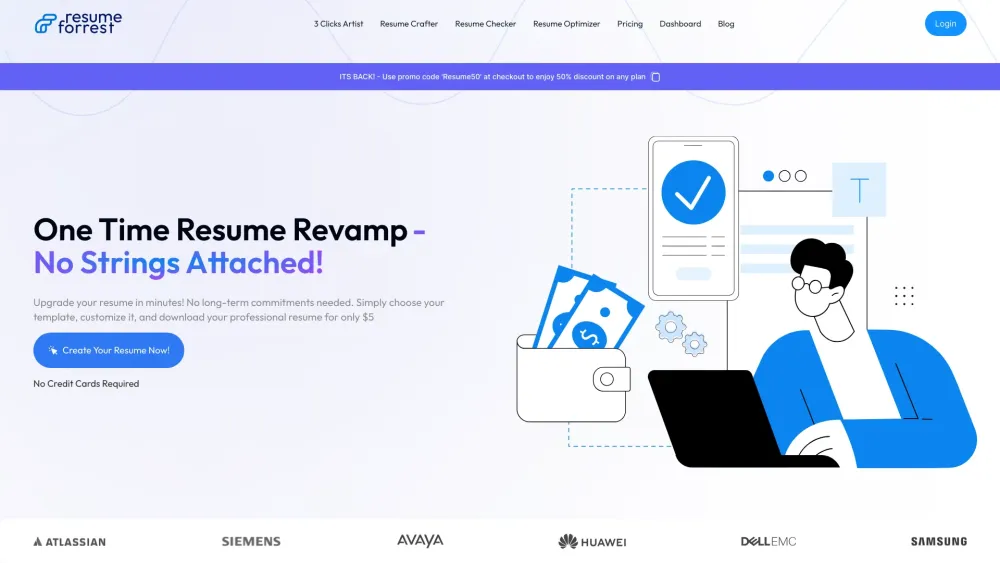
ResumeForrest website preview

ResumeForrest Website screenshot

Introducing ResumeForrest: Your Ultimate Career OS

ResumeForrest is an all-in-one SaaS solution designed to elevate your career journey. Featuring robust tools like the Resume Crafter and 3 Clicks Artist, it enables users to create, optimize, and perfect their resumes with ease.

How to Leverage ResumeForrest for Career Success?

1. Choose the tool that suits your needs (Resume Crafter, 3 Clicks Artist, Resume Optimizer, or Resume Checker). 2. Personalize your resume with intuitive options. 3. Download and use your refined resume to apply for jobs.

Key Features of ResumeForrest

Resume Crafter: Guided Resume Building

Create a professional resume step-by-step with Resume Crafter's user-friendly interface.

3 Clicks Artist: Sleek, ATS-Friendly Templates

Ensure your resume passes ATS filters with templates designed for both style and substance.

Resume Optimizer: Tailor Your Resume for Every Job

Fine-tune your resume to match specific job descriptions for maximum impact.

Resume Checker: ATS Compliance Guaranteed

Validate your resume's ATS compatibility with the Resume Checker tool, ensuring it meets industry standards.

Practical Applications of ResumeForrest

Craft a Professional Resume in No Time

Quickly build and polish your resume to stand out in job applications.

Optimize for ATS Filters to Increase Your Chances

Use ResumeForrest's advanced tools to ensure your resume is perfectly optimized for Applicant Tracking Systems.

Product source: ResumeForrest official website. Check the provider for current plans, limits and availability.

FAQ

ResumeForrest questions and answers

Product context and practical checks for evaluating ResumeForrest.

What is ResumeForrest used for?

ResumeForrest: Elevate your career with this all-in-one SaaS platform featuring powerful resume crafting tools to help you land your dream job faster.

How do I get started with ResumeForrest?

1. Choose the tool that suits your needs (Resume Crafter, 3 Clicks Artist, Resume Optimizer, or Resume Checker). 2. Personalize your resume with intuitive options. 3. Download and use your refined resume to apply for jobs.

Which capabilities are described for ResumeForrest?

Resume Crafter: Guided Resume BuildingCreate a professional resume step-by-step with Resume Crafter's user-friendly interface.3 Clicks Artist: Sleek, ATS-Friendly TemplatesEnsure your resume passes ATS filters with templates designed for both style and substance.Resume Optimizer: Tailor Your Resume for Every JobFine-tune your resume to match specific job descriptions for maximum impact.Resume Checker: ATS Compliance GuaranteedValidate your resume's ATS compatibility with the Resume Checker tool, ensuring it meets industry standards.

What projects can I evaluate ResumeForrest for?

Craft a Professional Resume in No TimeQuickly build and polish your resume to stand out in job applications.Optimize for ATS Filters to Increase Your ChancesUse ResumeForrest's advanced tools to ensure your resume is perfectly optimized for Applicant Tracking Systems. About ResumeForrest Company: Digital Forrest Login to ResumeForrest Login Link: https://resumeforrest.com/# ResumeForrest Pricing Pricing Details: https://resumeforrest.com/pricing ResumeForrest on YouTube YouTube Channel: https://www.youtube.com/watch?v=null

What should I compare before choosing a ResumeForrest plan?

Pricing Details: https://resumeforrest.com/pricing Confirm current prices and allowances on the provider’s website before purchasing.

What inputs should I prepare for a ResumeForrest trial?

Identify the files, text or account connections your task needs. Confirm that the product accepts those inputs and offers controls for reviewing its work.

How can I check the quality of a ResumeForrest result?

Test one representative task and inspect the result for accuracy and completeness. Record where manual corrections or extra tools are needed.

Which export options should I check in ResumeForrest?

Check export formats, integrations and whether you can keep using your work outside the service. Test a real export before committing to a longer plan.

What is a practical way to test ResumeForrest against alternatives?

Choose one task with a clear success condition. Keep the input consistent, record the time spent reviewing and compare the complete workflow cost.

Where is the official ResumeForrest website?

The website linked from this profile is https://resumeforrest.com. Use the provider’s own documentation, account area and support channels to confirm current product details.

Visit ResumeForrest