AI Design Generator

**RespacedAI

Effortlessly redesign your interior with AI.

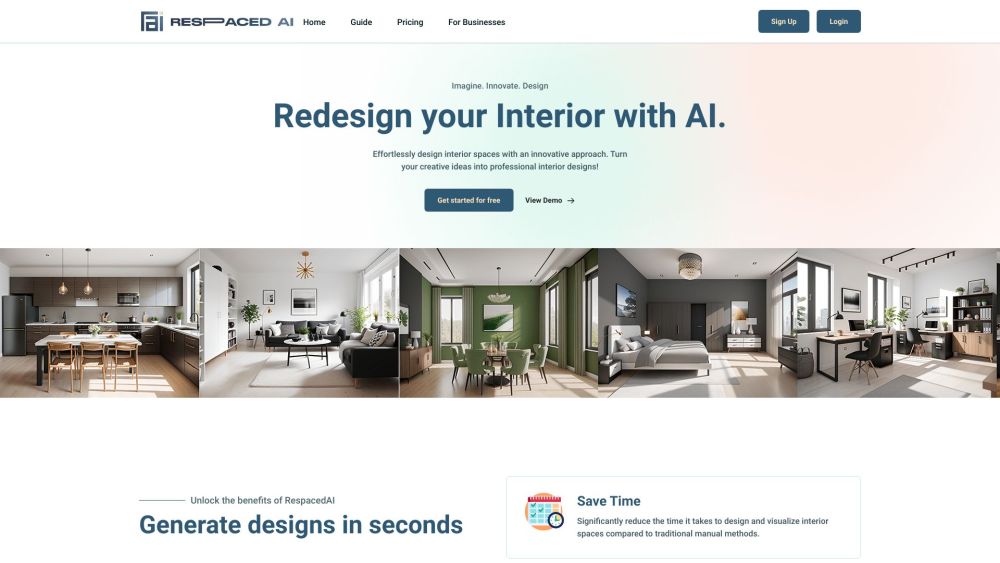
**RespacedAI website preview

RespacedAI Website screenshot

What is RespacedAI?

RespacedAI is a cutting-edge AI-powered platform that revolutionizes interior design. With this tool, users can easily capture an image of their current space and generate detailed design concepts using AI technology. The platform offers an array of styles, ultra-high-definition 4K visualizations, and immersive 360-degree views to help users reimagine their interiors effortlessly.

How to use RespacedAI?

Using RespacedAI is simple and efficient. First, take a picture of your interior space and upload it to the platform. Choose from over 30 design styles, adjust the colors and materials to your liking, and let the AI work its magic. You can then explore your new design from every angle using the 360-degree views, significantly speeding up the design process compared to traditional methods.

RespacedAI's Core Features

AI-powered interior redesign with over 30+ styles

Create lifelike 4K renderings for a vivid design experience

Customize colors and materials to reflect your personal style

Learn and maintain a cohesive style across different spaces

Preview your space from every angle with 360-degree views

RespacedAI's Use Cases

Homeowners: Experiment with various styles and layouts before committing to changes

Interior Designers: Develop detailed, professional-grade designs with custom styles and immersive 360-degree views for client presentations

Architects: Test different design and furniture layouts to optimize both aesthetics and functionality

Real Estate Agents/Companies: Virtually stage properties to elevate their appeal and attract potential buyers

Furniture Retailers: Integrate product catalogs to display furniture in a virtual environment and drive sales

  • RespacedAI Support Email & Customer Service Contact

    For support, you can reach RespacedAI’s customer service at: [email protected] .

Product source: **RespacedAI official website. Check the provider for current plans, limits and availability.

FAQ

**RespacedAI questions and answers

Product context and practical checks for evaluating **RespacedAI.

What is **RespacedAI used for?

Effortlessly redesign your interior with AI.

How do I get started with **RespacedAI?

Using RespacedAI is simple and efficient. First, take a picture of your interior space and upload it to the platform. Choose from over 30 design styles, adjust the colors and materials to your liking, and let the AI work its magic. You can then explore your new design from every angle using the 360-degree views, significantly speeding up the design process compared to traditional methods.

Which capabilities are described for **RespacedAI?

AI-powered interior redesign with over 30+ stylesCreate lifelike 4K renderings for a vivid design experienceCustomize colors and materials to reflect your personal styleLearn and maintain a cohesive style across different spacesPreview your space from every angle with 360-degree views

What projects can I evaluate **RespacedAI for?

Homeowners: Experiment with various styles and layouts before committing to changesInterior Designers: Develop detailed, professional-grade designs with custom styles and immersive 360-degree views for client presentationsArchitects: Test different design and furniture layouts to optimize both aesthetics and functionalityReal Estate Agents/Companies: Virtually stage properties to elevate their appeal and attract potential buyersFurniture Retailers: Integrate product catalogs to display furniture in a virtual environment and drive sales RespacedAI Support Email & Customer Service Contact For support, you can reach RespacedAI’s customer service at: [email protected] .

What should I compare before choosing a **RespacedAI plan?

Check **RespacedAI’s current pricing page for included usage, renewal terms and any credit charges. Compare the cost of a usable result, including retries, rather than assuming that account registration includes free usage.

What inputs should I prepare for a **RespacedAI trial?

Look for text prompts, image references, masks or sketches as appropriate. Compare composition control, supported upload types and the ability to revise a selected area.

How can I check the quality of a **RespacedAI result?

Inspect text, hands, edges, reflections and repeated objects at full size. Check that important product or brand details survive editing.

Which export options should I check in **RespacedAI?

Compare pixel dimensions, transparency, file formats and any enlargement options. Confirm that the downloaded result works in your design or publishing software.

What is a practical way to test **RespacedAI against alternatives?

Prepare a brief with a subject, composition, lighting and required output size. Test a first generation and a targeted revision to see how much control you retain.

Where is the official **RespacedAI website?

The website linked from this profile is https://www.respacedai.com. Use the provider’s own documentation, account area and support channels to confirm current product details.

Visit **RespacedAI