AI Product Description Generator

Renovy

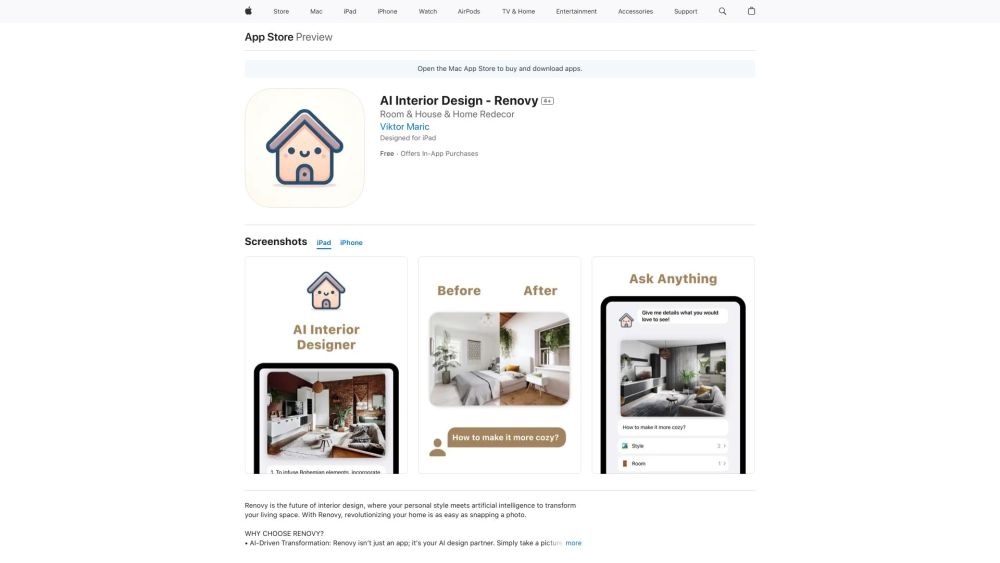
Transform your home effortlessly with Renovy! AI meets personal style to revolutionize your space. Just snap, ask, and enjoy interior design.

Renovy website preview

Renovy Website screenshot

Discover Renovy

Renovy is revolutionizing the way we approach interior design by combining the power of artificial intelligence with your unique personal style. With Renovy, transforming your living space is as simple as taking a photo and engaging with its intelligent design capabilities.

Getting Started with Renovy

1. Capture: Snap a photo of your room using the Renovy app. 2. Customize: Choose your preferred design style and let Renovy's AI transform your space. 3. Interact: Pose any design-related questions to Renovy and receive instant, insightful answers. 4. Enjoy: Experience a newly designed space that perfectly matches your vision.

Key Features of Renovy

AI-powered room transformations

Interactive design consultations

Real-time visualization of different styles

Intuitive and user-friendly interface

Tailored suggestions based on your taste

Budget-friendly design options

Support for light and dark modes

iCloud sync for seamless device integration

Practical Applications of Renovy

Redesign any room or your entire home

Explore a variety of design styles

Receive personalized, AI-driven design advice

See real-time transformations of your space

Product source: Renovy official website. Check the provider for current plans, limits and availability.

FAQ

Renovy questions and answers

Product context and practical checks for evaluating Renovy.

What is Renovy used for?

Transform your home effortlessly with Renovy! AI meets personal style to revolutionize your space. Just snap, ask, and enjoy interior design.

How do I get started with Renovy?

1. Capture: Snap a photo of your room using the Renovy app. 2. Customize: Choose your preferred design style and let Renovy's AI transform your space. 3. Interact: Pose any design-related questions to Renovy and receive instant, insightful answers. 4. Enjoy: Experience a newly designed space that perfectly matches your vision.

Which capabilities are described for Renovy?

AI-powered room transformationsInteractive design consultationsReal-time visualization of different stylesIntuitive and user-friendly interfaceTailored suggestions based on your tasteBudget-friendly design optionsSupport for light and dark modesiCloud sync for seamless device integration

What projects can I evaluate Renovy for?

Redesign any room or your entire homeExplore a variety of design stylesReceive personalized, AI-driven design adviceSee real-time transformations of your space

What should I compare before choosing a Renovy plan?

Check Renovy’s current pricing page for included usage, renewal terms and any credit charges. Compare the cost of a usable result, including retries, rather than assuming that account registration includes free usage.

What inputs should I prepare for a Renovy trial?

Look for text prompts, image references, masks or sketches as appropriate. Compare composition control, supported upload types and the ability to revise a selected area.

How can I check the quality of a Renovy result?

Inspect text, hands, edges, reflections and repeated objects at full size. Check that important product or brand details survive editing.

Which export options should I check in Renovy?

Compare pixel dimensions, transparency, file formats and any enlargement options. Confirm that the downloaded result works in your design or publishing software.

What is a practical way to test Renovy against alternatives?

Prepare a brief with a subject, composition, lighting and required output size. Test a first generation and a targeted revision to see how much control you retain.

Where is the official Renovy website?

The website linked from this profile is https://apps.apple.com/us/app/ai-interior-design-renovy/id6473541903. Use the provider’s own documentation, account area and support channels to confirm current product details.

Visit Renovy