AI Image Enhancer

Remini - AI Photo Enhancer

Remini is an AI-powered photo and video enhancer that uses innovative technology to transform low-quality visuals into HD masterpieces. It can enhance, unblur, sharpen, denoise, restore old photos, enlarge images, fix colors, enhance faces and backgrounds, and improve the overall quality of photos and videos.

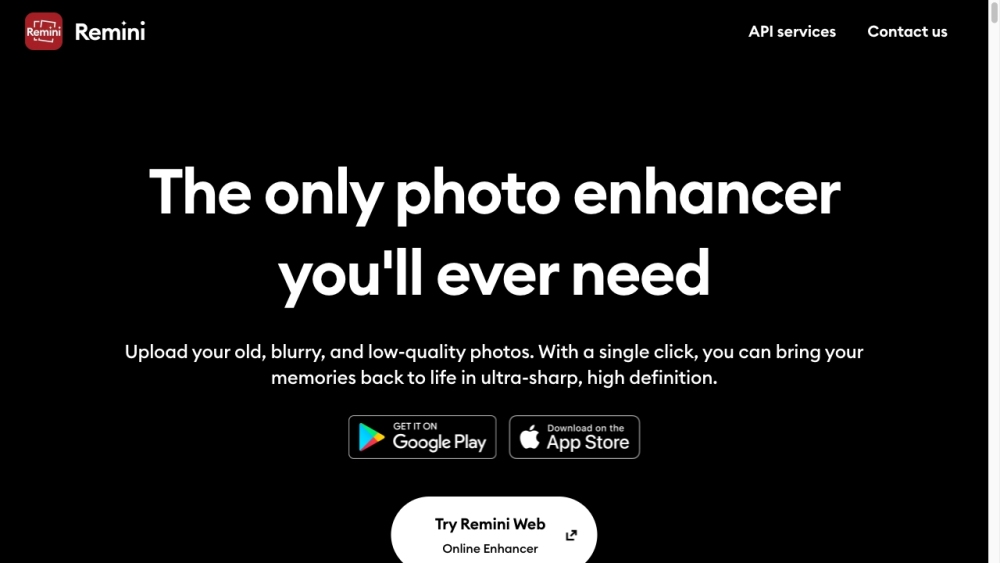
Remini - AI Photo Enhancer website preview

Remini - AI Photo Enhancer Website screenshot

Understanding Remini - AI Photo Enhancer

Remini leverages advanced AI technology to elevate low-resolution images and videos to high-definition quality. By applying innovative enhancements, it can unblur, sharpen, denoise, restore old photos, enlarge images, correct colors, and improve both faces and backgrounds, thereby significantly enhancing the overall visual quality.

Steps to Utilize Remini - AI Photo Enhancer

Using Remini is straightforward: upload your image or video to the platform, choose the enhancement options you need, such as unblurring or face enhancement, and then click 'Enhance'. The AI will process the file, and once completed, you can download the enhanced version.

Key Features of Remini - AI Photo Enhancer

Enhance Unblur & Sharpen

Noise Reduction

Restore Old Photos

Image Enlargement

Color Correction

Face Enhancement

Background Enhancement

Low Quality Image Enhancement

Video Quality Improvement

Applications of Remini - AI Photo Enhancer

Enhancing Social Media Content

Restoring Historical Family Photos

Improving E-commerce Product Images

Creating High-Quality Educational Content

Producing High-Resolution Magazine Photos

Professional Video Enhancement

Product source: Remini - AI Photo Enhancer official website. Check the provider for current plans, limits and availability.

FAQ

Remini - AI Photo Enhancer questions and answers

Product context and practical checks for evaluating Remini - AI Photo Enhancer.

What is Remini - AI Photo Enhancer used for?

Remini is an AI-powered photo and video enhancer that uses innovative technology to transform low-quality visuals into HD masterpieces. It can enhance, unblur, sharpen, denoise, restore old photos, enlarge images, fix colors, enhance faces and backgrounds, and improve the overall quality of photos and videos.

How do I get started with Remini - AI Photo Enhancer?

Open the official Remini - AI Photo Enhancer website and identify the workflow that matches your task. Use a short shot with one subject and one camera movement. Keep the prompt and duration constant, then compare usable seconds and the number of regenerations.

Which capabilities are described for Remini - AI Photo Enhancer?

Enhance Unblur & SharpenNoise ReductionRestore Old PhotosImage EnlargementColor CorrectionFace EnhancementBackground EnhancementLow Quality Image EnhancementVideo Quality Improvement

What projects can I evaluate Remini - AI Photo Enhancer for?

Enhancing Social Media ContentRestoring Historical Family PhotosImproving E-commerce Product ImagesCreating High-Quality Educational ContentProducing High-Resolution Magazine PhotosProfessional Video Enhancement Remini - AI Photo Enhancer Support and Contact Information For customer service inquiries, contact Remini at: [email protected]. About Remini - AI Photo Enhancer Company Remini is a product of AI Creativity S.r.l., located at Via Nino Bonnet 10, 20154 Milan, Italy. Remini - AI Photo Enhancer on Social Media Follow Remini on Facebook: https://www.facebook.com/ReminiApp/ Watch Remini on YouTube: https://www.youtube.com/watch?v=Q8HFN4y1WVw Check out Remini on TikTok: https://vm.tiktok.com/ZMNjR8M56/ Follow Remini on Instagram: https://www.instagram.com/remini.ai/

What should I compare before choosing a Remini - AI Photo Enhancer plan?

Check Remini - AI Photo Enhancer’s current pricing page for included usage, renewal terms and any credit charges. Compare the cost of a usable result, including retries, rather than assuming that account registration includes free usage.

What inputs should I prepare for a Remini - AI Photo Enhancer trial?

Compare text prompts, reference frames, source footage and audio support. Check duration, aspect ratio and whether the tool lets you keep a subject consistent between shots.

How can I check the quality of a Remini - AI Photo Enhancer result?

Watch the entire clip for motion errors, distorted objects, changing identities, lip-sync problems and abrupt transitions. Inspect the downloaded file as well as the preview.

Which export options should I check in Remini - AI Photo Enhancer?

Check export resolution, frame rate, aspect ratio, audio tracks and watermark rules. A good preview is not a substitute for an export that fits your publishing channel.

What is a practical way to test Remini - AI Photo Enhancer against alternatives?

Use a short shot with one subject and one camera movement. Keep the prompt and duration constant, then compare usable seconds and the number of regenerations.

Where is the official Remini - AI Photo Enhancer website?

The website linked from this profile is https://remini.ai. Use the provider’s own documentation, account area and support channels to confirm current product details.

Visit Remini - AI Photo Enhancer