Large Language Models (LLMs)

RecurseChat

RecurseChat: Your personal AI app for seamless, secure, and instant local AI conversations. Experience private, intelligent chat like never before.

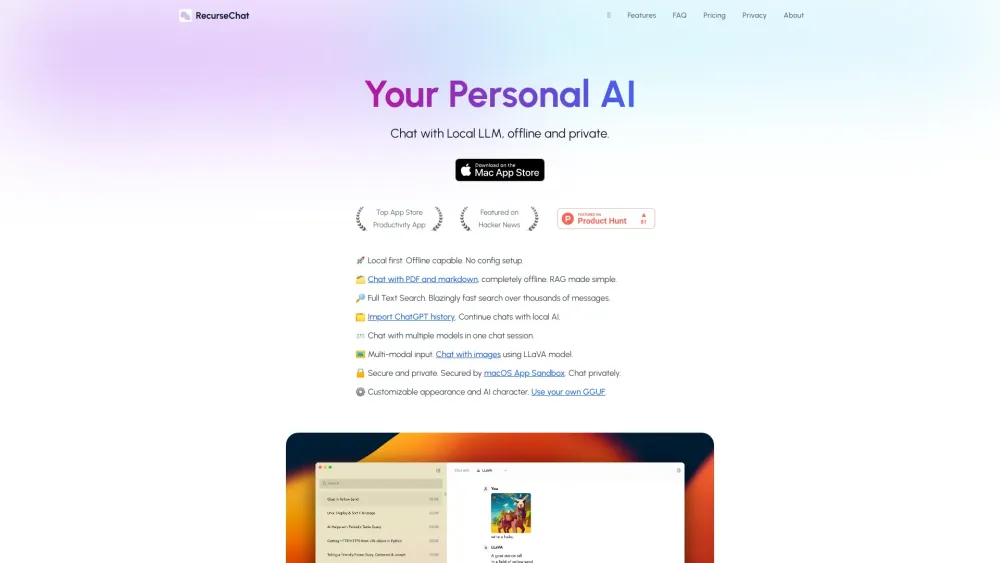
RecurseChat website preview

RecurseChat Website screenshot

What is RecurseChat?

RecurseChat is an innovative AI-driven application designed to facilitate offline, secure conversations with local AI models. By leveraging local AI, RecurseChat empowers users to conduct private, seamless interactions without relying on internet connectivity. The app supports a variety of features, including the ability to chat with documents and images, import past conversations from ChatGPT, perform full-text searches, and more.

How to Get Started with RecurseChat

To begin using RecurseChat, download the macOS App Sandbox. Once installed, open the app to immediately start engaging with local AI models in a secure, offline environment. It's designed for ease of use, ensuring that anyone can quickly access its robust capabilities.

Key Features of RecurseChat

Offline and Private Conversations with Local LLMs

Document and Markdown File Interaction

Comprehensive Full-Text Search

ChatGPT History Importation

Multimodal Interaction Including Image Support

Enhanced Security and Privacy

Customizable AI Personas and Interface

Practical Applications of RecurseChat

Conducting Offline Conversations with Local AI Models

Seamlessly Continuing Chats by Importing ChatGPT History

Leveraging Image Inputs for Richer Interactions

  • RecurseChat Support & Contact Information

    For customer support, you can reach RecurseChat at the following email: [email protected].

  • Learn More About RecurseChat

    To find out more about RecurseChat, please visit the About Us page.

  • RecurseChat Pricing

    For details on pricing, visit: https://recurse.chat/pricing.

  • Follow RecurseChat on Twitter

    Stay updated with RecurseChat by following us on Twitter: https://www.x.com/recursechat.

Product source: RecurseChat official website. Check the provider for current plans, limits and availability.

FAQ

RecurseChat questions and answers

Product context and practical checks for evaluating RecurseChat.

What is RecurseChat used for?

RecurseChat: Your personal AI app for seamless, secure, and instant local AI conversations. Experience private, intelligent chat like never before.

How do I get started with RecurseChat?

To begin using RecurseChat, download the macOS App Sandbox. Once installed, open the app to immediately start engaging with local AI models in a secure, offline environment. It's designed for ease of use, ensuring that anyone can quickly access its robust capabilities.

Which capabilities are described for RecurseChat?

Offline and Private Conversations with Local LLMsDocument and Markdown File InteractionComprehensive Full-Text SearchChatGPT History ImportationMultimodal Interaction Including Image SupportEnhanced Security and PrivacyCustomizable AI Personas and Interface

What projects can I evaluate RecurseChat for?

Conducting Offline Conversations with Local AI ModelsSeamlessly Continuing Chats by Importing ChatGPT HistoryLeveraging Image Inputs for Richer Interactions RecurseChat Support & Contact Information For customer support, you can reach RecurseChat at the following email: [email protected]. Learn More About RecurseChat To find out more about RecurseChat, please visit the About Us page. RecurseChat Pricing For details on pricing, visit: https://recurse.chat/pricing. Follow RecurseChat on Twitter Stay updated with RecurseChat by following us on Twitter: https://www.x.com/recursechat.

What should I compare before choosing a RecurseChat plan?

For details on pricing, visit: https://recurse.chat/pricing. Confirm current prices and allowances on the provider’s website before purchasing.

What inputs should I prepare for a RecurseChat trial?

Identify the files, text or account connections your task needs. Confirm that the product accepts those inputs and offers controls for reviewing its work.

How can I check the quality of a RecurseChat result?

Test one representative task and inspect the result for accuracy and completeness. Record where manual corrections or extra tools are needed.

Which export options should I check in RecurseChat?

Check export formats, integrations and whether you can keep using your work outside the service. Test a real export before committing to a longer plan.

What is a practical way to test RecurseChat against alternatives?

Choose one task with a clear success condition. Keep the input consistent, record the time spent reviewing and compare the complete workflow cost.

Where is the official RecurseChat website?

The website linked from this profile is https://recurse.chat. Use the provider’s own documentation, account area and support channels to confirm current product details.

Visit RecurseChat