AI Email Assistant

Receiptor AI

Receiptor AI: Automate receipt extraction, streamline expense tracking, and simplify tax prep with AI-powered precision. Integrates with management systems.

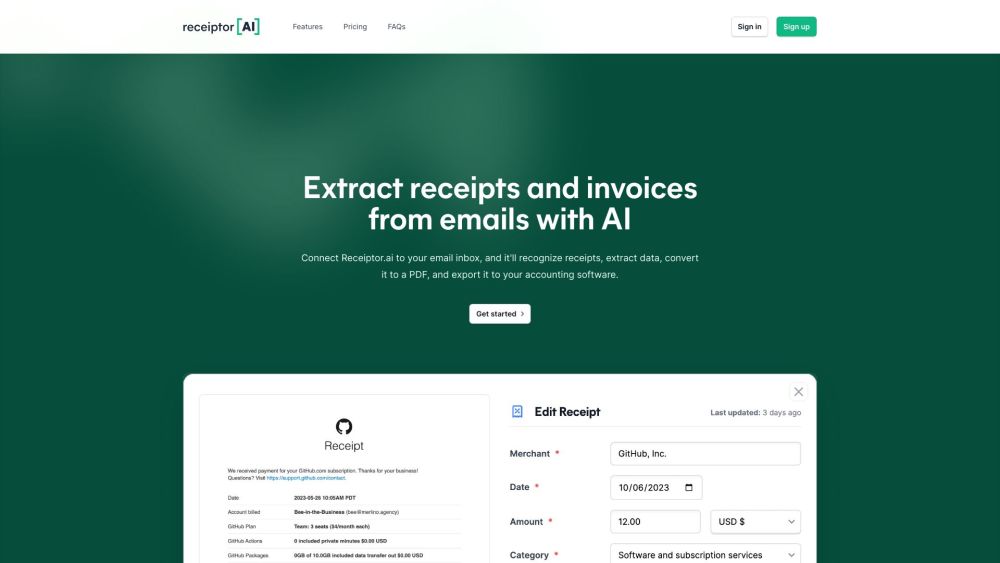
Receiptor AI website preview

Receiptor AI Website screenshot

What is Receiptor AI?

Receiptor AI is an innovative tool powered by artificial intelligence designed to automate the extraction of receipts and invoices from your email inbox. It simplifies expense tracking, integrates with various management systems, and streamlines tax preparation, making financial management hassle-free.

How to use Receiptor AI?

1. Connect Receiptor AI to your email. 2. The AI scans and extracts receipts and invoices from your emails automatically. 3. The extracted data is organized into reports that are ready for accountants or can be forwarded to other systems. 4. Easily export these reports in CSV and PDF formats. 5. Integrate Receiptor AI with systems like Xero, Quickbooks, and Expensify for seamless financial management.

Receiptor AI's Core Features

Automated receipt and invoice extraction from emails

Analysis of past emails

Detailed receipt information extraction

Integration with accounting systems

Support for multiple languages

Smart categorization

Receiptor AI's Use Cases

Freelancers and Contractors

SaaS Users

Accounting & Bookkeeping Services

Digital Nomads

Academic Researchers

Non-Profit Organizations

Event Planners

Travel Bloggers & Influencers

Real Estate Investors

E-commerce Operators

Product source: Receiptor AI official website. Check the provider for current plans, limits and availability.

FAQ

Receiptor AI questions and answers

Product context and practical checks for evaluating Receiptor AI.

What is Receiptor AI used for?

Receiptor AI: Automate receipt extraction, streamline expense tracking, and simplify tax prep with AI-powered precision. Integrates with management systems.

How do I get started with Receiptor AI?

1. Connect Receiptor AI to your email. 2. The AI scans and extracts receipts and invoices from your emails automatically. 3. The extracted data is organized into reports that are ready for accountants or can be forwarded to other systems. 4. Easily export these reports in CSV and PDF formats. 5. Integrate Receiptor AI with systems like Xero, Quickbooks, and Expensify for seamless financial management.

Which capabilities are described for Receiptor AI?

Automated receipt and invoice extraction from emailsAnalysis of past emailsDetailed receipt information extractionIntegration with accounting systemsSupport for multiple languagesSmart categorization

What projects can I evaluate Receiptor AI for?

Freelancers and ContractorsSaaS UsersAccounting & Bookkeeping ServicesDigital NomadsAcademic ResearchersNon-Profit OrganizationsEvent PlannersTravel Bloggers & InfluencersReal Estate InvestorsE-commerce Operators Receiptor AI Support Email & Customer Service Contact & Refund Contact For customer service, contact Receiptor AI support via email: [email protected]. For more contact options, visit the contact us page(mailto:[email protected]) Receiptor AI Company Company name: Merlino Enterprise Sdn Bhd. Receiptor AI Sign Up Sign up for Receiptor AI here: https://receiptor.ai/sign-up Receiptor AI Pricing Check out Receiptor AI's pricing plans here: https://receiptor.ai/pricing Receiptor AI YouTube Watch our videos on YouTube: https://www.youtube.com/@receiptorai Receiptor AI LinkedIn Connect with us on LinkedIn: https://www.linkedin.com/company/receiptor-ai/ Receiptor AI Twitter Follow us on Twitter: https://twitter.com/receiptorai Receiptor AI WhatsApp Chat with us on WhatsApp: https://wa.me/393497001320

What should I compare before choosing a Receiptor AI plan?

Check out Receiptor AI's pricing plans here: https://receiptor.ai/pricing Confirm current prices and allowances on the provider’s website before purchasing.

What inputs should I prepare for a Receiptor AI trial?

Identify the files, text or account connections your task needs. Confirm that the product accepts those inputs and offers controls for reviewing its work.

How can I check the quality of a Receiptor AI result?

Test one representative task and inspect the result for accuracy and completeness. Record where manual corrections or extra tools are needed.

Which export options should I check in Receiptor AI?

Check export formats, integrations and whether you can keep using your work outside the service. Test a real export before committing to a longer plan.

What is a practical way to test Receiptor AI against alternatives?

Choose one task with a clear success condition. Keep the input consistent, record the time spent reviewing and compare the complete workflow cost.

Where is the official Receiptor AI website?

The website linked from this profile is https://www.promptdodo.com. Use the provider’s own documentation, account area and support channels to confirm current product details.

Visit Receiptor AI