AI Productivity Tools

ReadyRunner GPT Chat

Boost productivity with ReadyRunner GPT Chat for Desktop: Your AI-powered assistant for writing, coding, and learning. Streamline tasks, and elevate your workflow!

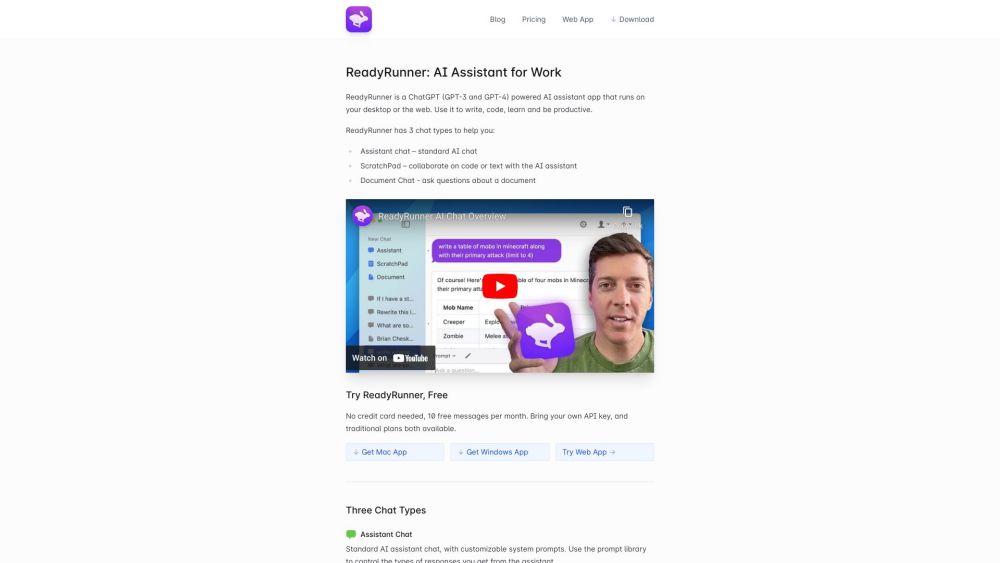
ReadyRunner GPT Chat website preview

ReadyRunner GPT Chat for Desktop Website screenshot

What is ReadyRunner GPT Chat: AI Writing, Coding & Learning Desktop Assistant?

ReadyRunner GPT Chat is an AI-driven desktop assistant designed to enhance your productivity by supporting writing, coding, and learning tasks. Powered by advanced GPT-3 and GPT-4 models, this versatile tool can be easily installed on your desktop or accessed via the web, offering a comprehensive solution for various daily tasks.

How to Use ReadyRunner GPT Chat?

Getting started with ReadyRunner GPT Chat is straightforward. You can download the app for Mac or Windows, or simply access it through the web. Once launched, the app offers three main functionalities: Assistant Chat for engaging in AI-powered conversations, ScratchPad for real-time collaboration on text or code, and Document Chat for in-depth analysis of complex documents. Additional features include global hotkey access, a robust system prompt library, message memory management, a multi-line message composer, and an easy switch between GPT-3 and GPT-4 models.

Core Features of ReadyRunner GPT Chat

Key features include:

  • Assistant Chat - Engage in AI conversations with customizable prompts.
  • ScratchPad - Collaborate seamlessly on text or code.
  • Document Chat - Analyze and extract insights from complex documents.
  • Global Hotkey Access - Quickly access ReadyRunner from any part of your system.
  • System Prompt Library - Utilize predefined prompts to guide the AI’s responses.
  • Assistant Memory - Manage conversation memory to refine future interactions.
  • Multi-line Composer with History - Write multi-line messages and access previous messages.
  • GPT-3 & GPT-4 Model Switcher - Toggle between GPT-3 and GPT-4 models during sessions.

Use Cases for ReadyRunner GPT Chat

ReadyRunner GPT Chat is ideal for:

  • Writing - Enhance creativity, get proofreading assistance, or find better wording.
  • Coding - Collaborate on code, receive suggestions, or debug with AI support.
  • Learning - Gain insights, ask questions, or explore topics in depth.
  • Productivity - Brainstorm, plan, and organize efficiently using the ScratchPad.
  • Document Analysis - Quickly summarize or analyze intricate documents.
  • Support & Customer Service

    For support, contact details, and refund information, visit the contact page.

  • Pricing Information

    ReadyRunner GPT Chat offers a variety of pricing plans, including a free tier with 10 free messages per month. For more detailed information, visit the pricing page.

Product source: ReadyRunner GPT Chat official website. Check the provider for current plans, limits and availability.

FAQ

ReadyRunner GPT Chat questions and answers

Product context and practical checks for evaluating ReadyRunner GPT Chat.

What is ReadyRunner GPT Chat used for?

Boost productivity with ReadyRunner GPT Chat for Desktop: Your AI-powered assistant for writing, coding, and learning. Streamline tasks, and elevate your workflow!

How do I get started with ReadyRunner GPT Chat?

Getting started with ReadyRunner GPT Chat is straightforward. You can download the app for Mac or Windows, or simply access it through the web. Once launched, the app offers three main functionalities: Assistant Chat for engaging in AI-powered conversations, ScratchPad for real-time collaboration on text or code, and Document Chat for in-depth analysis of complex documents. Additional features include global hotkey access, a robust system prompt library, message memory management, a multi-line message composer, and an easy switch between GPT-3 and GPT-4 models.

Which capabilities are described for ReadyRunner GPT Chat?

Key features include: Assistant Chat - Engage in AI conversations with customizable prompts. ScratchPad - Collaborate seamlessly on text or code. Document Chat - Analyze and extract insights from complex documents. Global Hotkey Access - Quickly access ReadyRunner from any part of your system. System Prompt Library - Utilize predefined prompts to guide the AI’s responses. Assistant Memory - Manage conversation memory to refine future interactions. Multi-line Composer with History - Write multi-line messages and access previous messages. GPT-3 & GPT-4 Model Switcher - Toggle between GPT-3 and GPT-4 models during sessions.

What projects can I evaluate ReadyRunner GPT Chat for?

ReadyRunner GPT Chat is ideal for: Writing - Enhance creativity, get proofreading assistance, or find better wording. Coding - Collaborate on code, receive suggestions, or debug with AI support. Learning - Gain insights, ask questions, or explore topics in depth. Productivity - Brainstorm, plan, and organize efficiently using the ScratchPad. Document Analysis - Quickly summarize or analyze intricate documents. Support & Customer Service For support, contact details, and refund information, visit the contact page. Pricing Information ReadyRunner GPT Chat offers a variety of pricing plans, including a free tier with 10 free messages per month. For more detailed information, visit the pricing page.

What should I compare before choosing a ReadyRunner GPT Chat plan?

ReadyRunner GPT Chat offers a variety of pricing plans, including a free tier with 10 free messages per month. For more detailed information, visit the pricing page. Confirm current prices and allowances on the provider’s website before purchasing.

What inputs should I prepare for a ReadyRunner GPT Chat trial?

Compare support for source documents, style instructions, outlines and length limits. Check whether citations link to real material rather than merely looking like references.

How can I check the quality of a ReadyRunner GPT Chat result?

Verify names, dates, quotations and factual claims against the original sources. Edit tone, remove repetition and make sure the text answers the intended reader’s question.

Which export options should I check in ReadyRunner GPT Chat?

Check export to plain text, Markdown, documents or your publishing system. Formatting, headings and working links matter when moving a draft into production.

What is a practical way to test ReadyRunner GPT Chat against alternatives?

Use a real brief and a short source document. Compare factual accuracy, structure and editing time rather than accepting the longest or most confident draft.

Where is the official ReadyRunner GPT Chat website?

The website linked from this profile is https://www.readyrunner.ai. Use the provider’s own documentation, account area and support channels to confirm current product details.

Visit ReadyRunner GPT Chat