AI Product Description Generator

Quickchat AI

Quickchat AI is a technology platform that empowers companies to build their own multilingual AI assistants powered by generative AI models such as GPT‑3. With Quickchat AI, companies can easily create conversational AI interfaces and connect them to any website, product, app, game, or smart device.

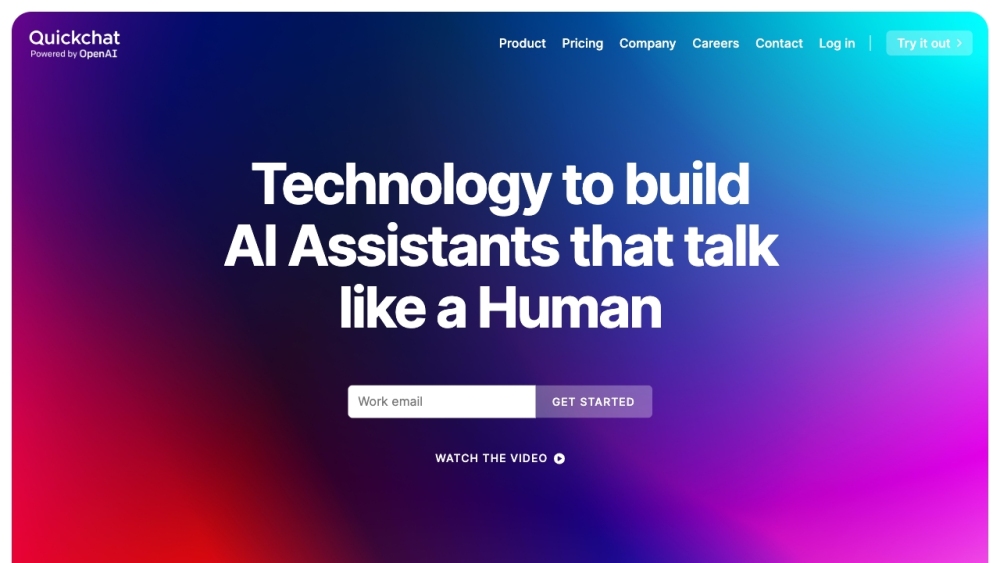
Quickchat AI website preview

Quickchat AI Website screenshot

What is Quickchat AI?

Quickchat AI is an innovative platform designed to help businesses create multilingual AI assistants using advanced generative AI models like GPT-3. This technology allows companies to develop sophisticated conversational interfaces that can be integrated with various websites, products, apps, games, or smart devices with ease.

How to use Quickchat AI?

Using Quickchat AI is straightforward: sign up for a free trial to start building your AI assistant without needing any technical or coding skills. You can launch a generic AI assistant instantly and then personalize it by adding your own Knowledge Base. After customizing, embed your assistant on your website via the Quickchat Web Widget or integrate it into other applications using the Quickchat API.

Quickchat AI's Core Features

The core features of Quickchat AI include: 1. No-code platform: Build your AI assistant without needing technical skills or coding. 2. Integrations & API: Seamlessly connect your AI assistant to any platform using the Quickchat API. 3. Multilingual support: Develop a multilingual AI assistant using a single English-written Knowledge Base. 4. Automated human handoff: Enable your AI assistant to transfer conversations to human agents when required. 5. AI personality: Customize conversation style, flow, and vocabulary to align with your brand and use case.

Quickchat AI's Use Cases

{ "title": "Customer support", "description": "Enhance your live chat capabilities with Quickchat AI's dynamic widget." }

{ "title": "Knowledge sharing", "description": "Create AI assistants for clients or integrate them with your custom software." }

{ "title": "HR department", "description": "Transform your customer support, sales, and HR operations with advanced AI." }

{ "title": "Loan application", "description": "Facilitate customer assistance in loan application processes for financial institutions." }

{ "title": "Production expert", "description": "Offer expert advice and support within the production sector." }

Product source: Quickchat AI official website. Check the provider for current plans, limits and availability.

FAQ

Quickchat AI questions and answers

Product context and practical checks for evaluating Quickchat AI.

What is Quickchat AI used for?

Quickchat AI is a technology platform that empowers companies to build their own multilingual AI assistants powered by generative AI models such as GPT‑3. With Quickchat AI, companies can easily create conversational AI interfaces and connect them to any website, product, app, game, or smart device.

How do I get started with Quickchat AI?

Using Quickchat AI is straightforward: sign up for a free trial to start building your AI assistant without needing any technical or coding skills. You can launch a generic AI assistant instantly and then personalize it by adding your own Knowledge Base. After customizing, embed your assistant on your website via the Quickchat Web Widget or integrate it into other applications using the Quickchat API.

Which capabilities are described for Quickchat AI?

The core features of Quickchat AI include: 1. No-code platform: Build your AI assistant without needing technical skills or coding. 2. Integrations & API: Seamlessly connect your AI assistant to any platform using the Quickchat API. 3. Multilingual support: Develop a multilingual AI assistant using a single English-written Knowledge Base. 4. Automated human handoff: Enable your AI assistant to transfer conversations to human agents when required. 5. AI personality: Customize conversation style, flow, and vocabulary to align with your brand and use case.

What projects can I evaluate Quickchat AI for?

{ "title": "Customer support", "description": "Enhance your live chat capabilities with Quickchat AI's dynamic widget." }{ "title": "Knowledge sharing", "description": "Create AI assistants for clients or integrate them with your custom software." }{ "title": "HR department", "description": "Transform your customer support, sales, and HR operations with advanced AI." }{ "title": "Loan application", "description": "Facilitate customer assistance in loan application processes for financial institutions." }{ "title": "Production expert", "description": "Offer expert advice and support within the production sector." } Quickchat AI Support Email & Customer Service Contact & Refund Contact For more contact options, visit the contact us page. Quickchat AI Company Company name: Quickchat AI Learn more about Quickchat AI at the about us page. Quickchat AI Login Login here: https://app.quickchat.ai/ Quickchat AI Sign Up Sign up here: https://app.quickchat.ai/ Quickchat AI Pricing View pricing details: https://www.quickchat.ai/pricing Quickchat AI YouTube Visit our YouTube channel: https://www.youtube.com/@Quickchat Quickchat AI LinkedIn Follow us on LinkedIn: https://www.linkedin.com/company/quickchatai/ Quickchat AI Twitter Follow us on Twitter: https://twitter.com/quickchatai

What should I compare before choosing a Quickchat AI plan?

View pricing details: https://www.quickchat.ai/pricing Confirm current prices and allowances on the provider’s website before purchasing.

What inputs should I prepare for a Quickchat AI trial?

Look for text prompts, image references, masks or sketches as appropriate. Compare composition control, supported upload types and the ability to revise a selected area.

How can I check the quality of a Quickchat AI result?

Inspect text, hands, edges, reflections and repeated objects at full size. Check that important product or brand details survive editing.

Which export options should I check in Quickchat AI?

Compare pixel dimensions, transparency, file formats and any enlargement options. Confirm that the downloaded result works in your design or publishing software.

What is a practical way to test Quickchat AI against alternatives?

Prepare a brief with a subject, composition, lighting and required output size. Test a first generation and a targeted revision to see how much control you retain.

Where is the official Quickchat AI website?

The website linked from this profile is https://www.quickchat.ai. Use the provider’s own documentation, account area and support channels to confirm current product details.

Visit Quickchat AI