AI Chatbot

Quickbot AI

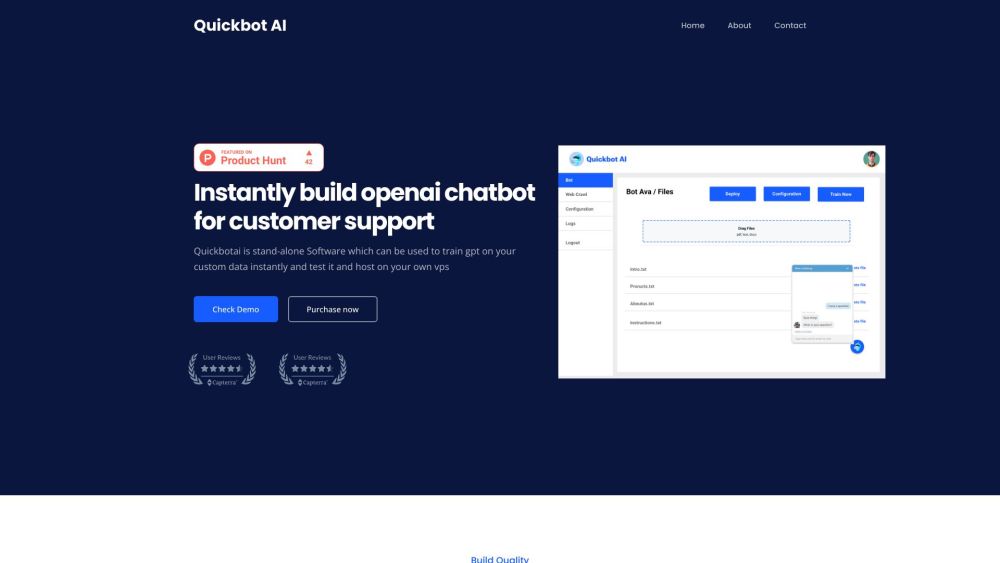
Quickbot AI: Effortlessly build and host custom GPT chatbots for superior customer support using OpenAI tech. Train and deploy on your own VPS.

Quickbot AI website preview

Quickbot AI Website screenshot

Discover Quickbot AI

Quickbot AI is an innovative online platform designed to enable users to build custom GPT chatbots for customer support, leveraging OpenAI's cutting-edge technology. This standalone software allows you to train the GPT model on your unique data and host it on your personal Virtual Private Server (VPS).

Getting Started with Quickbot AI

To begin using Quickbot AI, first deploy the provided code on your VPS. Next, upload your files along with your OpenAI API key. Proceed to train and test the chatbot, and finally, deploy it on your website. The tool offers an intuitive, step-by-step guide through each phase of the process.

Key Features of Quickbot AI

Rapidly Create OpenAI-Powered Chatbots for Customer Support

Train Chatbots on Your Custom Data

Self-Hosting on Your VPS

Customize Chatbot Personalities and Rules

Seamless Integration with E-Commerce Platforms

Fully Customizable Chat Widget with No Branding

Applications of Quickbot AI

Customer Support Chatbots

Business Information Chatbots

Specialized Chatbots for Legal, Medical, or Educational Data

E-Commerce Customer Support

  • Contact Quickbot AI for Support & Inquiries

    For more details, visit the contact us page.

  • Quickbot AI Login

    Access your account via the login page.

  • Quickbot AI Pricing

    Check out the pricing details on the official website.

  • Quickbot AI on Facebook

    Follow us on Facebook.

  • Quickbot AI on Twitter

    Stay updated via our Twitter.

Product source: Quickbot AI official website. Check the provider for current plans, limits and availability.

FAQ

Quickbot AI questions and answers

Product context and practical checks for evaluating Quickbot AI.

What is Quickbot AI used for?

Quickbot AI: Effortlessly build and host custom GPT chatbots for superior customer support using OpenAI tech. Train and deploy on your own VPS.

How do I get started with Quickbot AI?

To begin using Quickbot AI, first deploy the provided code on your VPS. Next, upload your files along with your OpenAI API key. Proceed to train and test the chatbot, and finally, deploy it on your website. The tool offers an intuitive, step-by-step guide through each phase of the process.

Which capabilities are described for Quickbot AI?

Rapidly Create OpenAI-Powered Chatbots for Customer SupportTrain Chatbots on Your Custom DataSelf-Hosting on Your VPSCustomize Chatbot Personalities and RulesSeamless Integration with E-Commerce PlatformsFully Customizable Chat Widget with No Branding

What projects can I evaluate Quickbot AI for?

Customer Support ChatbotsBusiness Information ChatbotsSpecialized Chatbots for Legal, Medical, or Educational DataE-Commerce Customer Support Contact Quickbot AI for Support & Inquiries For more details, visit the contact us page. Quickbot AI Login Access your account via the login page. Quickbot AI Pricing Check out the pricing details on the official website. Quickbot AI on Facebook Follow us on Facebook. Quickbot AI on Twitter Stay updated via our Twitter.

What should I compare before choosing a Quickbot AI plan?

Check out the pricing details on the official website. Confirm current prices and allowances on the provider’s website before purchasing.

What inputs should I prepare for a Quickbot AI trial?

Identify the files, text or account connections your task needs. Confirm that the product accepts those inputs and offers controls for reviewing its work.

How can I check the quality of a Quickbot AI result?

Test one representative task and inspect the result for accuracy and completeness. Record where manual corrections or extra tools are needed.

Which export options should I check in Quickbot AI?

Check export formats, integrations and whether you can keep using your work outside the service. Test a real export before committing to a longer plan.

What is a practical way to test Quickbot AI against alternatives?

Choose one task with a clear success condition. Keep the input consistent, record the time spent reviewing and compare the complete workflow cost.

Where is the official Quickbot AI website?

The website linked from this profile is https://www.promptdodo.com. Use the provider’s own documentation, account area and support channels to confirm current product details.

Visit Quickbot AI