AI Advertising Assistant

Presto

Boost revenue & tackle labor shortages with Presto: AI Drive-Thru Tech. Streamline operations & elevate guest experiences with AI & voice recognition.

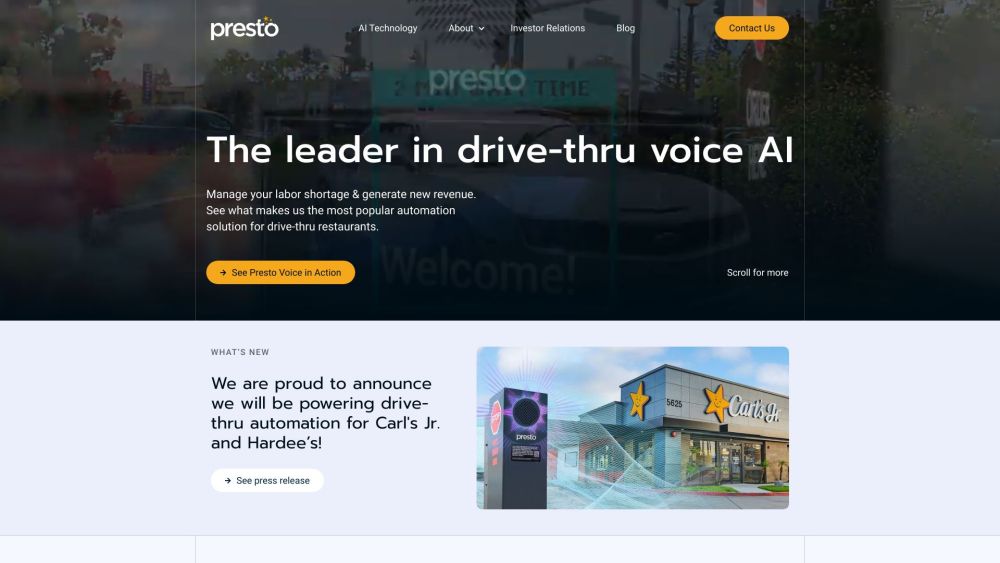
Presto website preview

Presto Website screenshot

What is Presto?

Presto is a state-of-the-art AI solution designed to revolutionize drive-thru restaurant operations. It tackles labor shortages and boosts revenue by leveraging AI and voice recognition technologies, streamlining processes, and enhancing customer experiences.

How to use Presto?

Drive-thru restaurant owners can easily deploy the Presto Voice AI system. The installation is swift, typically completed within a few hours, and does not disrupt ongoing operations. Once operational, Presto Voice works around the clock, accurately handling orders with minimal human intervention. Additionally, Presto Vision can be integrated to provide real-time performance metrics for further optimization.

Presto's Core Features

AI-powered automation for drive-thru services

Voice AI technology for order processing

Quick and non-intrusive installation

Enhanced order accuracy and dependability

Real-time performance analytics with Presto Vision

Reduction in labor costs and increased revenue

Proven ability to scale effectively

Presto's Use Cases

Drive-thru restaurants experiencing labor shortages

Restaurants looking to enhance operational efficiency

Businesses aiming to improve guest satisfaction

Establishments seeking greater order precision and reliability

Drive-thru operators needing real-time performance insights

Product source: Presto official website. Check the provider for current plans, limits and availability.

FAQ

Presto questions and answers

Product context and practical checks for evaluating Presto.

What is Presto used for?

Boost revenue & tackle labor shortages with Presto: AI Drive-Thru Tech. Streamline operations & elevate guest experiences with AI & voice recognition.

How do I get started with Presto?

Drive-thru restaurant owners can easily deploy the Presto Voice AI system. The installation is swift, typically completed within a few hours, and does not disrupt ongoing operations. Once operational, Presto Voice works around the clock, accurately handling orders with minimal human intervention. Additionally, Presto Vision can be integrated to provide real-time performance metrics for further optimization.

Which capabilities are described for Presto?

AI-powered automation for drive-thru servicesVoice AI technology for order processingQuick and non-intrusive installationEnhanced order accuracy and dependabilityReal-time performance analytics with Presto VisionReduction in labor costs and increased revenueProven ability to scale effectively

What projects can I evaluate Presto for?

Drive-thru restaurants experiencing labor shortagesRestaurants looking to enhance operational efficiencyBusinesses aiming to improve guest satisfactionEstablishments seeking greater order precision and reliabilityDrive-thru operators needing real-time performance insights Presto Support Email & Customer Service Contact For more information, visit the contact us page. About Presto Presto Automation Inc. is the company behind this innovative technology. To learn more, visit the about us page. Presto on LinkedIn Connect with Presto on LinkedIn: https://www.linkedin.com/company/presto-ai/ Presto on Twitter Follow Presto on Twitter: https://twitter.com/presto_ai

What should I compare before choosing a Presto plan?

Check Presto’s current pricing page for included usage, renewal terms and any credit charges. Compare the cost of a usable result, including retries, rather than assuming that account registration includes free usage.

What inputs should I prepare for a Presto trial?

Compare recording length, file types, language support and speaker handling. For voice generation, check pronunciation controls and permission to use any reference voice.

How can I check the quality of a Presto result?

Listen for mispronounced names, unnatural pauses, clipped words and noise. For transcripts, compare the text with the recording and correct speaker labels.

Which export options should I check in Presto?

Check audio format, sample rate, separate tracks, captions and timestamp exports. Confirm that the result works in your editing or accessibility workflow.

What is a practical way to test Presto against alternatives?

Use a short recording with names, numbers and more than one speaker, or a script with difficult pronunciation. Review the exported audio or transcript in full.

Where is the official Presto website?

The website linked from this profile is https://presto.com. Use the provider’s own documentation, account area and support channels to confirm current product details.

Visit Presto