AI Character

Praktika

Praktika: AI Avatars for Realistic English Language Learning - Master English with interactive AI avatars in real-world scenarios. Learn naturally and effectively!

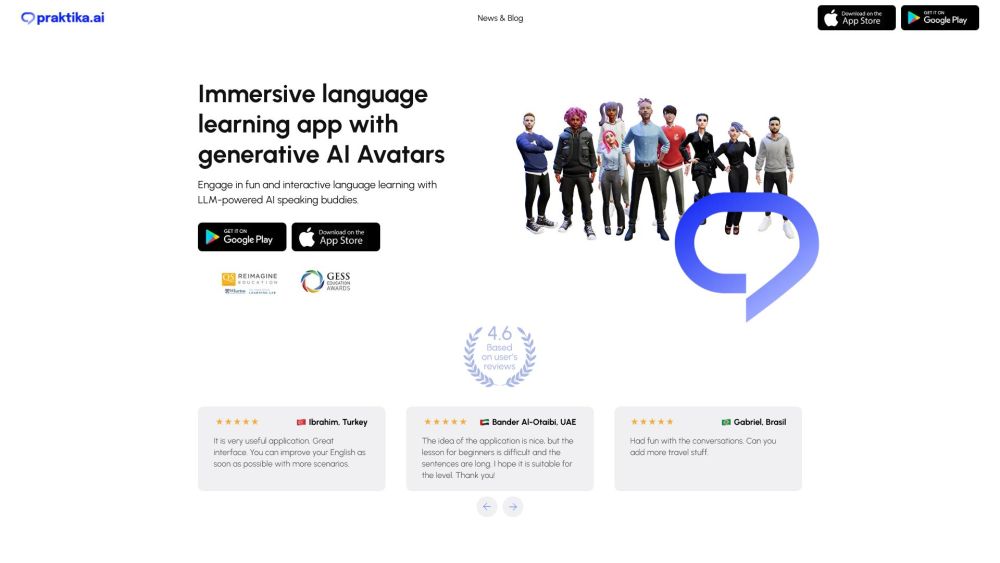
Praktika website preview

Praktika Website screenshot

Discover Praktika: Revolutionizing Language Learning with AI

Praktika is a cutting-edge language learning platform that harnesses the power of generative AI avatars to deliver an unparalleled English language learning experience. With an emphasis on immersive, interactive lessons, Praktika offers users a dynamic way to practice and master English in a realistic environment.

Getting Started with Praktika

To embark on your language learning journey with Praktika, begin by downloading the app and setting up your account. Upon logging in, you'll have access to a vast library of over 1,000 lessons and practice scenarios. The AI avatars will guide you through each session, offering personalized feedback in real time, ensuring that your speaking skills develop with each interaction. Progress tracking is made easy with detailed visual charts that map your improvement over time, helping you stay motivated as you advance toward fluency.

Key Features of Praktika

Hyper-realistic AI avatars for an engaging learning experience

Extensive content library with over 1,000 English lessons and scenarios

Unlimited practice sessions to hone your speaking skills

Immediate feedback during and after each session for swift improvement

Advanced lip-syncing and emotion recognition for lifelike interactions

Who Can Benefit from Praktika?

Anyone seeking to improve their English speaking abilities

Learners who prefer practicing in a stress-free environment

Students preparing for exams or job interviews that require English proficiency

Professionals aiming to boost their language skills for career growth

Travelers looking to enhance their communication skills in English-speaking regions

Product source: Praktika official website. Check the provider for current plans, limits and availability.

FAQ

Praktika questions and answers

Product context and practical checks for evaluating Praktika.

What is Praktika used for?

Praktika: AI Avatars for Realistic English Language Learning - Master English with interactive AI avatars in real-world scenarios. Learn naturally and effectively!

How do I get started with Praktika?

To embark on your language learning journey with Praktika, begin by downloading the app and setting up your account. Upon logging in, you'll have access to a vast library of over 1,000 lessons and practice scenarios. The AI avatars will guide you through each session, offering personalized feedback in real time, ensuring that your speaking skills develop with each interaction. Progress tracking is made easy with detailed visual charts that map your improvement over time, helping you stay motivated as you advance toward fluency.

Which capabilities are described for Praktika?

Hyper-realistic AI avatars for an engaging learning experienceExtensive content library with over 1,000 English lessons and scenariosUnlimited practice sessions to hone your speaking skillsImmediate feedback during and after each session for swift improvementAdvanced lip-syncing and emotion recognition for lifelike interactions

What should I compare before choosing a Praktika plan?

Check Praktika’s current pricing page for included usage, renewal terms and any credit charges. Compare the cost of a usable result, including retries, rather than assuming that account registration includes free usage.

What inputs should I prepare for a Praktika trial?

Compare text prompts, reference frames, source footage and audio support. Check duration, aspect ratio and whether the tool lets you keep a subject consistent between shots.

How can I check the quality of a Praktika result?

Watch the entire clip for motion errors, distorted objects, changing identities, lip-sync problems and abrupt transitions. Inspect the downloaded file as well as the preview.

Which export options should I check in Praktika?

Check export resolution, frame rate, aspect ratio, audio tracks and watermark rules. A good preview is not a substitute for an export that fits your publishing channel.

What is a practical way to test Praktika against alternatives?

Use a short shot with one subject and one camera movement. Keep the prompt and duration constant, then compare usable seconds and the number of regenerations.

What should I review before uploading material to Praktika?

Read the provider’s rules on access, retention, deletion and use of uploaded material. Start with a non-confidential sample that you have permission to use.

Where is the official Praktika website?

The website linked from this profile is https://praktika.ai. Use the provider’s own documentation, account area and support channels to confirm current product details.

Visit Praktika