AI Product Description Generator

PPSPY

PPSPY is a powerful Shopify store spy tool that specializes in dropshipping and provides features such as sales tracking, product research, and Shopify theme design. It utilizes AI technology to help users find winning products for their Shopify dropshipping stores and track the sales of competitors. With PPSPY, users can discover best-selling products, explore competitor stores, analyze traffic sources, identify profitable one-product stores, and get inspiration for Shopify theme design.

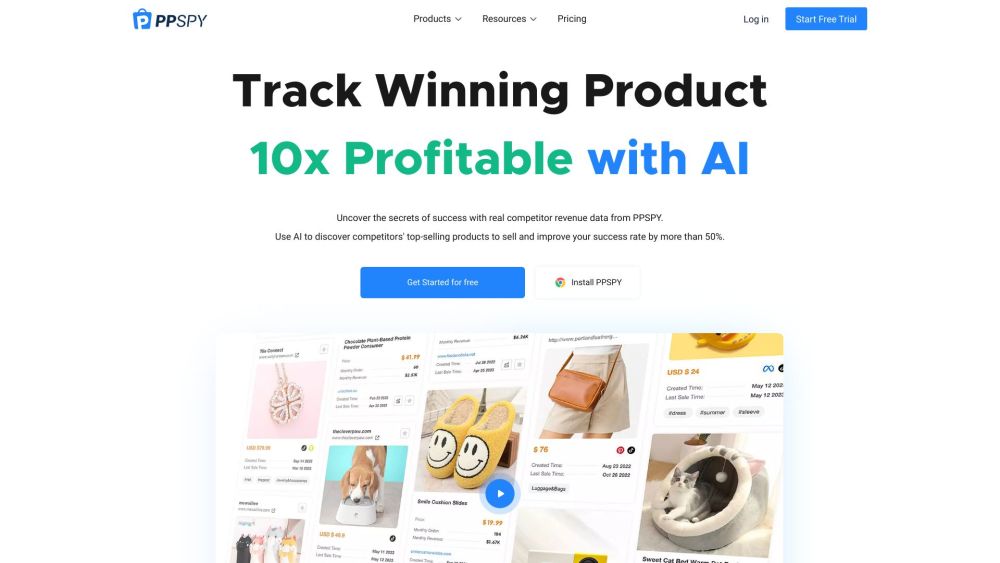
PPSPY website preview

PPSPY Website screenshot

What is PPSPY?

PPSPY is an advanced tool for Shopify store owners, designed to enhance dropshipping operations through features like sales tracking, product discovery, and theme design analysis. Leveraging AI, PPSPY aids users in identifying high-potential products, monitoring competitor sales, and analyzing market trends. This tool enables users to uncover best-sellers, delve into competitor stores, understand traffic sources, pinpoint lucrative one-product stores, and draw inspiration for Shopify themes.

How to use PPSPY?

To effectively use PPSPY, follow these steps: 1. Begin by signing up for a free trial or installing the PPSPY app. 2. Familiarize yourself with features like Product Sales Tracking, Product Explorer, Shop Explorer, Traffic Research, One-product Store, and Store Theme. 3. Utilize the AI tools to discover top-performing products, track competitors, and analyze traffic. 4. Customize your research using filters for revenue, search volume, keywords, etc. 5. Extract insights on store and product trends and customer preferences. 6. Apply design ideas and themes from successful Shopify stores to improve your store’s appeal. 7. Use the detailed data and research from PPSPY to boost your dropshipping success.

PPSPY's Core Features

Product Sales Tracking: Monitor competitor sales and gauge their performance.

Product Explorer: Identify trending and best-selling products in the market.

Shop Explorer: Assess competitor stores using metrics like revenue, search volume, and keywords.

Traffic Research: Discover high-traffic stores and analyze their traffic sources.

One-product Store: Locate profitable one-product stores and explore the best niches for dropshipping.

Store Theme: Get design inspiration from successful Shopify stores.

AI-powered Tools: Enhance product research with AI technology to improve success rates.

Pricing: Explore the various subscription plans available for PPSPY.

PPSPY's Use Cases

Market Research: Filter and analyze Shopify stores based on attributes like revenue, traffic sources, and location.

Shopify Product Research: Identify hot selling products and latest market trends based on sales data.

Find One-product Stores: Discover the best dropshipping niches and profitable one-product stores.

Shopify Theme Design Ideas: Learn from successful store designs and trends in traffic and product types.

Traffic Research: Examine traffic sources to identify growth strategies and promotional tactics.

Product source: PPSPY official website. Check the provider for current plans, limits and availability.

FAQ

PPSPY questions and answers

Product context and practical checks for evaluating PPSPY.

What is PPSPY used for?

PPSPY is a powerful Shopify store spy tool that specializes in dropshipping and provides features such as sales tracking, product research, and Shopify theme design. It utilizes AI technology to help users find winning products for their Shopify dropshipping stores and track the sales of competitors. With PPSPY, users can discover best-selling products, explore competitor stores, analyze traffic sources, identify profitable one-product stores, and get inspiration for Shopify theme design.

How do I get started with PPSPY?

To effectively use PPSPY, follow these steps: 1. Begin by signing up for a free trial or installing the PPSPY app. 2. Familiarize yourself with features like Product Sales Tracking, Product Explorer, Shop Explorer, Traffic Research, One-product Store, and Store Theme. 3. Utilize the AI tools to discover top-performing products, track competitors, and analyze traffic. 4. Customize your research using filters for revenue, search volume, keywords, etc. 5. Extract insights on store and product trends and customer preferences. 6. Apply design ideas and themes from successful Shopify stores to improve your store’s appeal. 7. Use the detailed data and research from PPSPY to boost your dropshipping success.

Which capabilities are described for PPSPY?

Product Sales Tracking: Monitor competitor sales and gauge their performance.Product Explorer: Identify trending and best-selling products in the market.Shop Explorer: Assess competitor stores using metrics like revenue, search volume, and keywords.Traffic Research: Discover high-traffic stores and analyze their traffic sources.One-product Store: Locate profitable one-product stores and explore the best niches for dropshipping.Store Theme: Get design inspiration from successful Shopify stores.AI-powered Tools: Enhance product research with AI technology to improve success rates.Pricing: Explore the various subscription plans available for PPSPY.

What projects can I evaluate PPSPY for?

Market Research: Filter and analyze Shopify stores based on attributes like revenue, traffic sources, and location.Shopify Product Research: Identify hot selling products and latest market trends based on sales data.Find One-product Stores: Discover the best dropshipping niches and profitable one-product stores.Shopify Theme Design Ideas: Learn from successful store designs and trends in traffic and product types.Traffic Research: Examine traffic sources to identify growth strategies and promotional tactics. PPSPY Support Email & Customer Service Contact For customer service, contact PPSPY at: [email protected]. PPSPY Login Login to PPSPY here: https://app.ppspy.com/login PPSPY Sign Up Sign up for PPSPY here: https://app.ppspy.com/register PPSPY Pricing View PPSPY pricing plans: https://www.ppspy.com/rank PPSPY TikTok Follow PPSPY on TikTok: https://getstartedtiktok.pxf.io/c/4837342/1424846/16372

What should I compare before choosing a PPSPY plan?

View PPSPY pricing plans: https://www.ppspy.com/rank Confirm current prices and allowances on the provider’s website before purchasing.

What inputs should I prepare for a PPSPY trial?

Look for text prompts, image references, masks or sketches as appropriate. Compare composition control, supported upload types and the ability to revise a selected area.

How can I check the quality of a PPSPY result?

Inspect text, hands, edges, reflections and repeated objects at full size. Check that important product or brand details survive editing.

Which export options should I check in PPSPY?

Compare pixel dimensions, transparency, file formats and any enlargement options. Confirm that the downloaded result works in your design or publishing software.

What is a practical way to test PPSPY against alternatives?

Prepare a brief with a subject, composition, lighting and required output size. Test a first generation and a targeted revision to see how much control you retain.

Where is the official PPSPY website?

The website linked from this profile is https://www.ppspy.com. Use the provider’s own documentation, account area and support channels to confirm current product details.

Visit PPSPY