AI Advertising Assistant

PowerIn

Boost lead gen effortlessly with PowerIn! Auto-reply to competitors' posts using GPT-3.5 turbo for high-quality, consistent responses. Manage leads passively!

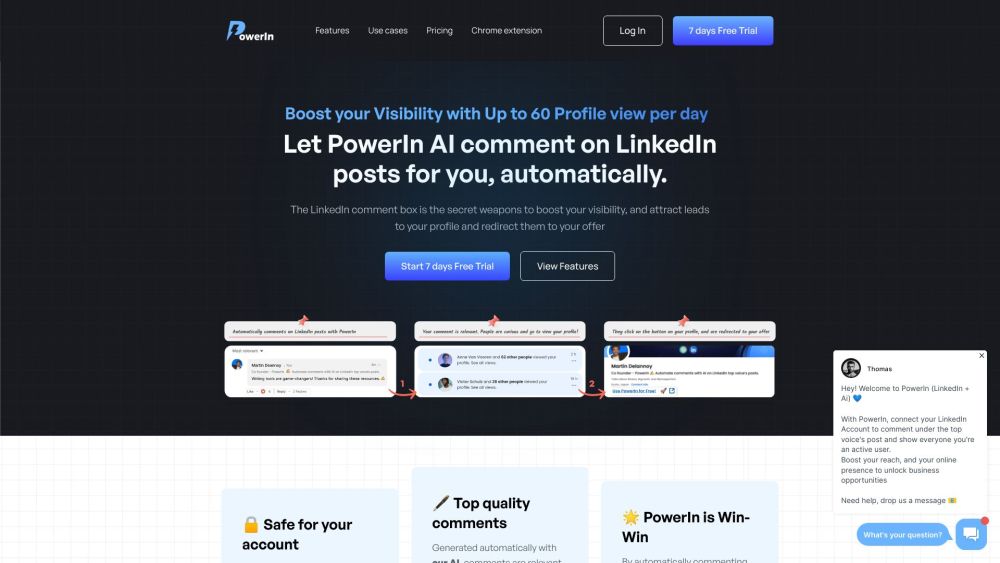
PowerIn website preview

PowerIn Website screenshot

What is PowerIn?

PowerIn is a versatile software solution designed to streamline your interactions with competitors on social media. Leveraging the advanced capabilities of the GPT 3.5 turbo API, PowerIn crafts thoughtful and relevant replies to competitor posts automatically. This tool aims to enhance lead generation by enabling users to manage interactions effortlessly and consistently.

How to use PowerIn?

To get started with PowerIn, simply link your LinkedIn account and specify your target influencers. PowerIn will then create and post valuable comments on their updates, boosting your visibility and reach. This automated engagement helps attract organic leads and amplifies your presence on LinkedIn.

PowerIn's Core Features

Automated Comments on Influential LinkedIn Posts

Unlock New Business Opportunities

Human-Like Interaction Quality

Effortless Post Engagement

Multilingual Support

Secure and Relevant Automation

PowerIn's Use Cases

Enhance LinkedIn Activity

Increase Reach and Visibility

Generate Organic Leads Efficiently

Save Time with Automated Commenting

  • PowerIn Support Email & Customer Service

    For more contact information, visit our contact page.

  • PowerIn Login

    Access PowerIn here: Login

  • PowerIn Sign Up

    Join PowerIn here: Sign Up

  • PowerIn Pricing

    View our pricing options: Pricing

  • PowerIn LinkedIn

    Follow us on LinkedIn: LinkedIn

Product source: PowerIn official website. Check the provider for current plans, limits and availability.

FAQ

PowerIn questions and answers

Product context and practical checks for evaluating PowerIn.

What is PowerIn used for?

Boost lead gen effortlessly with PowerIn! Auto-reply to competitors' posts using GPT-3.5 turbo for high-quality, consistent responses. Manage leads passively!

How do I get started with PowerIn?

To get started with PowerIn, simply link your LinkedIn account and specify your target influencers. PowerIn will then create and post valuable comments on their updates, boosting your visibility and reach. This automated engagement helps attract organic leads and amplifies your presence on LinkedIn.

Which capabilities are described for PowerIn?

Automated Comments on Influential LinkedIn PostsUnlock New Business OpportunitiesHuman-Like Interaction QualityEffortless Post EngagementMultilingual SupportSecure and Relevant Automation

What projects can I evaluate PowerIn for?

Enhance LinkedIn ActivityIncrease Reach and VisibilityGenerate Organic Leads EfficientlySave Time with Automated Commenting PowerIn Support Email & Customer Service For more contact information, visit our contact page. PowerIn Login Access PowerIn here: Login PowerIn Sign Up Join PowerIn here: Sign Up PowerIn Pricing View our pricing options: Pricing PowerIn LinkedIn Follow us on LinkedIn: LinkedIn

What should I compare before choosing a PowerIn plan?

View our pricing options: Pricing Confirm current prices and allowances on the provider’s website before purchasing.

What inputs should I prepare for a PowerIn trial?

Identify the files, text or account connections your task needs. Confirm that the product accepts those inputs and offers controls for reviewing its work.

How can I check the quality of a PowerIn result?

Test one representative task and inspect the result for accuracy and completeness. Record where manual corrections or extra tools are needed.

Which export options should I check in PowerIn?

Check export formats, integrations and whether you can keep using your work outside the service. Test a real export before committing to a longer plan.

What is a practical way to test PowerIn against alternatives?

Choose one task with a clear success condition. Keep the input consistent, record the time spent reviewing and compare the complete workflow cost.

Where is the official PowerIn website?

The website linked from this profile is https://www.powerin.io. Use the provider’s own documentation, account area and support channels to confirm current product details.

Visit PowerIn