Other

POS Dish Barcode Menu

Digital menu solution for restaurants

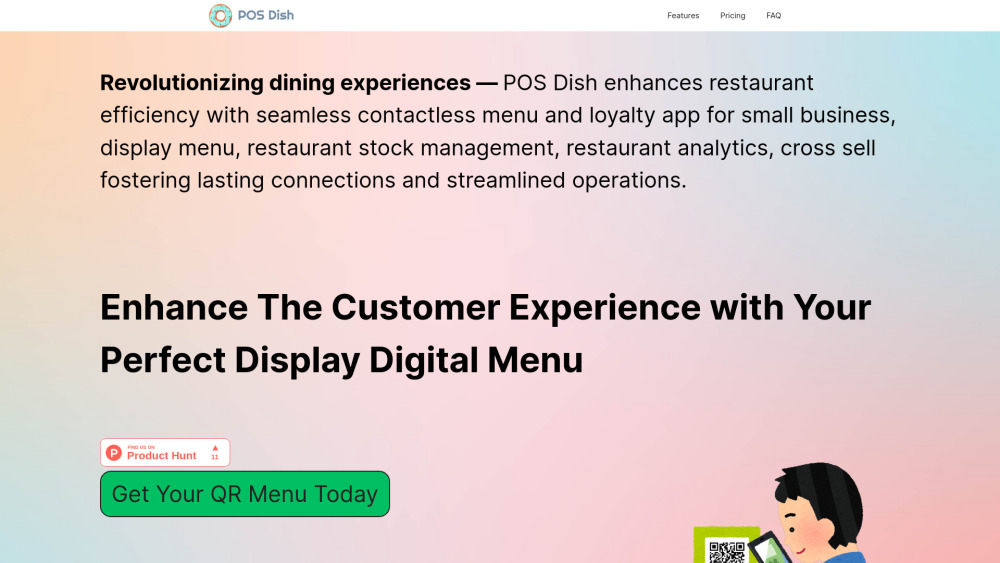
POS Dish Barcode Menu website preview

POS Dish Barcode Menu Website screenshot

What is the POS Dish Barcode Menu?

The POS Dish Barcode Menu is an all-in-one digital solution designed to streamline restaurant operations, provide a seamless customer experience, and deliver powerful data insights through cutting-edge analytics. It modernizes the dining process with contactless menu access while giving restaurateurs the tools they need to make informed decisions.

How Does POS Dish Barcode Menu Work?

Getting started with POS Dish Barcode Menu is straightforward. Upload your menu items, organize them into categories, and manage everything with live updates. You can deliver a smooth dining experience while obtaining real-time data on customer preferences and operational performance.

Key Features of POS Dish Barcode Menu

Live Menu Management

Loyalty Programs for Customers

AI-Powered Customer Engagement

Why Choose POS Dish Barcode Menu?

Maximize Restaurant Efficiency

Elevate Customer Satisfaction

Drive Revenue through Data Insights

  • POS Dish Barcode Menu Support

    For customer service, refunds, or other inquiries, visit the contact page.

  • Sign Up for POS Dish Barcode Menu

    Create your account here: Sign up.

  • POS Dish Barcode Menu Pricing

    Find detailed pricing plans here: Pricing Info.

  • Follow POS Dish on LinkedIn

    Connect with us on LinkedIn: POS Dish LinkedIn.

  • Find POS Dish on Instagram

    Follow us on Instagram: POS Dish Instagram.

Product source: POS Dish Barcode Menu official website. Check the provider for current plans, limits and availability.

FAQ

POS Dish Barcode Menu questions and answers

Product context and practical checks for evaluating POS Dish Barcode Menu.

What is POS Dish Barcode Menu used for?

Digital menu solution for restaurants

How do I get started with POS Dish Barcode Menu?

Getting started with POS Dish Barcode Menu is straightforward. Upload your menu items, organize them into categories, and manage everything with live updates. You can deliver a smooth dining experience while obtaining real-time data on customer preferences and operational performance.

Which capabilities are described for POS Dish Barcode Menu?

Live Menu ManagementLoyalty Programs for CustomersAI-Powered Customer Engagement

What should I compare before choosing a POS Dish Barcode Menu plan?

Find detailed pricing plans here: Pricing Info. Confirm current prices and allowances on the provider’s website before purchasing.

What inputs should I prepare for a POS Dish Barcode Menu trial?

Compare repository access, context limits, supported languages and tool permissions. Check whether the assistant can read relevant files and run your existing checks.

How can I check the quality of a POS Dish Barcode Menu result?

Review the diff, run tests and inspect error handling and dependency changes. Generated code should meet the same review standard as a human contribution.

Which export options should I check in POS Dish Barcode Menu?

Prefer changes you can inspect and keep in version control. Check whether code, tests and configuration can be exported without depending on a hosted preview.

What is a practical way to test POS Dish Barcode Menu against alternatives?

Choose a small reproducible bug with an existing failing check. Measure whether the tool fixes the cause, preserves behavior and produces a reviewable change.

What should I review before uploading material to POS Dish Barcode Menu?

Read the provider’s rules on access, retention, deletion and use of uploaded material. Start with a non-confidential sample that you have permission to use.

Where is the official POS Dish Barcode Menu website?

The website linked from this profile is https://posdish.com. Use the provider’s own documentation, account area and support channels to confirm current product details.

Visit POS Dish Barcode Menu