AI Product Description Generator

Pluggdin

Stay on top of tech news with Pluggdin! Get bite-sized updates (under 60 words) curated from 200+ reliable sources. Download the compact app now!

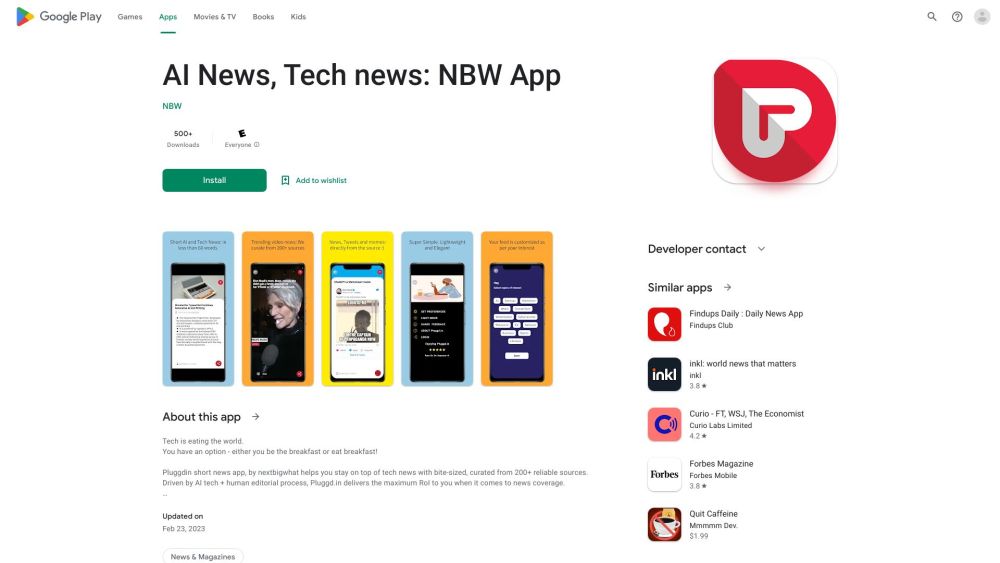
Pluggdin website preview

Pluggdin Website screenshot

Introducing Pluggdin

Pluggdin is a tech news app designed to keep you informed with brief news snippets, each under 60 words, sourced from over 200 trustworthy outlets.

How to Get Started with Pluggdin

To start using Pluggdin, download the app from the App Store or Google Play. After installation, open the app and scroll through the selected news stories. Swipe left for additional articles or swipe right to mark as read. Customize your feed by selecting preferred topics or sources for tailored updates.

Key Features of Pluggdin

Access concise tech news stories, each under 60 words, to maximize your efficiency.

Pluggdin aggregates content from 200+ reliable sources, ensuring high-quality and accurate information.

Tailor your news experience by selecting topics or sources that interest you the most.

Applications of Pluggdin

Keep up with the latest in tech without dedicating too much time.

Broaden your understanding of the technology sector.

Stay informed about emerging trends and innovations in tech.

Product source: Pluggdin official website. Check the provider for current plans, limits and availability.

FAQ

Pluggdin questions and answers

Product context and practical checks for evaluating Pluggdin.

What is Pluggdin used for?

Stay on top of tech news with Pluggdin! Get bite-sized updates (under 60 words) curated from 200+ reliable sources. Download the compact app now!

How do I get started with Pluggdin?

To start using Pluggdin, download the app from the App Store or Google Play. After installation, open the app and scroll through the selected news stories. Swipe left for additional articles or swipe right to mark as read. Customize your feed by selecting preferred topics or sources for tailored updates.

Which capabilities are described for Pluggdin?

Access concise tech news stories, each under 60 words, to maximize your efficiency.Pluggdin aggregates content from 200+ reliable sources, ensuring high-quality and accurate information.Tailor your news experience by selecting topics or sources that interest you the most.

What projects can I evaluate Pluggdin for?

Keep up with the latest in tech without dedicating too much time.Broaden your understanding of the technology sector.Stay informed about emerging trends and innovations in tech.

What should I compare before choosing a Pluggdin plan?

Check Pluggdin’s current pricing page for included usage, renewal terms and any credit charges. Compare the cost of a usable result, including retries, rather than assuming that account registration includes free usage.

What inputs should I prepare for a Pluggdin trial?

Identify the files, text or account connections your task needs. Confirm that the product accepts those inputs and offers controls for reviewing its work.

How can I check the quality of a Pluggdin result?

Test one representative task and inspect the result for accuracy and completeness. Record where manual corrections or extra tools are needed.

Which export options should I check in Pluggdin?

Check export formats, integrations and whether you can keep using your work outside the service. Test a real export before committing to a longer plan.

What is a practical way to test Pluggdin against alternatives?

Choose one task with a clear success condition. Keep the input consistent, record the time spent reviewing and compare the complete workflow cost.

Where is the official Pluggdin website?

The website linked from this profile is https://play.google.com/store/apps/details?id=com.nextbigwhat. Use the provider’s own documentation, account area and support channels to confirm current product details.

Visit Pluggdin