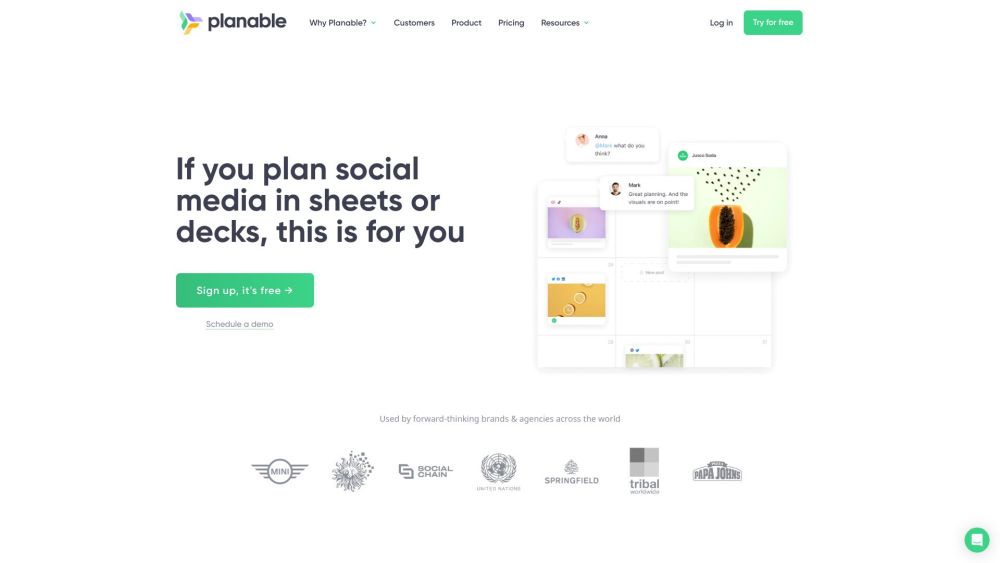
Understanding Planable
Planable is a comprehensive social media management and collaboration platform designed to assist marketers in organizing, collaborating, and scheduling their social media content. With an intuitive and visually-driven interface, Planable centralizes all marketing efforts, making content creation and approval a streamlined process.
Getting Started with Planable
1. Begin by registering for a free Planable account on their website. 2. Integrate your social media profiles with the platform. 3. Set up a workspace and invite your team for seamless collaboration. 4. Use Planable’s various views—feed, calendar, grid, or list—to plan and schedule posts. 5. Collaborate with your team by sharing feedback and updates in real time. 6. Once content is approved, publish it directly to your connected social media channels.
Key Features of Planable
Efficient Content Planning and Scheduling
Collaborative Tools and Feedback System
Real-Time Updates and Approvals
Multiple Viewing Options: Feed, Calendar, Grid, List
Seamless Social Media Integration
Team-Oriented Workspace Management
Ideal Scenarios for Using Planable
Social Media Agencies Handling Diverse Client Content
Large Enterprises Requiring Comprehensive Content Approval Workflows
Marketing Teams Aiming for Streamlined Content Collaboration
-
Planable on Reddit
Explore discussions on Planable here: https://www.reddit.com
-
Learn About Planable
For more details about Planable, visit our about us page.
-
Access Planable Login
Sign in to your Planable account here: https://app.planable.io/login
-
Create a Planable Account
Register for Planable by clicking here: https://app.planable.io/register
-
Planable Pricing Information
View Planable's pricing details here: https://planable.io/pricing/
-
Follow Planable on Facebook
Stay connected on Facebook: https://www.facebook.com/planable.io/
-
Watch Planable on YouTube
Visit our YouTube channel here: https://www.youtube.com/channel/UChk3eGKk51H-AhPG50P2EmA
-
Discover Planable on TikTok
Follow us on TikTok: https://www.tiktok.com/@planableapp
-
Connect with Planable on LinkedIn
Join our network on LinkedIn: https://www.linkedin.com/company/planable/
-
Follow Planable on Twitter
Follow our updates on Twitter: https://twitter.com/planableapp
-
Stay Updated with Planable on Instagram
Follow our Instagram for the latest updates: https://www.instagram.com/planableapp/
-
Join the Conversation on Reddit
Engage with us on Reddit: https://www.reddit.com
Common Questions About Planable
What is Planable?
Planable is a robust tool for managing and collaborating on social media content. It simplifies the process of content creation, approval, and scheduling, all within a user-friendly platform.
How do I use Planable?
1. Sign up for free on Planable's website.
2. Connect your social media profiles.
3. Set up a workspace and invite your team.
4. Plan and schedule posts using the platform’s various views.
5. Share feedback and updates in real-time.
6. Publish approved posts directly to your social media channels.
Can Planable be used for other types of content?
Yes, Planable is versatile enough to manage various forms of marketing content, including blogs, newsletters, and emails.
Are there any limits on the number of posts I can schedule?
No, you can create and schedule an unlimited number of posts with Planable.
What view options are available?
Planable offers four distinct views: feed, calendar, grid, and list, to cater to different planning preferences.
Can I manage feedback and approvals within Planable?
Yes, Planable's collaborative environment allows for easy feedback management and streamlined approval processes.
Does Planable integrate with social media platforms?
Yes, Planable integrates seamlessly with multiple social media platforms, enabling direct publishing from within the platform.