AI Product Description Generator

PDFChat

PDFChat is an AI-powered platform that allows you to chat with any PDF document in any language. It enhances your PDF experience by turning dense textbooks into friendly tutors, enabling research papers to chat with you like colleagues, and even allowing you to consult legal documents as though they're your personal attorney.

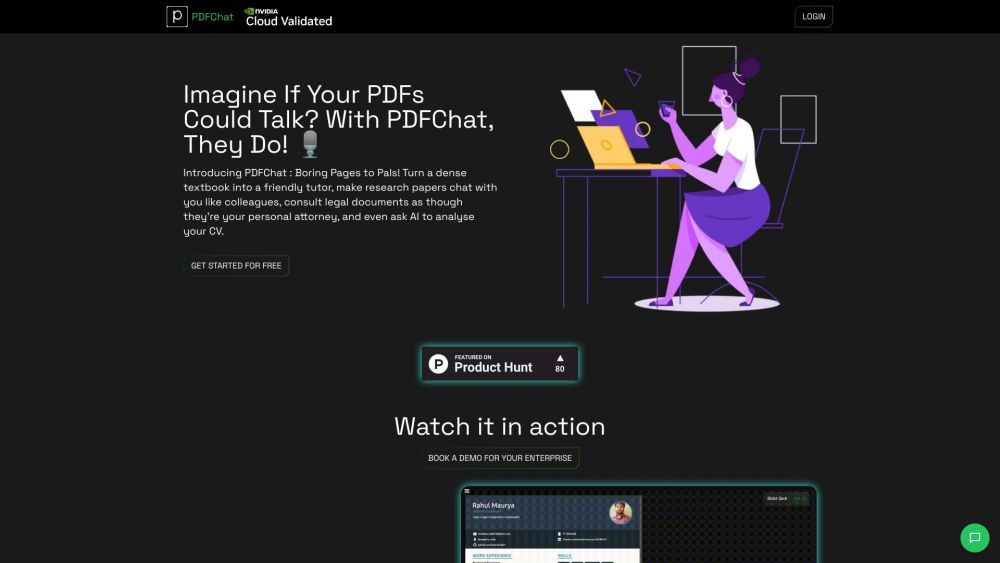
PDFChat website preview

PDFChat Website screenshot

Understanding PDFChat

PDFChat is an innovative AI-driven platform designed to facilitate interactive conversations with any PDF document in any language. This tool transforms complex PDFs into accessible, interactive resources, whether they're textbooks, research papers, or legal documents.

Using PDFChat

To get started with PDFChat, upload your PDF document to the platform. You can then engage with the AI by asking questions or giving commands about the document’s content. For instance, you can request key insights, a CV review, simplified explanations, translations, or content reorganization to emphasize important keywords. The AI will diligently provide the information or execute the tasks as requested.

Key Features of PDFChat

Interact with any PDF document in any language

AI assistant embedded in your document

Interactive Legal Assistant: Simplify legal documents and Q&A sessions

Engage with multiple documents simultaneously

Transform textbooks into interactive learning companions

Strict Q&A mode for focused interactions

Compare multiple PDFs at once

Ask AI: Generate bullet points, explain topics, analyze CVs, and more

Enhanced User Experience: Separate chat histories, dedicated file browser, page citations, and a sleek PDF viewer

PDFChat Use Cases

Turn dense textbooks into engaging learning experiences

Chat with research papers as if they were colleagues

Consult legal documents with the help of an AI attorney

Use AI to analyze and improve your CV

Translate PDF content into various languages

Simultaneously compare information across multiple PDFs

Simplify complex legal language

Product source: PDFChat official website. Check the provider for current plans, limits and availability.

FAQ

PDFChat questions and answers

Product context and practical checks for evaluating PDFChat.

What is PDFChat used for?

PDFChat is an AI-powered platform that allows you to chat with any PDF document in any language. It enhances your PDF experience by turning dense textbooks into friendly tutors, enabling research papers to chat with you like colleagues, and even allowing you to consult legal documents as though they're your personal attorney.

How do I get started with PDFChat?

Open the official PDFChat website and identify the workflow that matches your task. Use a real brief and a short source document. Compare factual accuracy, structure and editing time rather than accepting the longest or most confident draft.

Which capabilities are described for PDFChat?

Interact with any PDF document in any languageAI assistant embedded in your documentInteractive Legal Assistant: Simplify legal documents and Q&A sessionsEngage with multiple documents simultaneouslyTransform textbooks into interactive learning companionsStrict Q&A mode for focused interactionsCompare multiple PDFs at onceAsk AI: Generate bullet points, explain topics, analyze CVs, and moreEnhanced User Experience: Separate chat histories, dedicated file browser, page citations, and a sleek PDF viewer

What projects can I evaluate PDFChat for?

Turn dense textbooks into engaging learning experiencesChat with research papers as if they were colleaguesConsult legal documents with the help of an AI attorneyUse AI to analyze and improve your CVTranslate PDF content into various languagesSimultaneously compare information across multiple PDFsSimplify complex legal language PDFChat Support and Contact Information For customer service, email: [email protected]. For more contact details, visit the contact page. About PDFChat Company Name: MLx. Address: 1111B S Governors Ave STE 7449, Dover, DE 19904. PDFChat Login Login here: https://pdfchat.uk/login. PDFChat Sign Up Sign up here: https://pdfchat.uk/signup. PDFChat Pricing View pricing details here: https://pdfchat.uk/signup. PDFChat on Social Media Follow on TikTok: https://www.tiktok.com/@pdfchat Connect on LinkedIn: https://www.linkedin.com/company/mlxai Follow on Twitter: https://twitter.com/yashch2411

What should I compare before choosing a PDFChat plan?

View pricing details here: https://pdfchat.uk/signup. Confirm current prices and allowances on the provider’s website before purchasing.

What inputs should I prepare for a PDFChat trial?

Compare support for source documents, style instructions, outlines and length limits. Check whether citations link to real material rather than merely looking like references.

How can I check the quality of a PDFChat result?

Verify names, dates, quotations and factual claims against the original sources. Edit tone, remove repetition and make sure the text answers the intended reader’s question.

Which export options should I check in PDFChat?

Check export to plain text, Markdown, documents or your publishing system. Formatting, headings and working links matter when moving a draft into production.

What is a practical way to test PDFChat against alternatives?

Use a real brief and a short source document. Compare factual accuracy, structure and editing time rather than accepting the longest or most confident draft.

Where is the official PDFChat website?

The website linked from this profile is https://pdfchat.in. Use the provider’s own documentation, account area and support channels to confirm current product details.

Visit PDFChat