AI Creative Writing

PDF Coach

Unlock clarity with PDF Coach: the AI-powered tool that refines your thoughts and ideas effortlessly. Achieve precision and focus with advanced AI.

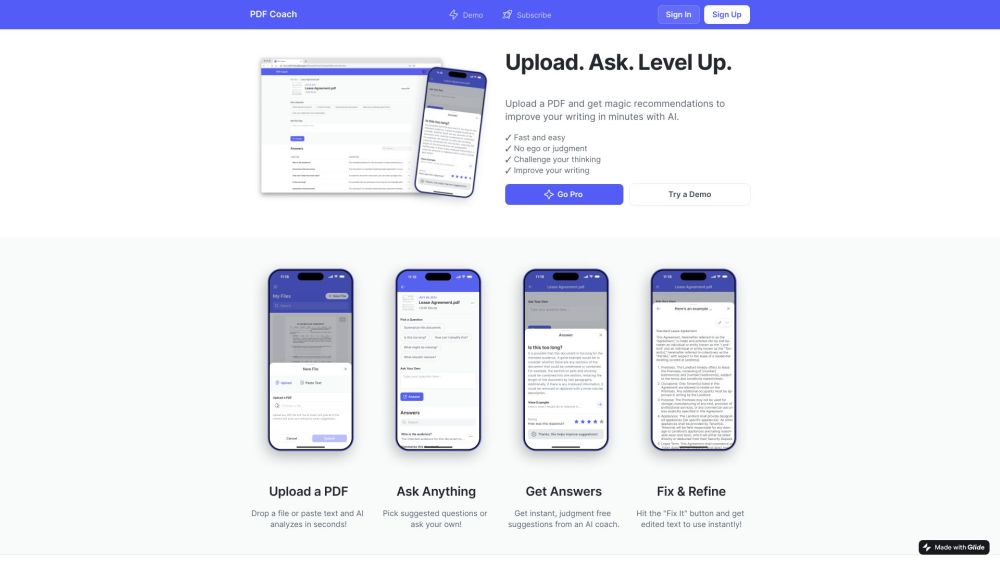
PDF Coach website preview

PDF Coach Website screenshot

What is PDF Coach?

PDF Coach is a cutting-edge AI tool designed to assist users in refining their thoughts and ideas. By leveraging artificial intelligence, it aids in enhancing the clarity and quality of your documents.

How to Use PDF Coach?

Using PDF Coach is straightforward. Users can simply upload their PDF files onto the platform. The AI algorithms then analyze the content, providing comprehensive feedback and suggestions to improve clarity, coherence, grammar, and overall quality.

Core Features of PDF Coach

The main features of PDF Coach include AI-driven analysis, constructive feedback, grammar checks, coherence enhancement, and overall document improvement.

PDF Coach's Use Cases

PDF Coach is perfect for anyone looking to elevate the quality of their written content. It is suitable for academic papers, business reports, resumes, creative writing, and any document needing refinement.

Product source: PDF Coach official website. Check the provider for current plans, limits and availability.

FAQ

PDF Coach questions and answers

Product context and practical checks for evaluating PDF Coach.

What is PDF Coach used for?

Unlock clarity with PDF Coach: the AI-powered tool that refines your thoughts and ideas effortlessly. Achieve precision and focus with advanced AI.

How do I get started with PDF Coach?

Using PDF Coach is straightforward. Users can simply upload their PDF files onto the platform. The AI algorithms then analyze the content, providing comprehensive feedback and suggestions to improve clarity, coherence, grammar, and overall quality.

Which capabilities are described for PDF Coach?

The main features of PDF Coach include AI-driven analysis, constructive feedback, grammar checks, coherence enhancement, and overall document improvement.

What projects can I evaluate PDF Coach for?

PDF Coach is perfect for anyone looking to elevate the quality of their written content. It is suitable for academic papers, business reports, resumes, creative writing, and any document needing refinement.

What should I compare before choosing a PDF Coach plan?

Check PDF Coach’s current pricing page for included usage, renewal terms and any credit charges. Compare the cost of a usable result, including retries, rather than assuming that account registration includes free usage.

What inputs should I prepare for a PDF Coach trial?

Identify the files, text or account connections your task needs. Confirm that the product accepts those inputs and offers controls for reviewing its work.

How can I check the quality of a PDF Coach result?

Test one representative task and inspect the result for accuracy and completeness. Record where manual corrections or extra tools are needed.

Which export options should I check in PDF Coach?

Check export formats, integrations and whether you can keep using your work outside the service. Test a real export before committing to a longer plan.

What is a practical way to test PDF Coach against alternatives?

Choose one task with a clear success condition. Keep the input consistent, record the time spent reviewing and compare the complete workflow cost.

Where is the official PDF Coach website?

The website linked from this profile is https://pdf.coach. Use the provider’s own documentation, account area and support channels to confirm current product details.

Visit PDF Coach