AI Builder

Patterns

Patterns: Build AI Systems with Modular Components & Automate Analytics. Leverage reusable modules to create intelligent apps and automate data integration effortlessly.

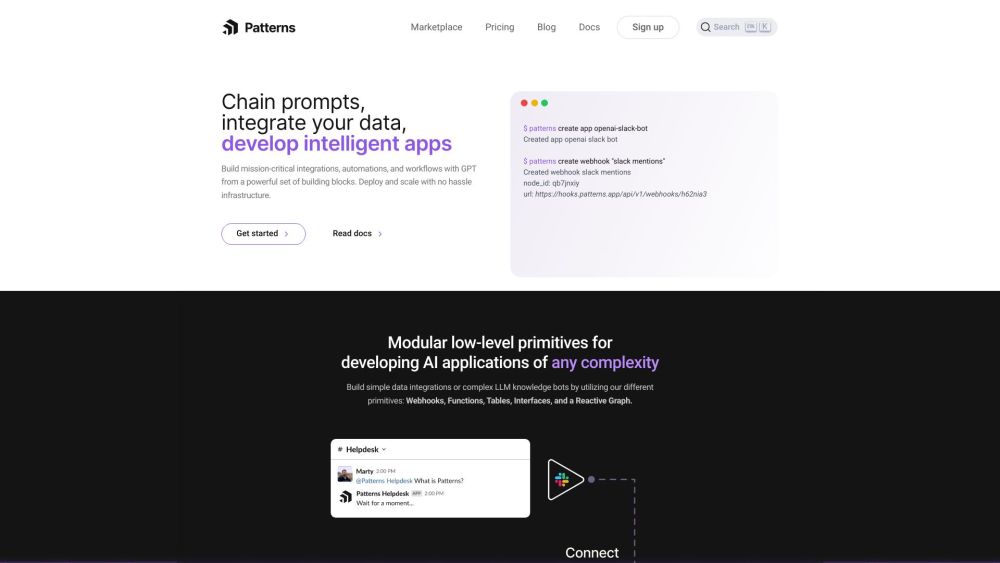
Patterns website preview

Patterns Website screenshot

What is Patterns?

Patterns, formerly known as Atoma, represents the forefront of AI innovation by providing users with the tools to construct advanced AI systems through modular and reusable components. This cutting-edge platform offers an array of modular low-level primitives that facilitate the creation of AI applications, regardless of their complexity. With Patterns, users can seamlessly automate analytics, integrate diverse data sources, and develop intelligent applications with ease.

How to use Patterns?

To get started with Patterns, create an account and consult the comprehensive documentation for step-by-step guidance. The platform enables you to build AI systems by assembling applications, configuring webhooks, and linking various building blocks such as functions, tables, interfaces, and a reactive graph. Users can develop locally and deploy immediately, thanks to the straightforward integration of data sources. Patterns Studio App offers robust tools for monitoring, analyzing, and debugging your projects.

Core Features of Patterns

Modular low-level primitives for sophisticated AI development

From simple data integrations to complex LLM knowledge bots

Effortless deployment and scaling with minimal infrastructure concerns

Versatile components including webhooks, functions, tables, interfaces, and a reactive graph

High-performance applications with intricate workflow logic

Seamless automation of analytics, data integration, and intelligent app development

Use Cases of Patterns

Create a Slack bot using OpenAI for text-to-SQL conversion

Develop a monitoring and alert system for Hacker News based on keyword detection

Build a Stable Diffusion Bot for handling Stable Diffusion images

Deploy a GPT-3 Technical Support Bot to assist with technical queries on Slack

Product source: Patterns official website. Check the provider for current plans, limits and availability.

FAQ

Patterns questions and answers

Product context and practical checks for evaluating Patterns.

What is Patterns used for?

Patterns: Build AI Systems with Modular Components & Automate Analytics. Leverage reusable modules to create intelligent apps and automate data integration effortlessly.

How do I get started with Patterns?

To get started with Patterns, create an account and consult the comprehensive documentation for step-by-step guidance. The platform enables you to build AI systems by assembling applications, configuring webhooks, and linking various building blocks such as functions, tables, interfaces, and a reactive graph. Users can develop locally and deploy immediately, thanks to the straightforward integration of data sources. Patterns Studio App offers robust tools for monitoring, analyzing, and debugging your projects.

Which capabilities are described for Patterns?

Modular low-level primitives for sophisticated AI developmentFrom simple data integrations to complex LLM knowledge botsEffortless deployment and scaling with minimal infrastructure concernsVersatile components including webhooks, functions, tables, interfaces, and a reactive graphHigh-performance applications with intricate workflow logicSeamless automation of analytics, data integration, and intelligent app development

What projects can I evaluate Patterns for?

Create a Slack bot using OpenAI for text-to-SQL conversionDevelop a monitoring and alert system for Hacker News based on keyword detectionBuild a Stable Diffusion Bot for handling Stable Diffusion imagesDeploy a GPT-3 Technical Support Bot to assist with technical queries on Slack Patterns Company Patterns operates under the name Patterns Data Systems. For more details about Patterns, please visit our about us page. Patterns LinkedIn Connect with us on LinkedIn: https://www.linkedin.com/company/patterns-data/ Patterns Twitter Follow us on Twitter: https://twitter.com/patterns_app

What should I compare before choosing a Patterns plan?

Check Patterns’s current pricing page for included usage, renewal terms and any credit charges. Compare the cost of a usable result, including retries, rather than assuming that account registration includes free usage.

What inputs should I prepare for a Patterns trial?

Check supported documents, datasets and source access. Establish whether the product can inspect your actual material rather than answer from general knowledge.

How can I check the quality of a Patterns result?

Follow citations to the original source, recalculate important numbers and check the date and scope of the evidence. Distinguish an explanation from a verified result.

Which export options should I check in Patterns?

Look for usable citations, tables, downloadable data and reproducible steps. A clear answer should let another person inspect how the conclusion was reached.

What is a practical way to test Patterns against alternatives?

Choose a question with known sources and a checkable result. Compare citation accuracy, omissions and reproducibility rather than response length.

Where is the official Patterns website?

The website linked from this profile is https://www.promptdodo.com. Use the provider’s own documentation, account area and support channels to confirm current product details.

Visit Patterns