AI Analytics Assistant

Parny

Parny: The ultimate on-call management tool with AI-powered alerts and a social media-like experience. Streamline your monitoring with interactive solutions.

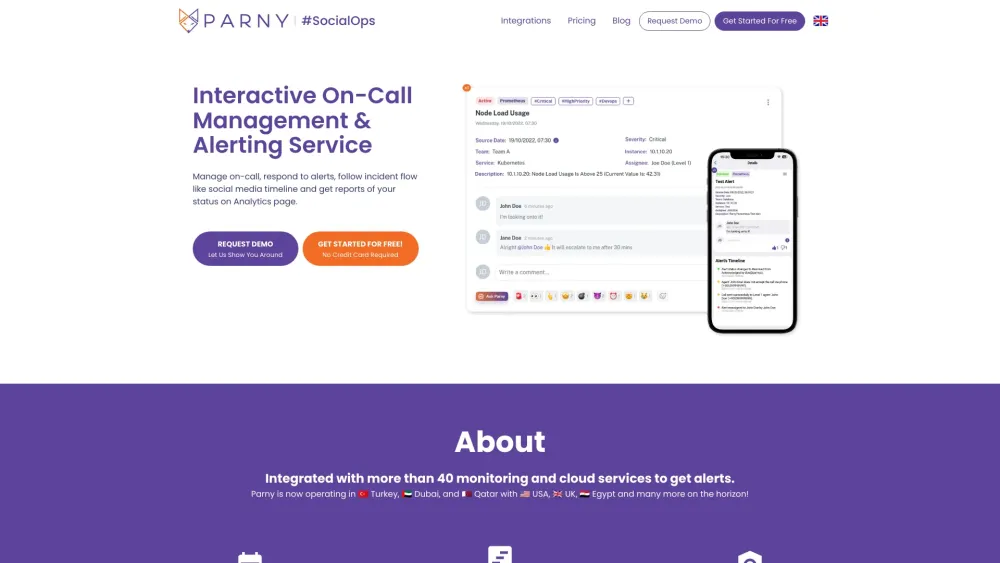
Parny website preview

Parny Website screenshot

Introducing Parny

Parny is your comprehensive platform for managing on-call schedules and monitoring alerts. It combines advanced alerting features with an intuitive, social media-inspired interface and AI-driven insights, designed to streamline the on-call management process.

Getting Started with Parny

With Parny, you can efficiently manage on-call duties, respond to alerts promptly, track incident progression in a familiar timeline format, and analyze performance data on the Analytics page.

Key Features of Parny

Seamless on-call management

Detailed alert timelines with escalation tracking

Comprehensive analytics, including DORA metrics

Role-based access control for organizational management

Applications of Parny

Dynamic on-call lists with automatic shift scheduling

Engaging timeline with interactive features such as comments, reactions, and mentions

Customizable status pages and incident history tracking

In-depth analytics, complete with charts and data tables

Product source: Parny official website. Check the provider for current plans, limits and availability.

FAQ

Parny questions and answers

Product context and practical checks for evaluating Parny.

What is Parny used for?

Parny: The ultimate on-call management tool with AI-powered alerts and a social media-like experience. Streamline your monitoring with interactive solutions.

How do I get started with Parny?

With Parny, you can efficiently manage on-call duties, respond to alerts promptly, track incident progression in a familiar timeline format, and analyze performance data on the Analytics page.

Which capabilities are described for Parny?

Seamless on-call managementDetailed alert timelines with escalation trackingComprehensive analytics, including DORA metricsRole-based access control for organizational management

What projects can I evaluate Parny for?

Dynamic on-call lists with automatic shift schedulingEngaging timeline with interactive features such as comments, reactions, and mentionsCustomizable status pages and incident history trackingIn-depth analytics, complete with charts and data tables Parny Company Company Name: Parny Teknoloji A.Ş. Sign Up for Parny Register here: https://portal.parny.io/register Parny Pricing Explore pricing options: https://parny.io/#pricing Follow Parny on LinkedIn LinkedIn: https://www.linkedin.com/company/parny-io Parny on Twitter Twitter: https://twitter.com/parnyio Parny on Instagram Instagram: https://www.instagram.com/parny.io

What should I compare before choosing a Parny plan?

Explore pricing options: https://parny.io/#pricing Confirm current prices and allowances on the provider’s website before purchasing.

What inputs should I prepare for a Parny trial?

Identify the files, text or account connections your task needs. Confirm that the product accepts those inputs and offers controls for reviewing its work.

How can I check the quality of a Parny result?

Test one representative task and inspect the result for accuracy and completeness. Record where manual corrections or extra tools are needed.

Which export options should I check in Parny?

Check export formats, integrations and whether you can keep using your work outside the service. Test a real export before committing to a longer plan.

What is a practical way to test Parny against alternatives?

Choose one task with a clear success condition. Keep the input consistent, record the time spent reviewing and compare the complete workflow cost.

Where is the official Parny website?

The website linked from this profile is . Use the provider’s own documentation, account area and support channels to confirm current product details.