AI Advertising Assistant

Parallel

Parallel | AI-Powered Google Ads Co-Pilot: Turbocharge your Google Ads with AI-driven automation, scaling campaigns effortlessly for unmatched speed and precision.

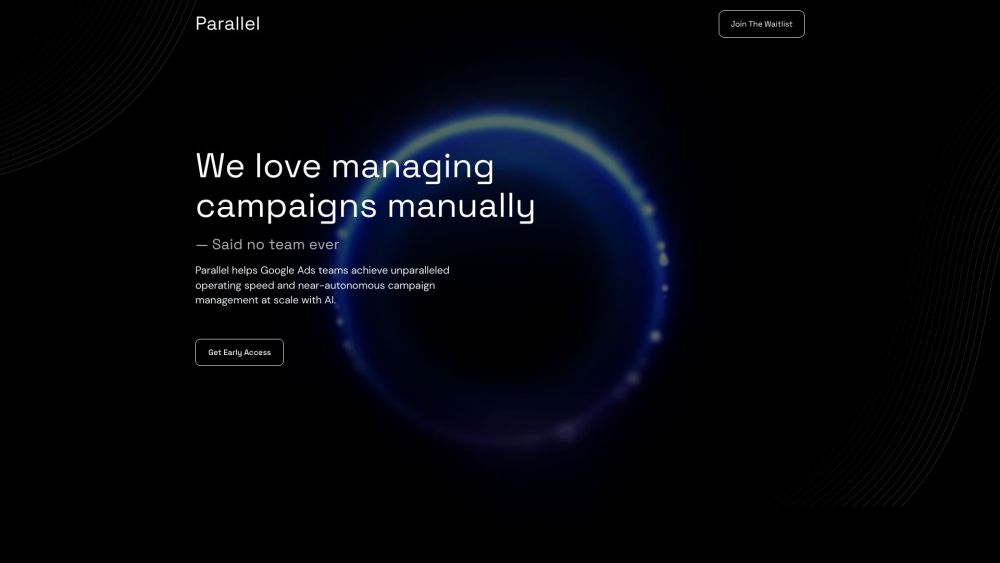
Parallel website preview

Parallel | AI-Powered Google Ads Co-Pilot Website screenshot

What is Parallel | AI-Powered Google Ads Co-Pilot?

Parallel is an innovative AI-driven co-pilot for Google Ads, designed to accelerate campaign operations and enable near-automatic management. With advanced programmatic capabilities, it automates everyday tasks, allowing users to oversee campaigns effortlessly.

How to use Parallel | AI-Powered Google Ads Co-Pilot?

To get started with Parallel, sign up for early access or join the beta program. Upon gaining access, interact with your co-pilot using natural language. Automate various tasks like report generation, campaign pausing, ad creation, and budget updates. Leveraging extensive technical documentation, Parallel is a robust tool for optimizing Google Ads accounts.

Parallel | AI-Powered Google Ads Co-Pilot's Core Features

AI-powered Google Ads co-pilot

One-click automation for routine tasks

Trained on an extensive database of technical documents

Autonomous campaign management

Capabilities: Optimization, Automation, Management, Reporting, Recommendations, Forecasting

Parallel | AI-Powered Google Ads Co-Pilot's Use Cases

Ideal for large enterprises and dynamic teams

Perfect for tech-savvy individuals

Boosts efficiency for Google Ads teams

Streamlines large-scale campaign management

Product source: Parallel official website. Check the provider for current plans, limits and availability.

FAQ

Parallel questions and answers

Product context and practical checks for evaluating Parallel.

What is Parallel used for?

Parallel | AI-Powered Google Ads Co-Pilot: Turbocharge your Google Ads with AI-driven automation, scaling campaigns effortlessly for unmatched speed and precision.

How do I get started with Parallel?

To get started with Parallel, sign up for early access or join the beta program. Upon gaining access, interact with your co-pilot using natural language. Automate various tasks like report generation, campaign pausing, ad creation, and budget updates. Leveraging extensive technical documentation, Parallel is a robust tool for optimizing Google Ads accounts.

Which capabilities are described for Parallel?

AI-powered Google Ads co-pilotOne-click automation for routine tasksTrained on an extensive database of technical documentsAutonomous campaign managementCapabilities: Optimization, Automation, Management, Reporting, Recommendations, Forecasting

What projects can I evaluate Parallel for?

Ideal for large enterprises and dynamic teamsPerfect for tech-savvy individualsBoosts efficiency for Google Ads teamsStreamlines large-scale campaign management Parallel | AI-Powered Google Ads Co-Pilot Support & Contact For more details, visit the contact us page. About Parallel | AI-Powered Google Ads Co-Pilot Company Name: Parallel. Learn more at the about us page. Sign Up for Parallel | AI-Powered Google Ads Co-Pilot Sign up at: https://www.withparallel.ai/sign-up. Parallel | AI-Powered Google Ads Co-Pilot Pricing Pricing details can be found at: https://www.withparallel.ai/portfolio-2. Follow Parallel | AI-Powered Google Ads Co-Pilot on Facebook Visit: https://www.facebook.com/. Follow Parallel | AI-Powered Google Ads Co-Pilot on Twitter Visit: https://twitter.com/. Follow Parallel | AI-Powered Google Ads Co-Pilot on Instagram Visit: https://www.instagram.com/.

What should I compare before choosing a Parallel plan?

Pricing details can be found at: https://www.withparallel.ai/portfolio-2. Confirm current prices and allowances on the provider’s website before purchasing.

What inputs should I prepare for a Parallel trial?

Identify the files, text or account connections your task needs. Confirm that the product accepts those inputs and offers controls for reviewing its work.

How can I check the quality of a Parallel result?

Test one representative task and inspect the result for accuracy and completeness. Record where manual corrections or extra tools are needed.

Which export options should I check in Parallel?

Check export formats, integrations and whether you can keep using your work outside the service. Test a real export before committing to a longer plan.

What is a practical way to test Parallel against alternatives?

Choose one task with a clear success condition. Keep the input consistent, record the time spent reviewing and compare the complete workflow cost.

Where is the official Parallel website?

The website linked from this profile is . Use the provider’s own documentation, account area and support channels to confirm current product details.