Text to Image

OpenArt

OpenArt is an AI image generator that aims to elevate and realize your creative vision. It offers a range of AI models and styles to choose from, making you 10 times more creative and productive. It supports various functionalities such as txt2img, img2img, ControlNet, inpainting, and more. OpenArt also provides Face/anime enhancement with 2x and 4x upscaling, along with access to over 10 million prompts.

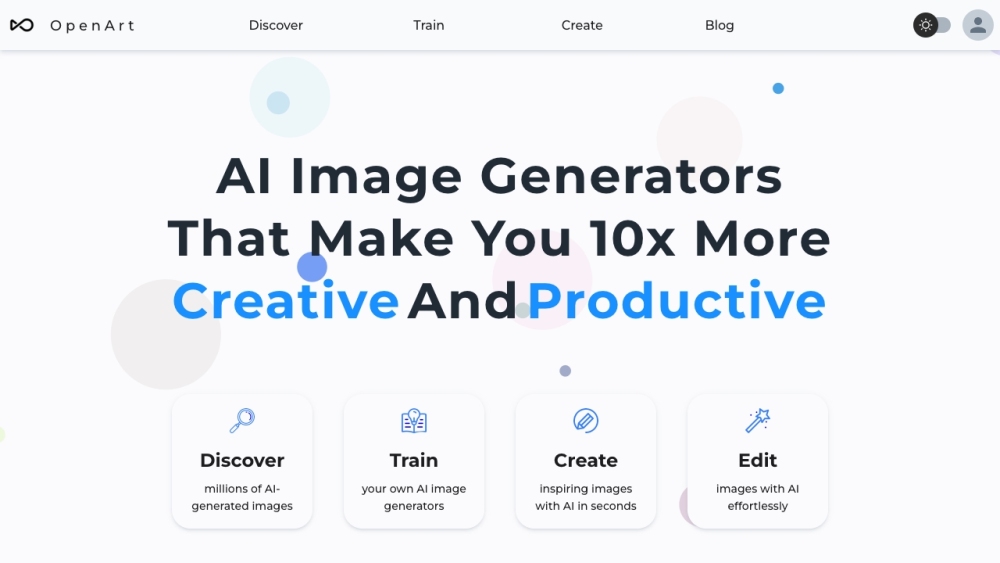
OpenArt website preview

OpenArt Website screenshot

What is OpenArt?

OpenArt is a sophisticated AI-driven image generator designed to bring your creative ideas to life. By offering an array of AI models and artistic styles, OpenArt significantly boosts your creativity and productivity. The platform includes a variety of features such as txt2img, img2img, ControlNet, inpainting, and more. Additionally, OpenArt offers face and anime enhancements with 2x and 4x upscaling, alongside access to a vast library of over 10 million prompts.

How to use OpenArt?

To begin using OpenArt, you need to create an account. Once logged in, you can start generating images by selecting the AI model and style that best suits your needs. You can either provide a specific prompt or engage with the AI using innovative methods without the need for detailed prompts. OpenArt also allows you to fine-tune colors and control the degree of deviation from the original image, enabling you to explore various creative interpretations.

OpenArt's Core Features

AI image generator with 20+ models and styles

Supports txt2img, img2img, ControlNet, inpainting, and more

Face and anime enhancement with 2x and 4x upscaling

User-friendly AI interaction without complex prompts

Enhanced color control and output similarity

Creative Variations to explore different versions of an image

Access to over 10 million prompts

OpenArt's Use Cases

Creating AI-generated art

Generating anime characters

Creating AI avatars

Designing gaming assets with AI

Enhancing images with inpainting and upscaling

Exploring creative variations of original images

Product source: OpenArt official website. Check the provider for current plans, limits and availability.

FAQ

OpenArt questions and answers

Product context and practical checks for evaluating OpenArt.

What is OpenArt used for?

OpenArt is an AI image generator that aims to elevate and realize your creative vision. It offers a range of AI models and styles to choose from, making you 10 times more creative and productive. It supports various functionalities such as txt2img, img2img, ControlNet, inpainting, and more. OpenArt also provides Face/anime enhancement with 2x and 4x upscaling, along with access to over 10 million prompts.

How do I get started with OpenArt?

To begin using OpenArt, you need to create an account. Once logged in, you can start generating images by selecting the AI model and style that best suits your needs. You can either provide a specific prompt or engage with the AI using innovative methods without the need for detailed prompts. OpenArt also allows you to fine-tune colors and control the degree of deviation from the original image, enabling you to explore various creative interpretations.

Which capabilities are described for OpenArt?

AI image generator with 20+ models and stylesSupports txt2img, img2img, ControlNet, inpainting, and moreFace and anime enhancement with 2x and 4x upscalingUser-friendly AI interaction without complex promptsEnhanced color control and output similarityCreative Variations to explore different versions of an imageAccess to over 10 million prompts

What projects can I evaluate OpenArt for?

Creating AI-generated artGenerating anime charactersCreating AI avatarsDesigning gaming assets with AIEnhancing images with inpainting and upscalingExploring creative variations of original images OpenArt Discord Join the OpenArt community on Discord: https://discord.gg/yTMNvk5z97. For more details, click here. OpenArt Support Email & Customer Service Contact OpenArt customer support via email: [email protected]. OpenArt Company Learn more about OpenArt on our About Us page. OpenArt Pricing View OpenArt's pricing plans: OpenArt Pricing

What should I compare before choosing a OpenArt plan?

View OpenArt's pricing plans: OpenArt Pricing Confirm current prices and allowances on the provider’s website before purchasing.

What inputs should I prepare for a OpenArt trial?

Look for text prompts, image references, masks or sketches as appropriate. Compare composition control, supported upload types and the ability to revise a selected area.

How can I check the quality of a OpenArt result?

Inspect text, hands, edges, reflections and repeated objects at full size. Check that important product or brand details survive editing.

Which export options should I check in OpenArt?

Compare pixel dimensions, transparency, file formats and any enlargement options. Confirm that the downloaded result works in your design or publishing software.

What is a practical way to test OpenArt against alternatives?

Prepare a brief with a subject, composition, lighting and required output size. Test a first generation and a targeted revision to see how much control you retain.

Where is the official OpenArt website?

The website linked from this profile is https://openart.ai. Use the provider’s own documentation, account area and support channels to confirm current product details.

Visit OpenArt