AI Analytics Assistant

Oosto

Oosto: Advanced facial recognition for access control and real-time monitoring. Enhance security with precise video analytics and persons of interest tracking.

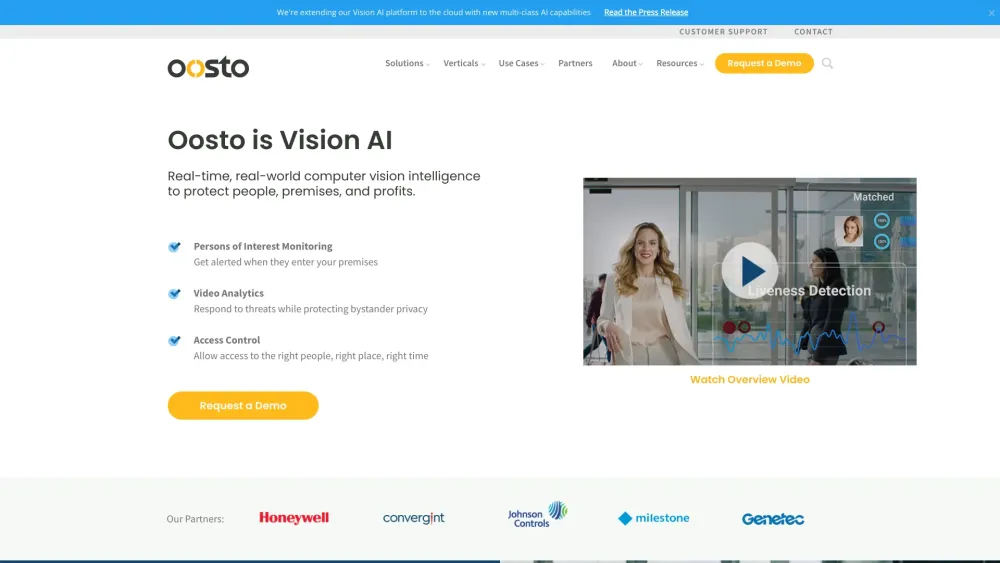
Oosto website preview

Oosto Website screenshot

What is Oosto?

Oosto's cutting-edge facial recognition technology is a robust tool utilized by security professionals for monitoring persons of interest, conducting video analytics, and managing access control systems.

How to use Oosto?

1. Install Oosto's facial recognition software. 2. Integrate the software with your existing camera network. 3. Configure the system's monitoring and access control parameters. 4. Utilize the platform to track persons of interest, analyze video feeds, and regulate access to secure locations.

Oosto's Core Features

Real-time facial recognition

Monitoring of persons of interest

Advanced video analytics

Comprehensive access control

Oosto's Use Cases

Public safety and security

Access control for corporate facilities

Enhanced security at airports and transportation hubs

Surveillance in casinos and gaming establishments

Security management for stadiums and large venues

Product source: Oosto official website. Check the provider for current plans, limits and availability.

FAQ

Oosto questions and answers

Product context and practical checks for evaluating Oosto.

What is Oosto used for?

Oosto: Advanced facial recognition for access control and real-time monitoring. Enhance security with precise video analytics and persons of interest tracking.

How do I get started with Oosto?

1. Install Oosto's facial recognition software. 2. Integrate the software with your existing camera network. 3. Configure the system's monitoring and access control parameters. 4. Utilize the platform to track persons of interest, analyze video feeds, and regulate access to secure locations.

Which capabilities are described for Oosto?

Real-time facial recognitionMonitoring of persons of interestAdvanced video analyticsComprehensive access control

What projects can I evaluate Oosto for?

Public safety and securityAccess control for corporate facilitiesEnhanced security at airports and transportation hubsSurveillance in casinos and gaming establishmentsSecurity management for stadiums and large venues Oosto Support Email & Customer Service Contact & Refund Information For more contact options, visit the contact us page(https://oosto.com/contact/) About Oosto Company name: Oosto. Learn more about Oosto at the about us page(https://oosto.com/about/). Oosto Pricing To explore pricing options, visit: https://oosto.com/tco-calculator/ Oosto on Facebook Follow Oosto on Facebook: https://www.facebook.com/OostoAI/Oosto on LinkedIn Connect with Oosto on LinkedIn: https://www.linkedin.com/company/oostoOosto on Twitter Follow Oosto on Twitter: https://twitter.com/oostoai

What should I compare before choosing a Oosto plan?

To explore pricing options, visit: https://oosto.com/tco-calculator/ Confirm current prices and allowances on the provider’s website before purchasing.

What inputs should I prepare for a Oosto trial?

Compare text prompts, reference frames, source footage and audio support. Check duration, aspect ratio and whether the tool lets you keep a subject consistent between shots.

How can I check the quality of a Oosto result?

Watch the entire clip for motion errors, distorted objects, changing identities, lip-sync problems and abrupt transitions. Inspect the downloaded file as well as the preview.

Which export options should I check in Oosto?

Check export resolution, frame rate, aspect ratio, audio tracks and watermark rules. A good preview is not a substitute for an export that fits your publishing channel.

What is a practical way to test Oosto against alternatives?

Use a short shot with one subject and one camera movement. Keep the prompt and duration constant, then compare usable seconds and the number of regenerations.

Where is the official Oosto website?

The website linked from this profile is https://anyvision.co. Use the provider’s own documentation, account area and support channels to confirm current product details.

Visit Oosto