Writing Assistants

OneTap - Chrome Extension

Streamline your job search with OneTap - a powerful Chrome extension that automates the job application process. Land your dream job faster!

OneTap - Chrome Extension website preview

OneTap - Chrome Extension Website screenshot

OneTap - Chrome Extension: Auto Job App Tool : Key Features

Looking for a convenient way to streamline your job application process? Introducing OneTap - the ultimate Chrome extension that automates your job applications with ease.

What is OneTap ai chrome extension?

OneTap AI Chrome extension is a cutting-edge platform designed to simplify the job application process. It utilizes advanced automation technology to fill out job applications effortlessly, saving you valuable time and effort.

How to use OneTap ai chrome extension?

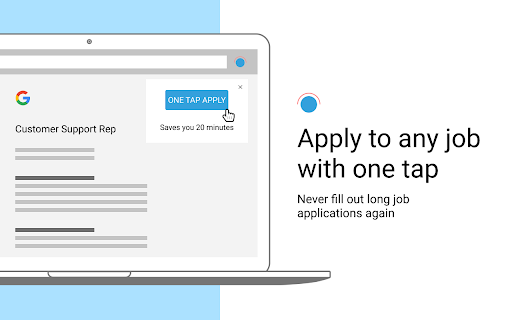
Getting started with OneTap is a breeze. Simply install the extension on your Chrome browser and click on it when you're on a job page. OneTap will take care of the rest, automatically populating the application fields for you.

OneTap ai chrome extension's Core Features

Automated job application filling

With OneTap, say goodbye to manual form filling. The extension intelligently extracts relevant information from your profile and seamlessly populates it into job application forms, eliminating the need for repetitive data entry.

Connection to employees for interview assistance

OneTap goes beyond application filling by providing a direct connection to employees who can offer interview assistance. This unique feature allows you to gain valuable insights and guidance from professionals within your desired industry.

OneTap ai chrome extension's Use Cases

Saves time on job applications

By automating the application process, OneTap significantly reduces the time and effort required to apply for multiple jobs. Spend less time on tedious form filling and more time focusing on what matters most - preparing for interviews.

Increases chances of getting interviews

OneTap's intelligent automation not only saves time but also increases your chances of securing interviews. By ensuring accurate and complete application submissions, you stand out from the competition and increase your likelihood of being contacted by potential employers.

Product source: OneTap - Chrome Extension official website. Check the provider for current plans, limits and availability.

FAQ

OneTap - Chrome Extension questions and answers

Product context and practical checks for evaluating OneTap - Chrome Extension.

What is OneTap - Chrome Extension used for?

Streamline your job search with OneTap - a powerful Chrome extension that automates the job application process. Land your dream job faster!

How do I get started with OneTap - Chrome Extension?

Getting started with OneTap is a breeze. Simply install the extension on your Chrome browser and click on it when you're on a job page. OneTap will take care of the rest, automatically populating the application fields for you.

Which capabilities are described for OneTap - Chrome Extension?

Looking for a convenient way to streamline your job application process? Introducing OneTap - the ultimate Chrome extension that automates your job applications with ease.

What projects can I evaluate OneTap - Chrome Extension for?

Saves time on job applicationsBy automating the application process, OneTap significantly reduces the time and effort required to apply for multiple jobs. Spend less time on tedious form filling and more time focusing on what matters most - preparing for interviews.Increases chances of getting interviewsOneTap's intelligent automation not only saves time but also increases your chances of securing interviews. By ensuring accurate and complete application submissions, you stand out from the competition and increase your likelihood of being contacted by potential employers.

What should I compare before choosing a OneTap - Chrome Extension plan?

Check OneTap - Chrome Extension’s current pricing page for included usage, renewal terms and any credit charges. Compare the cost of a usable result, including retries, rather than assuming that account registration includes free usage.

What inputs should I prepare for a OneTap - Chrome Extension trial?

Check supported documents, datasets and source access. Establish whether the product can inspect your actual material rather than answer from general knowledge.

How can I check the quality of a OneTap - Chrome Extension result?

Follow citations to the original source, recalculate important numbers and check the date and scope of the evidence. Distinguish an explanation from a verified result.

Which export options should I check in OneTap - Chrome Extension?

Look for usable citations, tables, downloadable data and reproducible steps. A clear answer should let another person inspect how the conclusion was reached.

What is a practical way to test OneTap - Chrome Extension against alternatives?

Choose a question with known sources and a checkable result. Compare citation accuracy, omissions and reproducibility rather than response length.

Where is the official OneTap - Chrome Extension website?

The website linked from this profile is https://chromewebstore.google.com/detail/one-tap-job-search-helper/mchdhakjpgbgfcecgihfggmdmlclkgib. Use the provider’s own documentation, account area and support channels to confirm current product details.

Visit OneTap - Chrome Extension